> ## Documentation Index
> Fetch the complete documentation index at: https://docs.tai42.ai/llms.txt
> Use this file to discover all available pages before exploring further.
# Presets
> Author versioned tool presets and bake fixed kwargs, including secret references to environment keys.
The Presets screen manages [presets](/concepts/presets) — named, versioned wraps
of a base tool with baked constants, an optional output schema, and extension
sets. The screen is a master list on the left and a detail-and-editor on the
right, the same shape as the other Capabilities screens.
 ## The list and detail
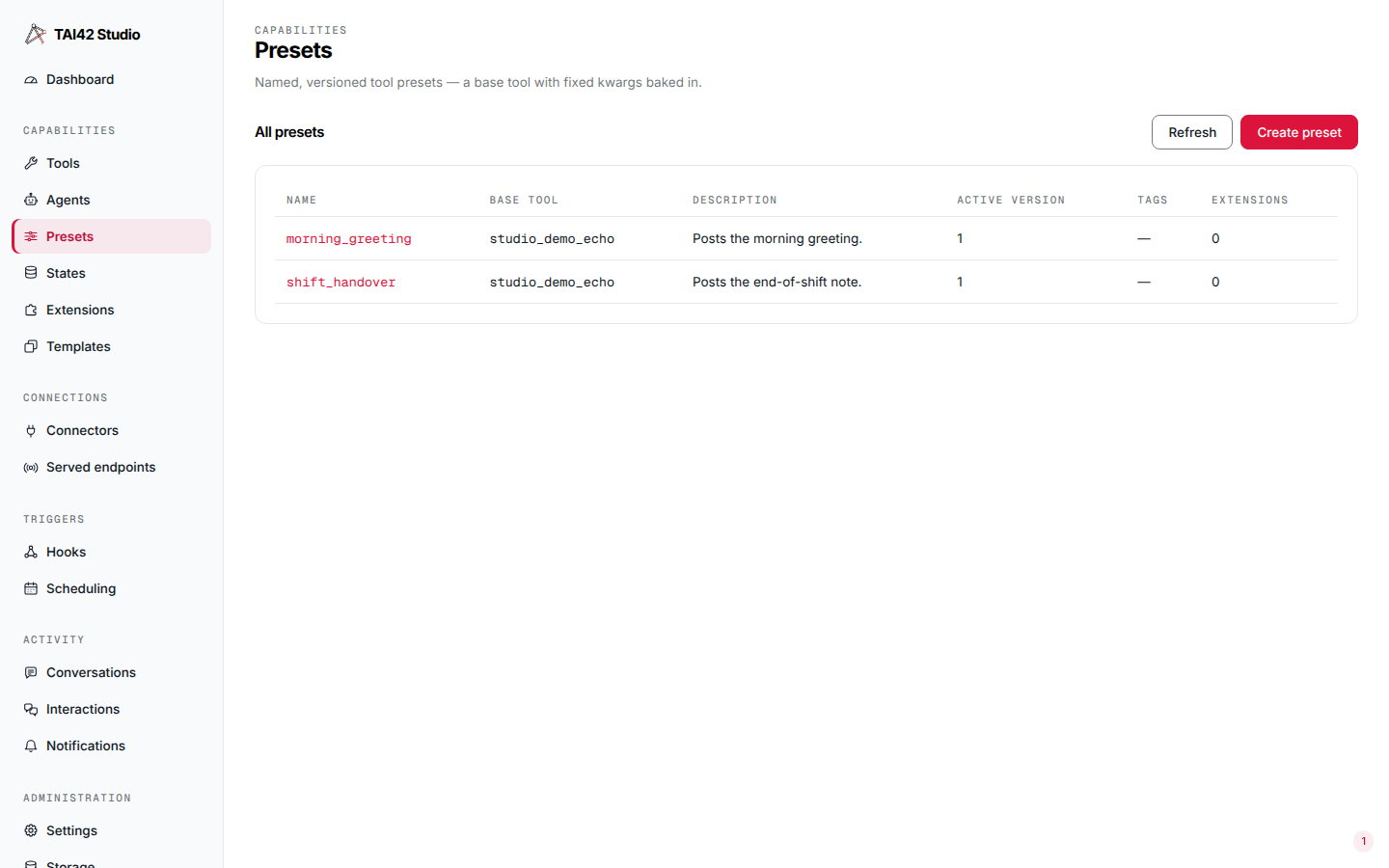
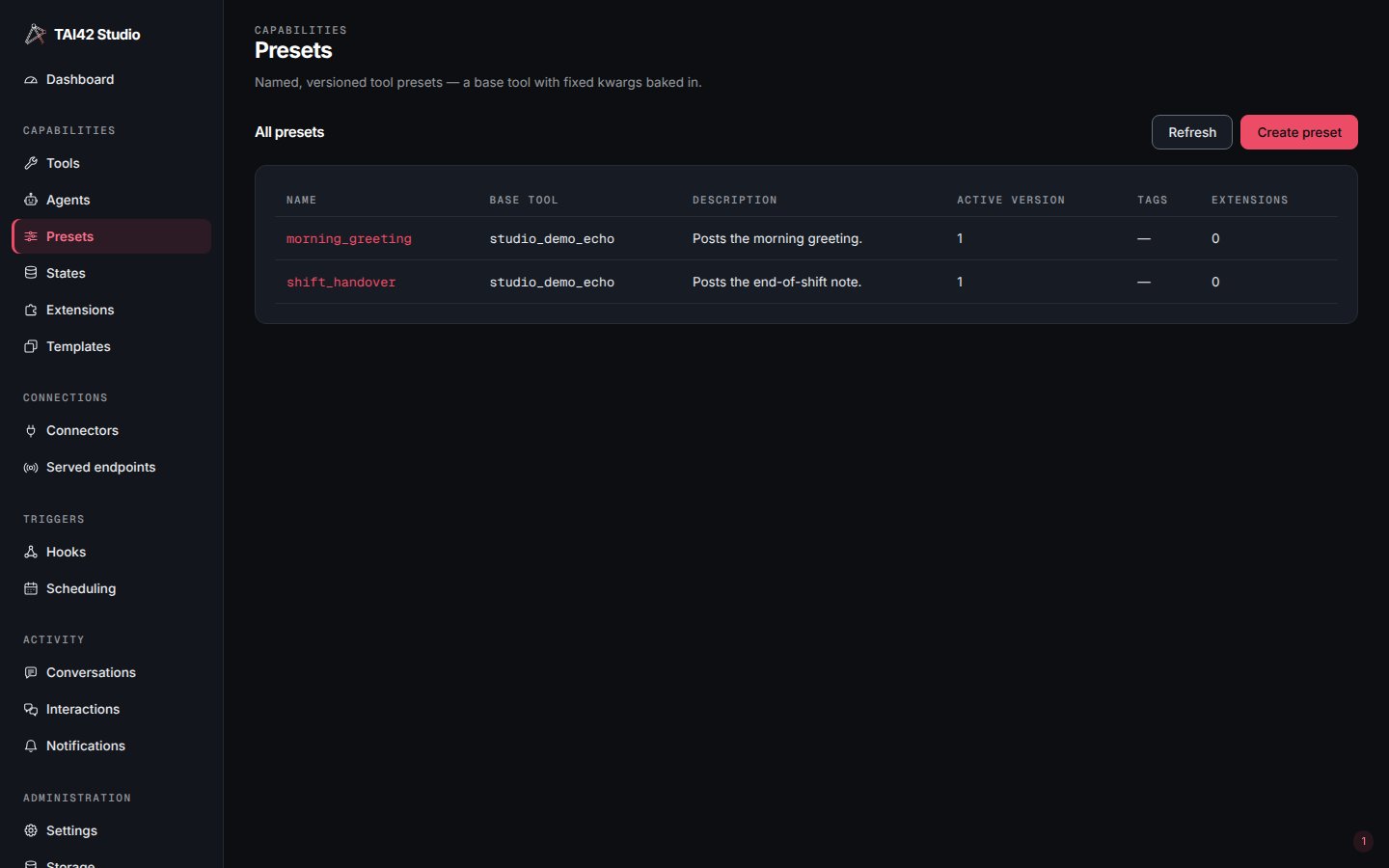
**All presets** lists every preset with its name, base tool, description, active
version, tags, and extension count. Selecting a row opens the preset's detail: its
current body — base tool, fixed kwargs, output schema, and extension sets — and its
version history. The detail also edits the preset's
[display name and tags](/concepts/tool-organization); folder navigation and hide
controls live on the Tools screen.
## Create a preset
**Create preset** opens a dialog for a new preset: its **Name**, an optional
**Description**, the **Base tool** it wraps, the **Fixed kwargs** baked into every
run, **Tags**, ordered **Extension sets**, and an optional **Output schema**. The
Base tool must be chosen first — the fixed-kwargs editor suggests that tool's own
input names and the create route rejects a kwarg the base tool does not declare.
## The fixed kwargs editor
**Fixed kwargs** are the constants baked into the preset, applied on every run and
hidden from the tool's caller. The field offers two views behind a **Fields · JSON**
switch: **Fields** edits one typed row per kwarg; **JSON** edits the raw object. The
two stay in sync — switching serializes the rows to JSON or reparses the JSON into
rows — and both are the same `fixed_kwargs` object.
## The list and detail
**All presets** lists every preset with its name, base tool, description, active
version, tags, and extension count. Selecting a row opens the preset's detail: its
current body — base tool, fixed kwargs, output schema, and extension sets — and its
version history. The detail also edits the preset's
[display name and tags](/concepts/tool-organization); folder navigation and hide
controls live on the Tools screen.
## Create a preset
**Create preset** opens a dialog for a new preset: its **Name**, an optional
**Description**, the **Base tool** it wraps, the **Fixed kwargs** baked into every
run, **Tags**, ordered **Extension sets**, and an optional **Output schema**. The
Base tool must be chosen first — the fixed-kwargs editor suggests that tool's own
input names and the create route rejects a kwarg the base tool does not declare.
## The fixed kwargs editor
**Fixed kwargs** are the constants baked into the preset, applied on every run and
hidden from the tool's caller. The field offers two views behind a **Fields · JSON**
switch: **Fields** edits one typed row per kwarg; **JSON** edits the raw object. The
two stay in sync — switching serializes the rows to JSON or reparses the JSON into
rows — and both are the same `fixed_kwargs` object.
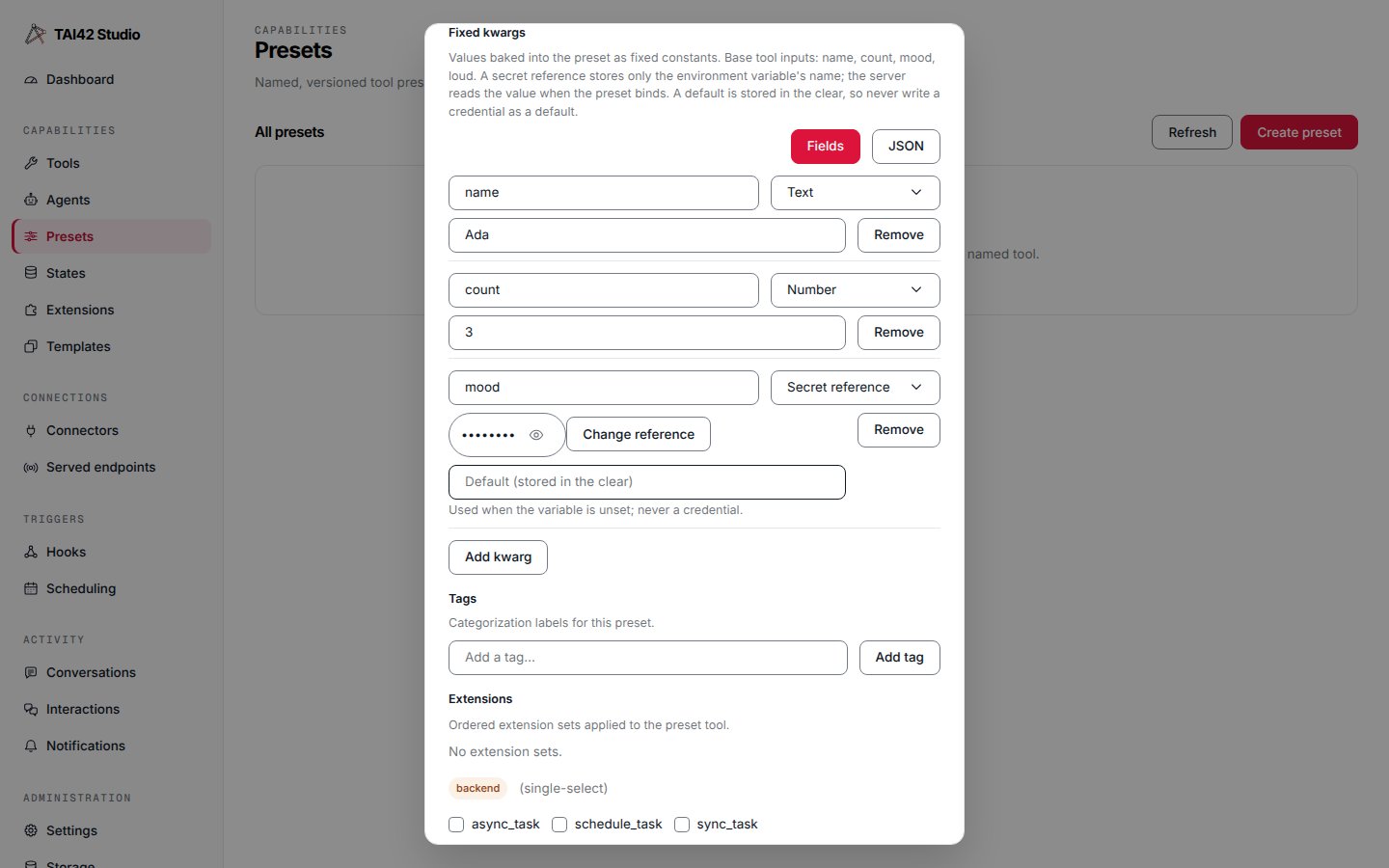
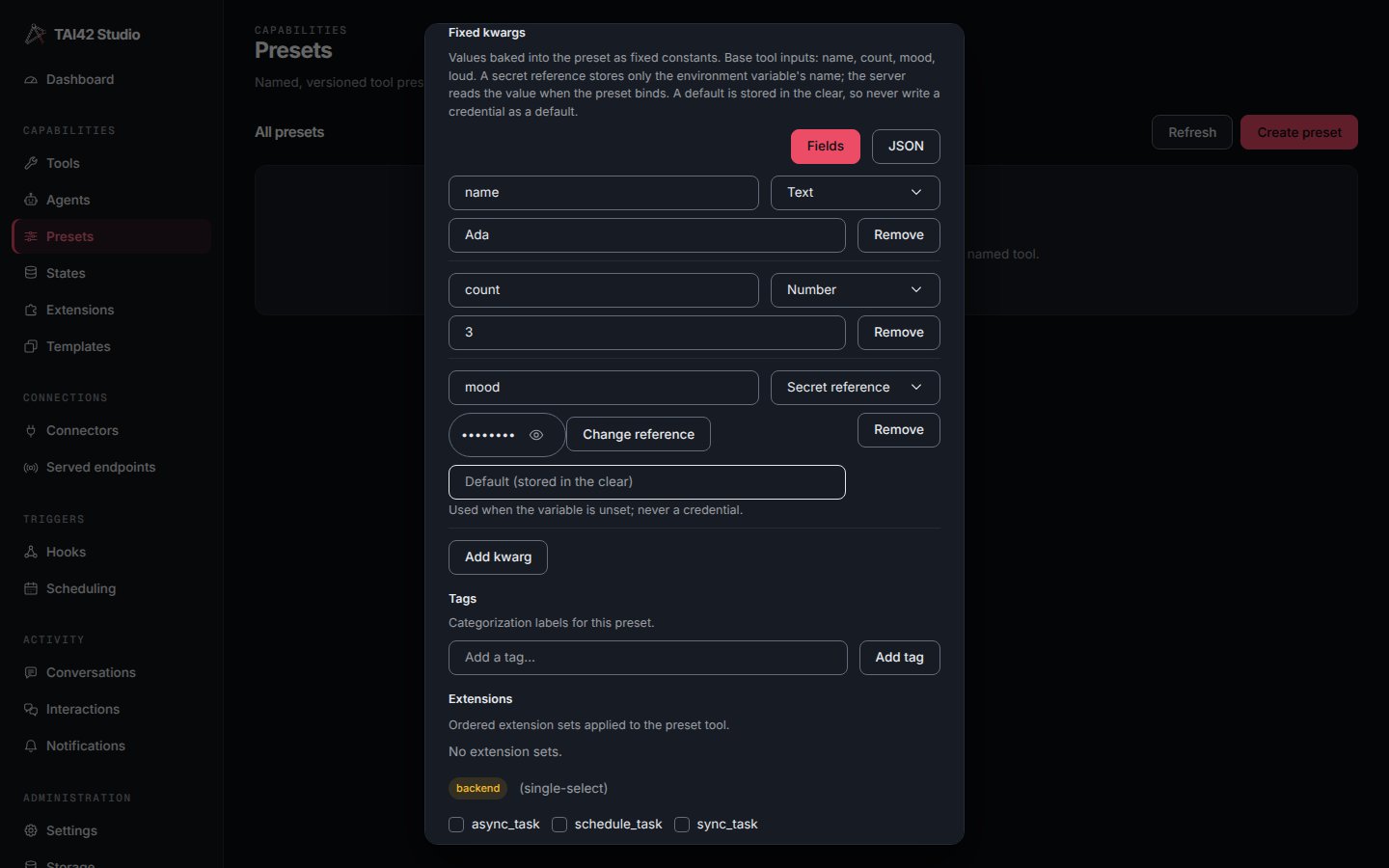 Each row has a **Key**, a **Type**, and a value control for that type:
| Type | Value control |
| -------------------- | -------------------------------------------------------------------------------------------------- |
| **Text** | a text input — a plain string constant. |
| **Number** | a numeric input; a value that is not a finite number blocks saving. |
| **Boolean** | a `true` / `false` select. |
| **Null** | no value — the kwarg is `null`. |
| **Secret reference** | an environment-key picker (see below). |
| **JSON** | a read-only preview of a nested object or array, with **Edit as JSON** to switch to the JSON view. |
**Add kwarg** appends a blank row; each row has a **Remove** button. The base tool's
input names are offered as suggestions on the Key input.
### Secret references
A **Secret reference** row bakes a pointer to an environment value instead of the
value itself. It stores **only the environment variable's name**; the server reads
the value from its environment when the preset binds, and masks it wherever a run is
recorded. You cannot paste a value here — the row picks from the keys already added
on the [System › Environment](/studio/admin-console#settings-and-environment) tab,
so the credential is never typed into the preset:
> Add the secret on System › Environment, then reference it here.
A reference may carry an optional **Default (stored in the clear)**, used when the
variable is unset. The default is ordinary non-secret config — it is stored,
versioned, and exported in the clear — so never write a credential as a default. It
cannot contain `{` or `}`, which would break out of the `${VAR:default}` marker.
Under the field, the editor states the rule plainly: *A secret reference stores only
the environment variable's name; the server reads the value when the preset binds. A
default is stored in the clear, so never write a credential as a default.*
If the environment keys cannot be listed, the row degrades to a plain **Environment
variable** input — you type the name — with the hint *Environment keys could not be
listed; type the variable name.*
### The JSON view
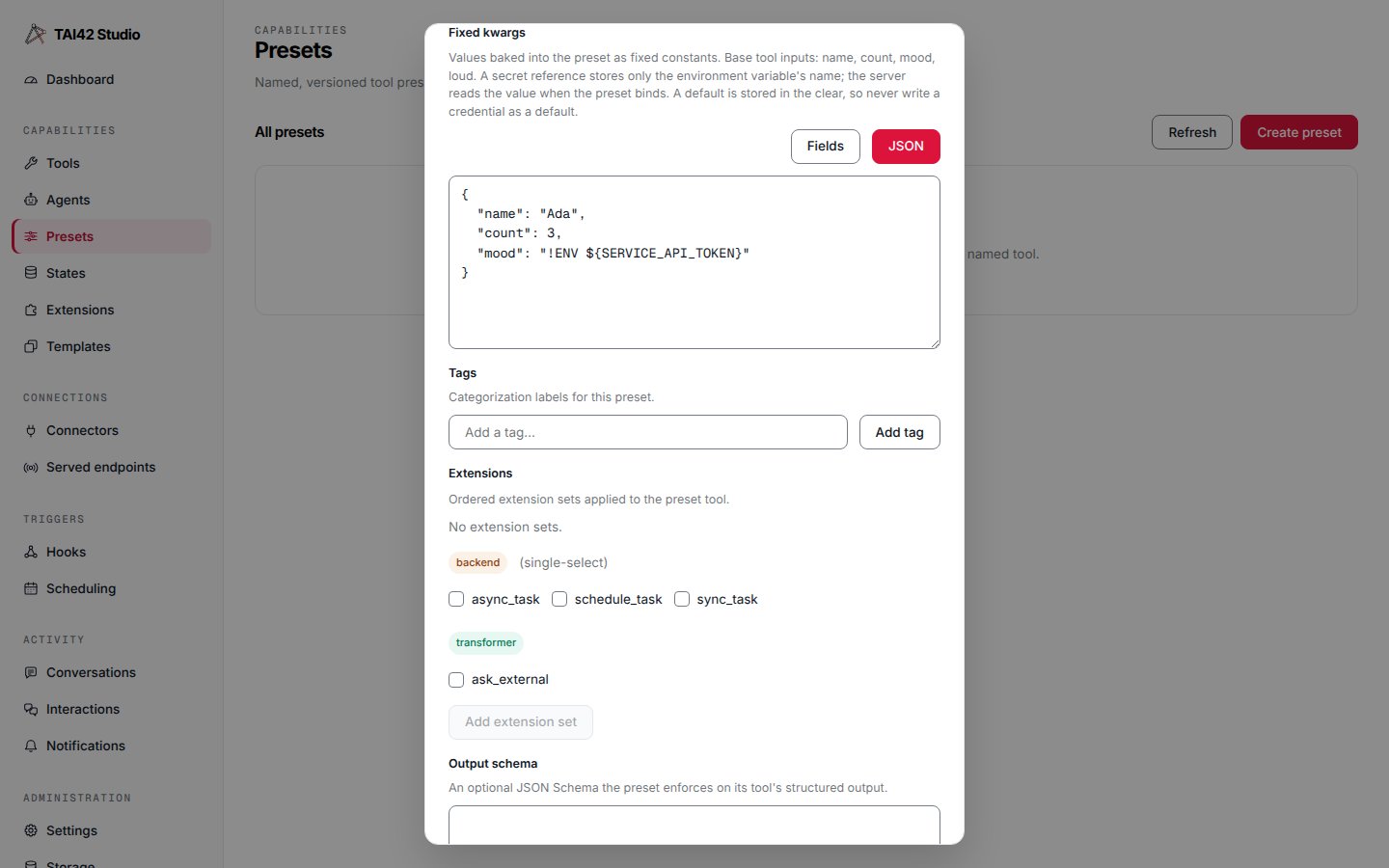
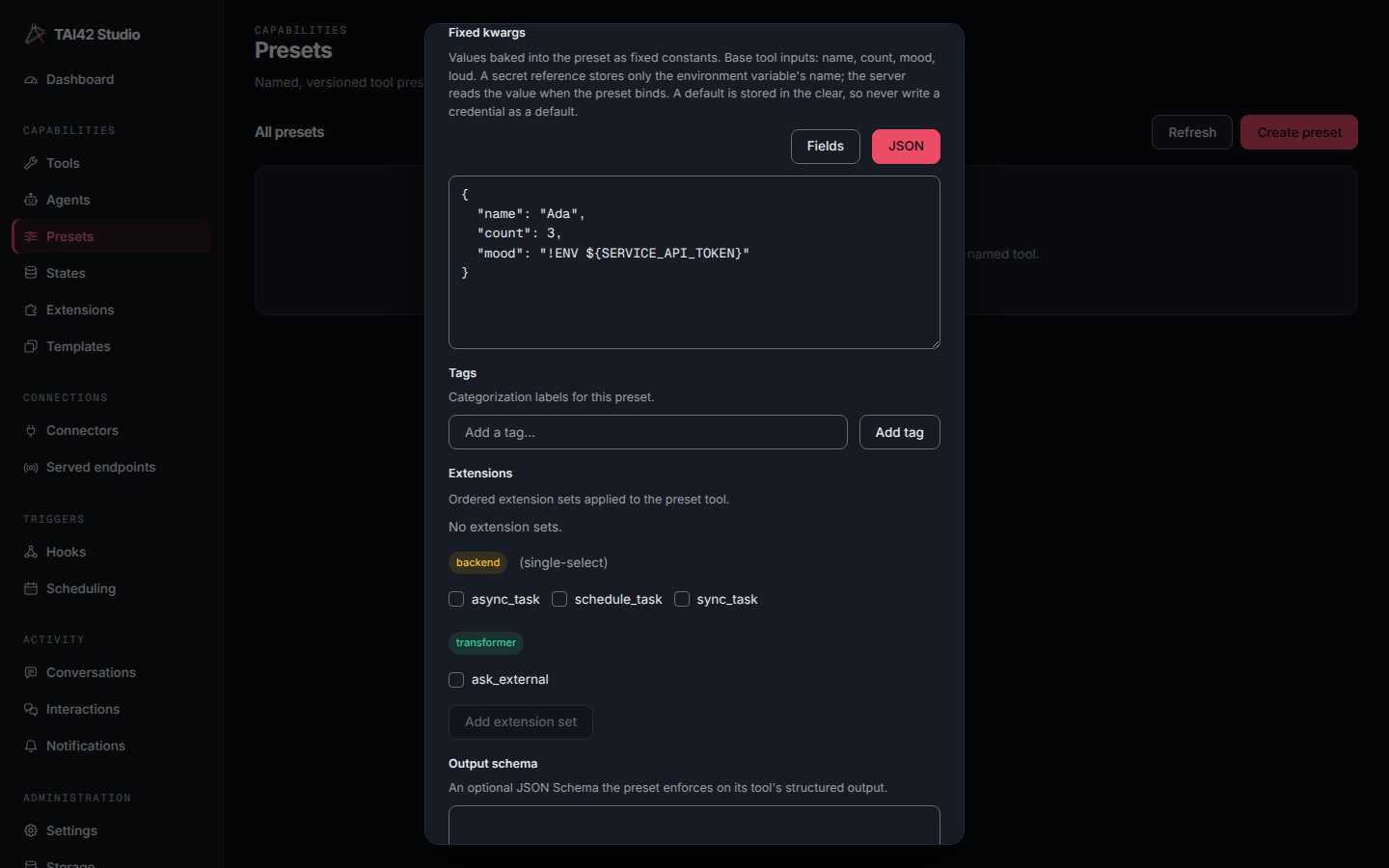
The **JSON** view shows the same kwargs as raw JSON, and is where a nested object or
array is edited. A reference is the exact marker the server resolves at bind time —
`!ENV ${VAR}`, or `!ENV ${VAR:default}` with a default:
Each row has a **Key**, a **Type**, and a value control for that type:
| Type | Value control |
| -------------------- | -------------------------------------------------------------------------------------------------- |
| **Text** | a text input — a plain string constant. |
| **Number** | a numeric input; a value that is not a finite number blocks saving. |
| **Boolean** | a `true` / `false` select. |
| **Null** | no value — the kwarg is `null`. |
| **Secret reference** | an environment-key picker (see below). |
| **JSON** | a read-only preview of a nested object or array, with **Edit as JSON** to switch to the JSON view. |
**Add kwarg** appends a blank row; each row has a **Remove** button. The base tool's
input names are offered as suggestions on the Key input.
### Secret references
A **Secret reference** row bakes a pointer to an environment value instead of the
value itself. It stores **only the environment variable's name**; the server reads
the value from its environment when the preset binds, and masks it wherever a run is
recorded. You cannot paste a value here — the row picks from the keys already added
on the [System › Environment](/studio/admin-console#settings-and-environment) tab,
so the credential is never typed into the preset:
> Add the secret on System › Environment, then reference it here.
A reference may carry an optional **Default (stored in the clear)**, used when the
variable is unset. The default is ordinary non-secret config — it is stored,
versioned, and exported in the clear — so never write a credential as a default. It
cannot contain `{` or `}`, which would break out of the `${VAR:default}` marker.
Under the field, the editor states the rule plainly: *A secret reference stores only
the environment variable's name; the server reads the value when the preset binds. A
default is stored in the clear, so never write a credential as a default.*
If the environment keys cannot be listed, the row degrades to a plain **Environment
variable** input — you type the name — with the hint *Environment keys could not be
listed; type the variable name.*
### The JSON view
The **JSON** view shows the same kwargs as raw JSON, and is where a nested object or
array is edited. A reference is the exact marker the server resolves at bind time —
`!ENV ${VAR}`, or `!ENV ${VAR:default}` with a default:
 ### Validation
A row is flagged inline when its key is blank (**Key is required**), duplicates
another row's key (**Duplicate key**), is a number that does not parse (**Not a
number**), is a reference naming no variable (**Environment variable is
required**), or is a reference whose default contains `{` or `}` (**Default must not
contain { or }**). While any row is invalid the field shows **Fix the highlighted kwarg
before saving.** and **Create**, **Validate**, and **Save as new version** are
disabled, so a half-edited kwarg can never be written. Malformed raw JSON forces the
JSON view and reports the parser's message; the Fields switch stays disabled until it
parses.
## Save a version and roll back
Editing a preset's body and saving mints a **new version** — presets are immutable
per version, and the same fixed-kwargs editor and validation gate the save-version
dialog. The version history lists every version; **rollback** makes an earlier
version active again without losing the later ones.
The same operations are available from the CLI (`tai presets list`,
`tai presets versions `, `tai presets rollback `). See
[Presets](/concepts/presets) for the full model and
[Configuration and secrets](/concepts/config-and-secrets) for how environment
references are resolved.
### Validation
A row is flagged inline when its key is blank (**Key is required**), duplicates
another row's key (**Duplicate key**), is a number that does not parse (**Not a
number**), is a reference naming no variable (**Environment variable is
required**), or is a reference whose default contains `{` or `}` (**Default must not
contain { or }**). While any row is invalid the field shows **Fix the highlighted kwarg
before saving.** and **Create**, **Validate**, and **Save as new version** are
disabled, so a half-edited kwarg can never be written. Malformed raw JSON forces the
JSON view and reports the parser's message; the Fields switch stays disabled until it
parses.
## Save a version and roll back
Editing a preset's body and saving mints a **new version** — presets are immutable
per version, and the same fixed-kwargs editor and validation gate the save-version
dialog. The version history lists every version; **rollback** makes an earlier
version active again without losing the later ones.
The same operations are available from the CLI (`tai presets list`,
`tai presets versions `, `tai presets rollback `). See
[Presets](/concepts/presets) for the full model and
[Configuration and secrets](/concepts/config-and-secrets) for how environment
references are resolved.