

The node edit panel
Selecting a node on the canvas opens a tabbed edit panel — Settings, Input, Output, State. Settings is the per-kind configuration form and its Update-node action; a fan-in or loop node’s Settings also carry the barrier’s wait knobs (wait mode and the timeout give-up pair) and, where the flow binds states, the opt-in state-refresh toggle. Input and Output are read-only: they render the node’s declared input and output schemas — with the node’s outcomes surfaced on Output — so a node’s contract is readable in build mode, and each shows an empty state when nothing is declared. Changes in the panel stay a draft until Update node applies them. Closing the panel, opening another node, switching mode, leaving the editor, an undo or redo that changes the open node, or importing a flow file over the canvas while the panel holds a draft first asks Unapplied changes: Keep editing, Discard changes (the node keeps its applied values), or Apply changes (the step then goes on, and a flow left unsaved by the apply asks to be saved before the editor is left). Browser and shell navigation ask the same way. Picking a tool in a node’s panel — a Runnable, an On Error, or a router route’s On Error — that replaces a bound tool clears the kwargs written for the bound tool, broken JSON included, since they name that tool’s arguments; the Expression is the node’s input, not the tool’s, so it is kept. Picking the bound tool again changes nothing, and kwargs typed while no tool is bound are kept. A Map node’s own tool picker clears its per-item kwargs the same way. The pick then fills the node’s empty kwargs from the tool schema’s rootdefault and its empty Expression from the schema’s
x-tai42-default-expr, once that tool’s schema has loaded; slots that already hold
text are left as they are. The cleared and filled values are part
of the pick: Discard changes reverts them with the tool, Apply changes commits
them with it. A pick applied before its tool’s schema has loaded is committed with
the kwargs cleared but nothing filled, and nothing is filled when the schema arrives
later. Opening a node never
changes it: the panel shows exactly what the node holds.
Every tool picker in the panel, a route’s inline On Error included, shows each tool’s
declared description as a quieter line under its name, and its search box finds a tool by
that description as well as by its name. A failed read of the descriptions shows one
notice in the form, “Could not load tool descriptions:” and the error, with Retry;
the pickers keep working from the tools’ names, and a picker with a search box adds “The
tool search matches tool names only.”
The Input tab also carries a Receives from block — resolved by the engine after
edge transforms — resolved live off the canvas as you edit: the inputs the engine
works out a node will actually receive at run time, which are its
declared inputs plus the ones its incoming edges add.
Each is a chip, solid for a declared input and outlined (titled from an edge)
for one an edge derives, so what reaches a node beyond what it declares is visible at a
glance. The block draws its own loading and empty states and surfaces a loud alert when
the canvas cannot be converted to a graph or the engine cannot resolve it, rather than
showing stale chips.
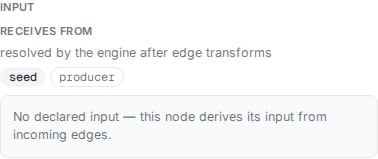
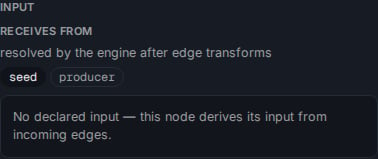
A loop node's Input tab: the Receives from block, its declared input solid and its edge-derived input outlined, above the node's declared input schema.
after_reply toggle,
“Call the tool after the reply”. With it on, the node’s tool is called after the run has
answered; in Run mode the node settles with a clock glyph labelled Node call runs after the
reply and a muted ring, and its run popup shows the status deferred.
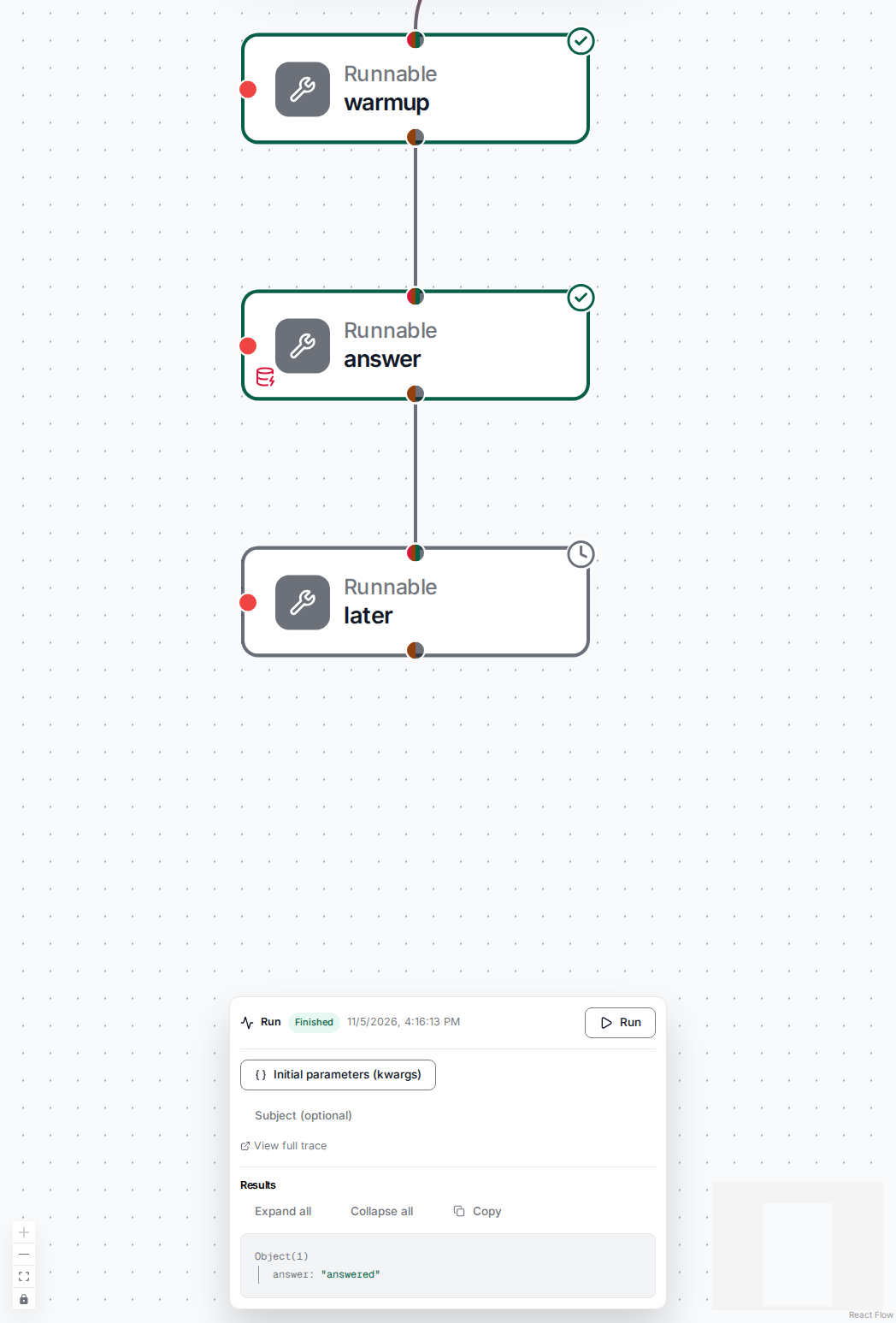
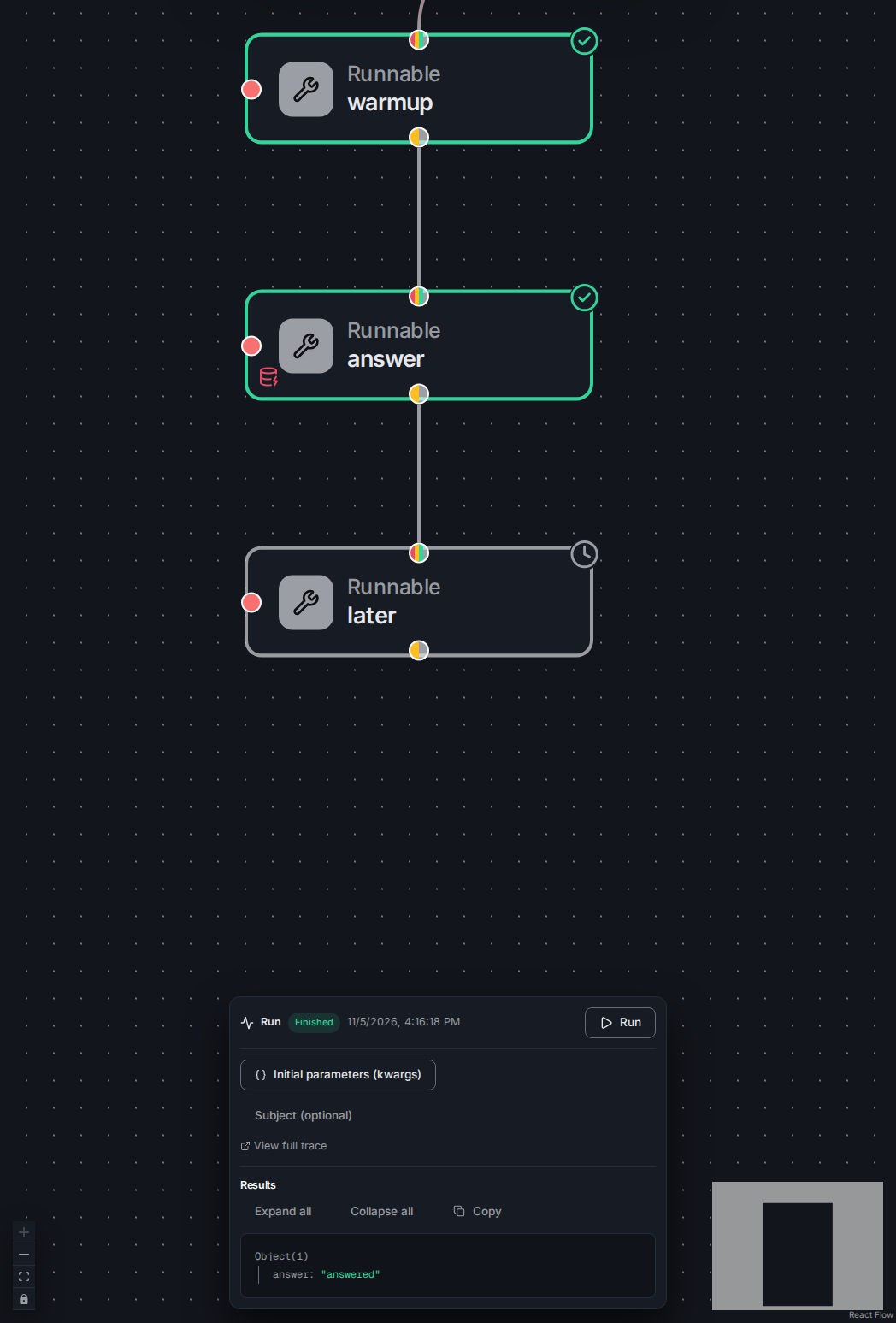
A finished run: the node set to run after the reply settles with the clock glyph and a muted ring.
.upstream_outputs.<agent>.<path>, including the flow-level On Error) and
names the references that would silently start resolving to null — it never blocks the
save (references built dynamically are, honestly, not detected). The State tab is the
node’s state binding — the shared binding editor, one per node — and
its tab label carries a live count of the states the node binds.
The holder panel
A node that calls another flow or an agent — a Flow Call, a custom node, or an agent — is a holder: it starts that call, and can cancel or resume the call’s own parked interactions. Its Settings form is the holder panel, whose controls read top to bottom:- Target. A Flow Call picks its held flow or agent here, from a select scoped to
saved flows, every registered agent and the presets over them — never a plain tool;
each option is labelled with its kind (
(flow)or(agent)). Every load state is drawn: the select disables with a “Loading…” placeholder while the registry is in flight, a load failure shows inline, and an empty target is a loud field error, so a placed-but-unconfigured Flow Call cannot apply. While the agents list is still loading the flows are offered and the agents are not yet listed; if it fails to load, the panel says so under the field — “Could not load the agents list, so agents cannot be picked as a target” — the flows stay selectable, and a holder already holding an agent keeps its target shown. Pickingtools_agent(or a preset over it) turns the node into an Agent card; any other agent stays a holder with this panel. An agent card holds no Target picker — its target is the agent itself. - Cancel. One jq over the node envelope with
$parkedthat emits null, one parked-ask id, or a list of ids to cancel — a whole-chain cancel of each named call. - Resume. One row per ask of the held call, each an id jq naming the parked ask and a payload jq carrying the answer to resume it with. Leave a row’s payload empty to take the ask’s resolved waiting outcome — a finished run’s result, while a failed outcome raises; a payload jq giving null resumes with null.
- Start. The
start_exprjq that shapes the held call’s input (a holder has no plain expression input): absent starts the held target on the node input, a jq giving null starts nothing, and any other result merges over the resolved node input (a non-dict result wrapped as{input: …}), the expression’s keys winning on collision. A Flow Call nests its warm-start rows inside Start — each names a node of the held flow and a jq whose value pre-fills that node’s output, so the held run skips producing it; a row whose jq gives null runs that node normally. An agent holds no flow graph, so it shows no warm-start rows. - Send the ask up to my caller. A switch that, instead of routing a caller ask to an ask exit, parks it as a nested park and hands it up to this flow’s own caller unchanged.
response_format, or the preset’s output_schema forced
in as one), the output map that reshapes the result, the input schema that replaces
the agent’s own arguments, and every other fixed argument by name. A setting the
preset fixes is hidden from the card’s own fields, which sit under Changes on top of
the preset (or The card’s input to the preset for a preset with its own input
schema); a field the preset leaves open reads “Host default (the preset sets none)”.
Every argument the card would send that the preset fixes (its tools and sub-flows
included) is flagged, since the run refuses such a call, with a Clear <setting> button where
the card’s own field holds the value. Clear Model settings clears the model, the
temperature and every other stored model setting. An argument the card carries without
a field of its own reads Carried argument “<key>”, and its clear drops just that
key, keeping the other carried arguments. While the preset list loads the card says
so; a failed read of the list or of the preset shows the error with Retry, and a
failed reload of the list shows that error even while an earlier list is still held,
rather than saying the preset is not in the list.
The Start template and the prompt. The engine merges the Start result over the
card’s own settings, its keys winning. So while a Start template is chosen (and the
preset does not fix the prompt), the card says under System message: “The Start
template “<id>” shapes this agent’s start input: a system_message it gives is the
agent’s prompt, in place of the one set here.”, followed by an Open in Storage link
to the template.
The ask exit. When the holder’s target can ask its caller and the send-up
switch is off, the card grows an extra exit handle labelled ask on its outcome
edge — the node a caller ask routes to. Unwired it renders as a dashed ring and the
save gate blocks with a “wire the ask exit” message; wired it is a solid ring. A
holder that can ask its caller needs either this exit or the send-up switch, or a
caller ask has nowhere to go.
Ask and expiry controls
A runnable that calls theask tool carries a small ask
face over its own kwargs — the raw JSON stays the single source of truth. To
picks the recipient, user or caller; mode picks sync or async delivery;
an async ask carries a deadline; and On expiry says what the run does when
nobody answers in time — end the run (the default) or resume with the expired
marker. A caller ask always resumes asynchronously, so its Sync option is hidden
and it runs async; an async ask requires a deadline, checked on apply.
A held ask — an ask flow called through a holder — has no On-expiry control at
all. Its expiry is derived from the outcome wiring:
wire the holder’s expired outcome downstream and the ask resumes on expiry so
that branch runs; leave it unwired and expiry ends the held chain. The two never
disagree, because the derivation, not an authored field, owns it.
The test panel’s caller asks
Running a flow in-page against a subject surfaces the caller asks waiting on that subject. The run controls carry a subject input — a target kind, target name, kind, and key — threaded into the run and every interaction call; left empty, no subject is sent. While a run sits suspended with caller asks outstanding, the panel lists each one — its question, its payload, and who asked it — with a payload editor and three actions: Resume the ask with the edited payload, Take its resolved waiting outcome (no payload — a finished run’s result, while a failed outcome raises), or Cancel it. Each action re-reads the run’s outcome: a result ends the loop, fresh asks re-render the list, a re-park on user asks alone ends it with the parked note, and a cancel that started nothing drops only the cancelled ask. A cancel ends the whole run the ask belongs to, and nothing is sent to the person asked: the run’s other asks close with it, and acting on one of them shows That ask is no longer waiting — reload the run. A node timeline shows what each holder node did — the calls it started, resumed, took, or cancelled, and any warm-filled node — so a held run’s decisions are readable as it progresses.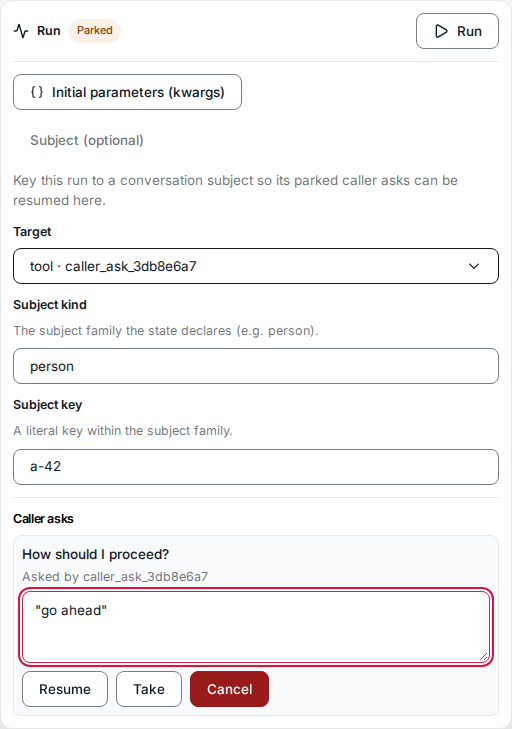
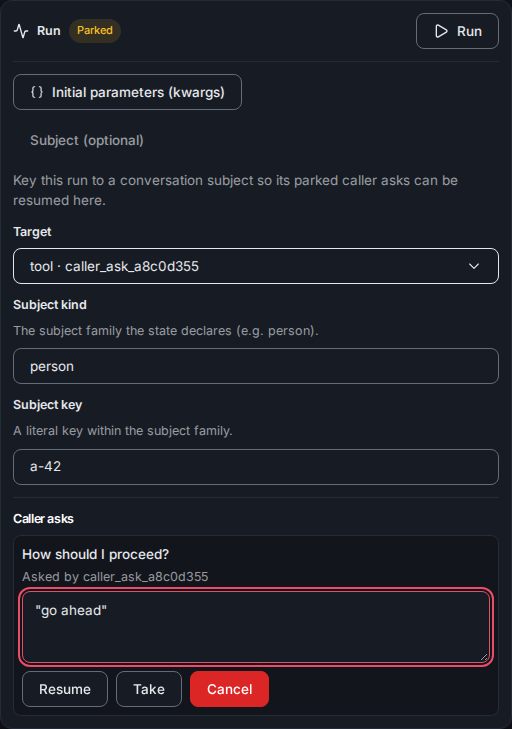
The test panel's ask controls: resume, take and cancel.
Schema-aware run results
When you run a flow in-page, the run panel and each node’s run popup render results schema-aware. Where a node declared its output shape — an agent’s structured-output schema, or a preset’s (or the whole flow’s) output schema — the actual result renders as a labeled, typed display keyed off that schema: the schema’s titles as field labels, its descriptions as captions, enum values as chips, nested objects as sections, and a declared array as a list of its typed items. The view stays honest about the data: value keys the schema does not declare are never hidden — they render as an appended raw-JSON remainder — a declared field absent from the value shows a muted dash, and a value that does not match the schema’s shape at the top level falls back to the plain JSON tree with a small note rather than a crash. A per-instance Raw toggle flips the whole view to the plain tree, so the underlying data is never more than one click away, and a flow (or node) that declares no output shape keeps the plain results tree throughout. The run panel’s Results shows the run’s returned result — the result envelope’sresult, read from the run’s record once the run ends (or from the resolving
caller-ask outcome) — with the missing_results
surfaces named under “Not in the result”. An empty result says plainly that no step
or branch has Return result turned on. Nothing is said while the run is launching,
waits on an ask, or its record has not settled; a reopened run that is still running
reads “No result yet: this run is still running.”.
A run that paused on an ask stays watched while it waits: the panel keeps reading its
status, so a run continued from outside the panel (an answer given elsewhere, an
expiry) is seen running again and then ended. The parked line shows the deadline of the
park the status names, so a run that paused again on a later ask shows that ask’s
deadline, and the View full trace link shows while the run is paused as well as once
it is over. Once such a run ends, its run record still holds only the pause, so
Results reads the run’s final result with the
flow_result tool. A run that ended in an error shows no
Results: its status shows the error. A run whose state is gone reads “This run
paused for an answer, and its state is no longer available, so no result can be read.”.
A failed read shows “Could not read the result:” and the error, with Retry. A stored
value the Studio cannot read as a result names where it breaks, in the form “The run’s
stored result is in a format this studio cannot read, so it is not shown. Details:
<path>: <message>”.
Values the run state does not keep
A run keeps of each node’s inputs and outputs only what a later step reads (see Run state). A node’s run popup shows each section from the first place that has it:- Kept in the run state — the node’s newest value, shown directly.
- Recorded by a monitoring plugin — the popup reads the value from the step that recorded it: a muted Loading this step’s recorded data… line with a spinner, then the value exactly as a kept one. When the value cannot be read yet, Could not load this step’s recorded data: and the reason show with a Retry button.
- Not written for this node — the section is hidden.
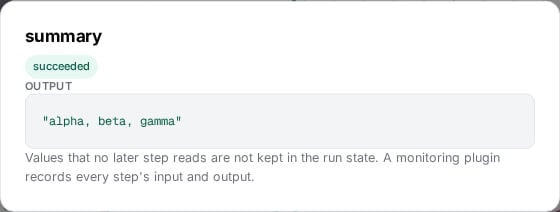
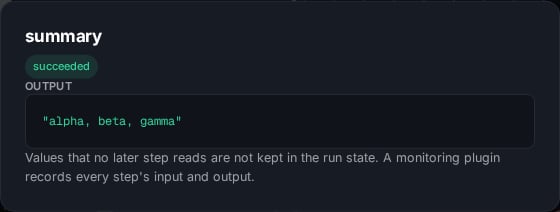
A result node's popup: its kept output, and the note for the input the run state does not keep.
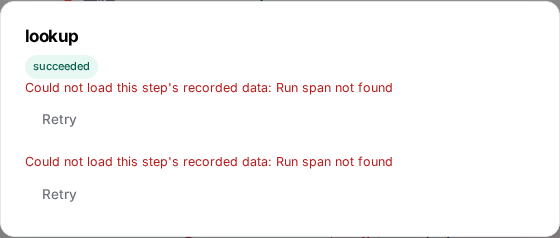
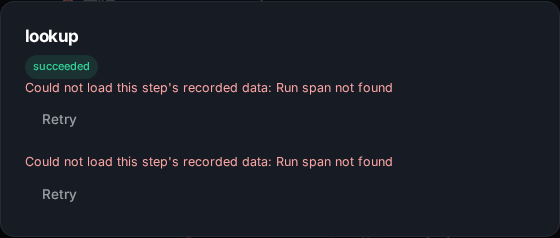
A node's popup opened before its step was ingested: the read's error with Retry.
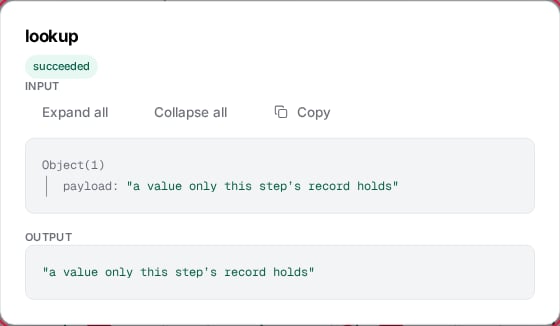
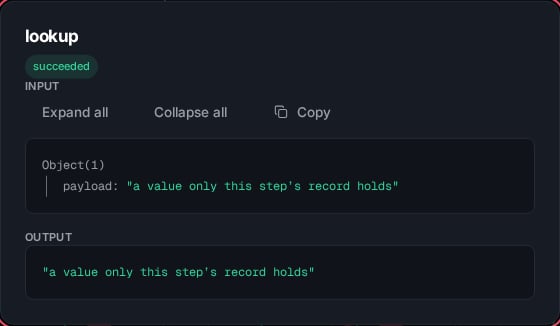
With a monitoring plugin: the input and output read from the step that recorded them, shown as kept values.
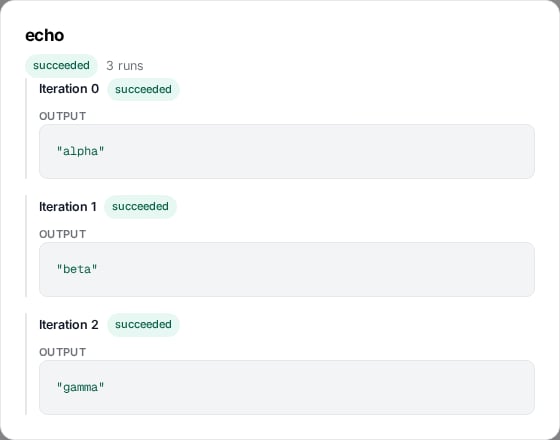
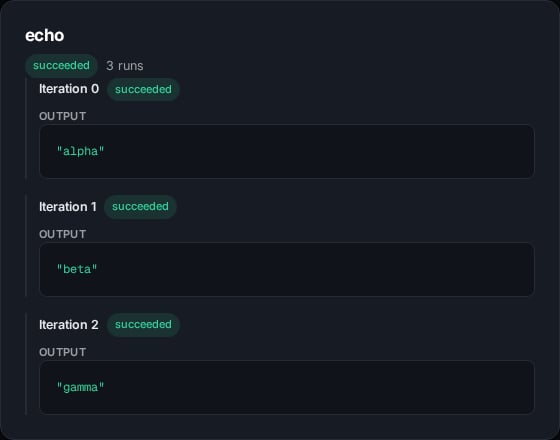
A loop body node's popup: one row per iteration, from the loop's kept output.
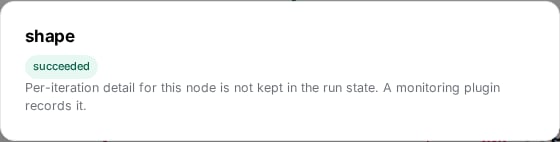
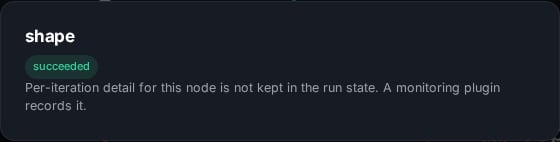
An interior loop body node's popup with no monitoring plugin.
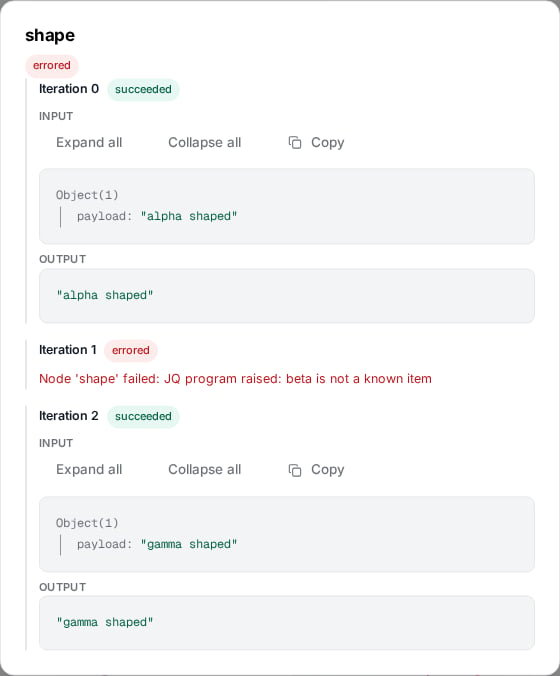
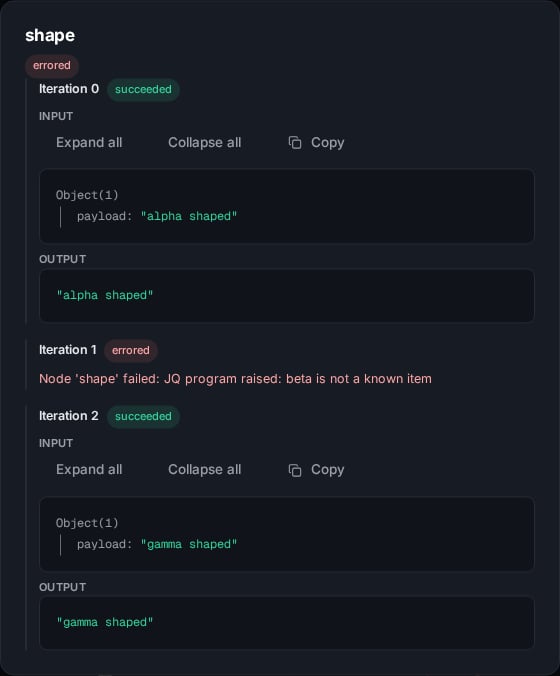
An interior loop body node with a monitoring plugin: one row per iteration from the recorded body steps, one errored.
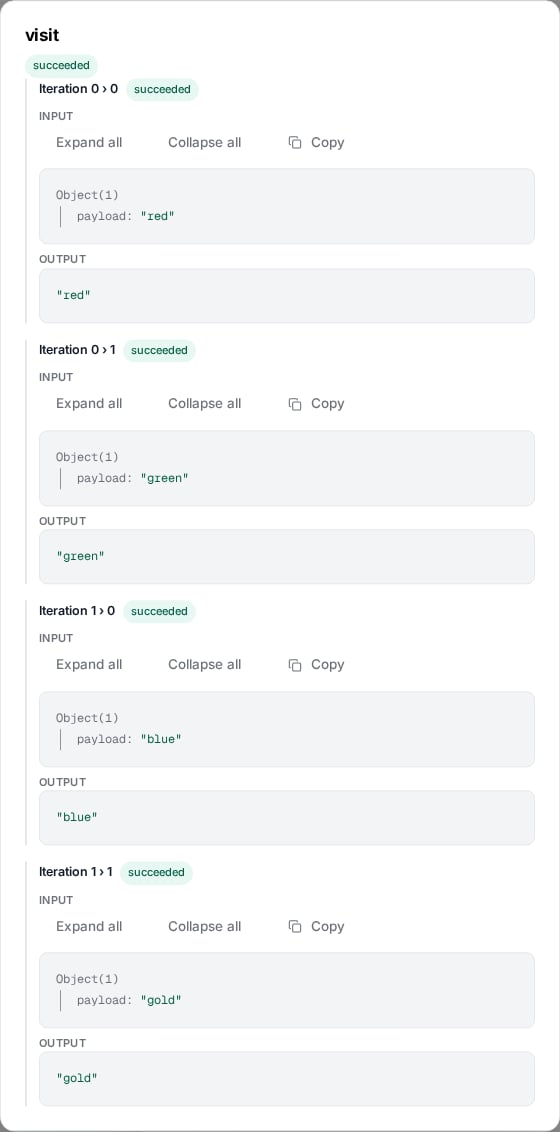
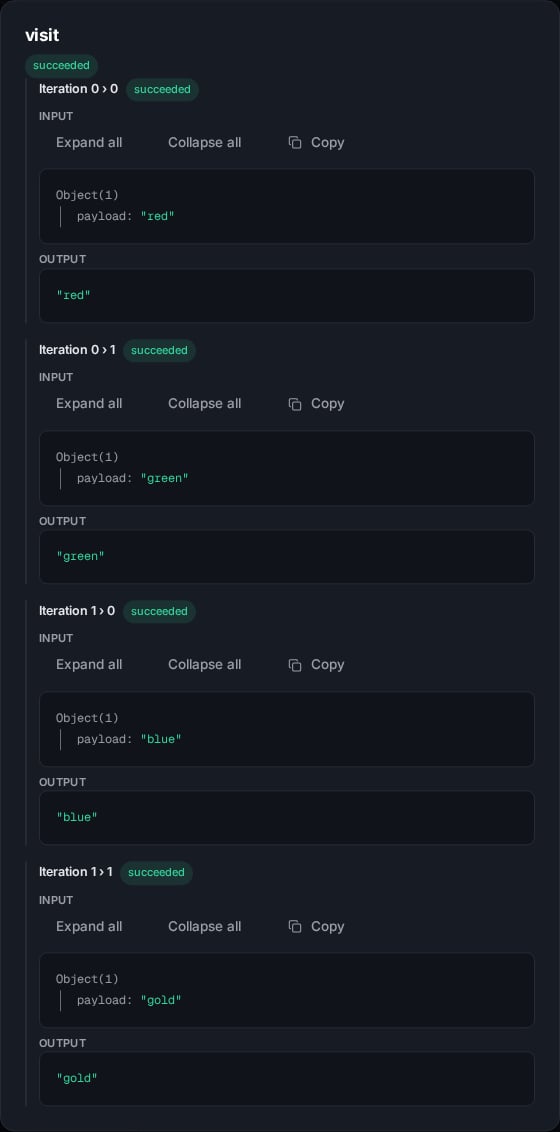
A nested loop's body node: its rows labelled Iteration i › j.
The Router card
The Router card carries its own edit surface: the kinds it classifies into, optional turn-level output fields that describe the whole classified turn (each a top-level output beside the kinds), the author’s system prompt, a routing mode — every match (the default, firing every matching route) or first match (the first matching route wins) — and a routes table listing every wired route with its flavor, its key, condition, guard, target, and a per-route On Error switch. A route’s target is the edge drawn from its chip on the card, so the table shows it rather than picking it. Under first match the table also orders the rows — the row number is the evaluation priority — and a row reorders by dragging its grip or stepping its move buttons; the table’s advisory notes flag a row an earlier one already covers, without ever blocking the save. Each route’s key names its branch in the saved flow and in traces, and a route’s On Error switch gives that route its own On Error, covering a runnable, agent, flow call, or custom node the route leads to. A route’s On Error kwargs behave like a node’s own: text that is not yet a JSON object stays in the panel’s draft, Update node is refused with a message naming the route and asking to fix its kwargs, closing the panel asks the unapplied-changes question, and Discard changes returns the route to its applied kwargs. A segmented Decided by control at the top of the form chooses who judges the kinds — LLM agent (glossed reads, extracts items, can loop) or Classifier model (fast yes/no per kind, with a probability), the two backings the router page describes. The Router entry is offered whenever the host registers either backing tool; on a server with neither it is disabled with the reason Requires the tools_agent or classify tool. Each option is disabled on its own when its tool is missing (Requires the tools_agent tool / Requires the classify tool), and the classifier option is also disabled while Loop, per-kind fields, or turn-level fields are set — the control names what to clear first, so switching backing is never a silent drop. Under the Classifier model backing the form drops the agent-only controls: the system prompt is hidden — a classifier reads state and its questions, not a prompt, and the prompt draft is kept in the session so switching back to the LLM agent restores it — Loop is disabled with Loop needs extracted items. Only the LLM agent extracts them., and each kind’s description field asks When is this kind a yes?. In their place the card shows a Yes when the probability is at least threshold field (0 to 1, step 0.05, default 0.5) and a classifier Model section — a Provider and a Model input, the Provider glossed Leave empty to use the host’s default classifier provider — replacing the LLM provider/model/temperature section. A kind route then fires when its yes-probability reaches the threshold.

The Router form under the Classifier model backing: the Decided by control, the threshold, and the classifier Model section.
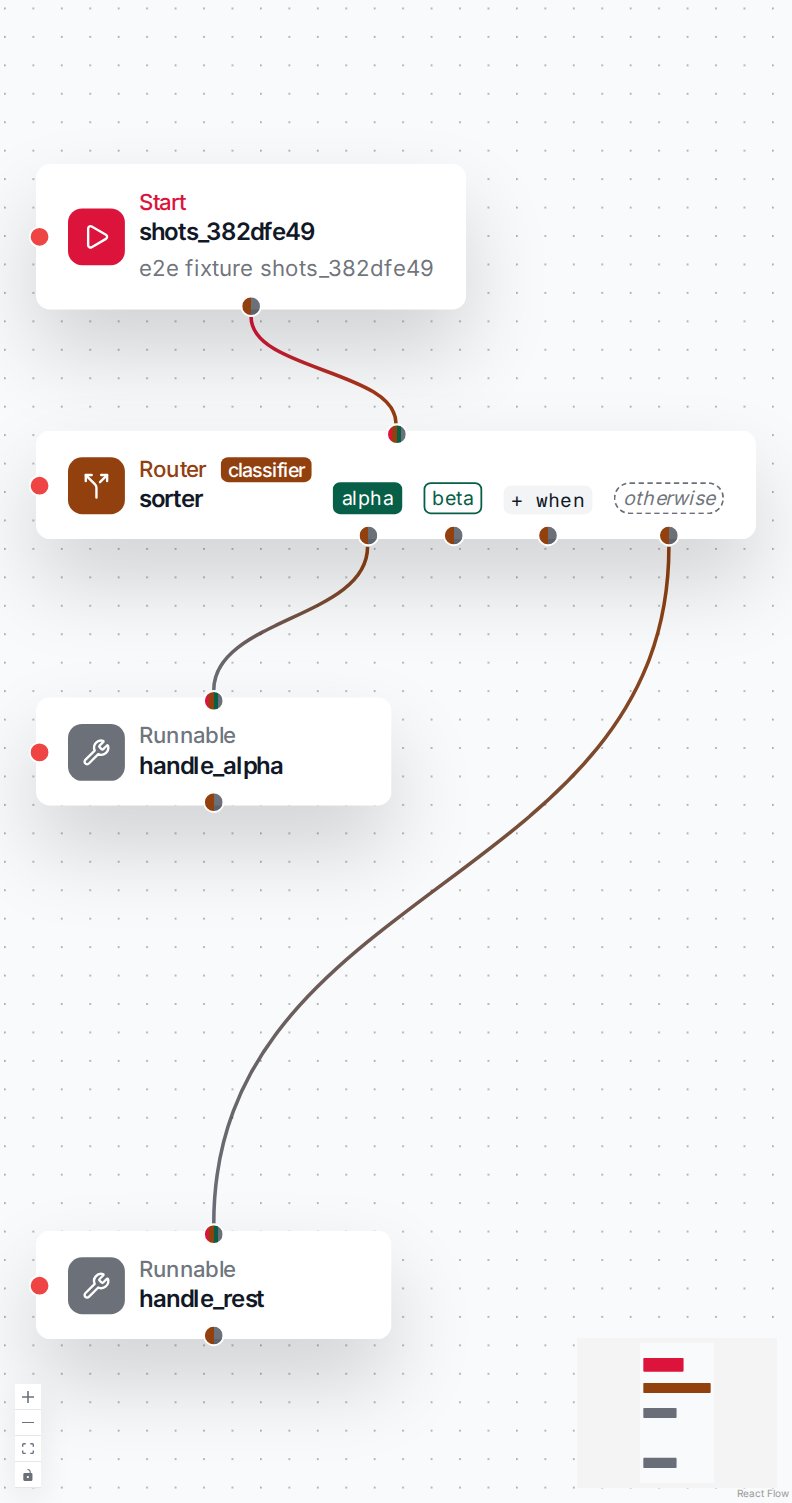
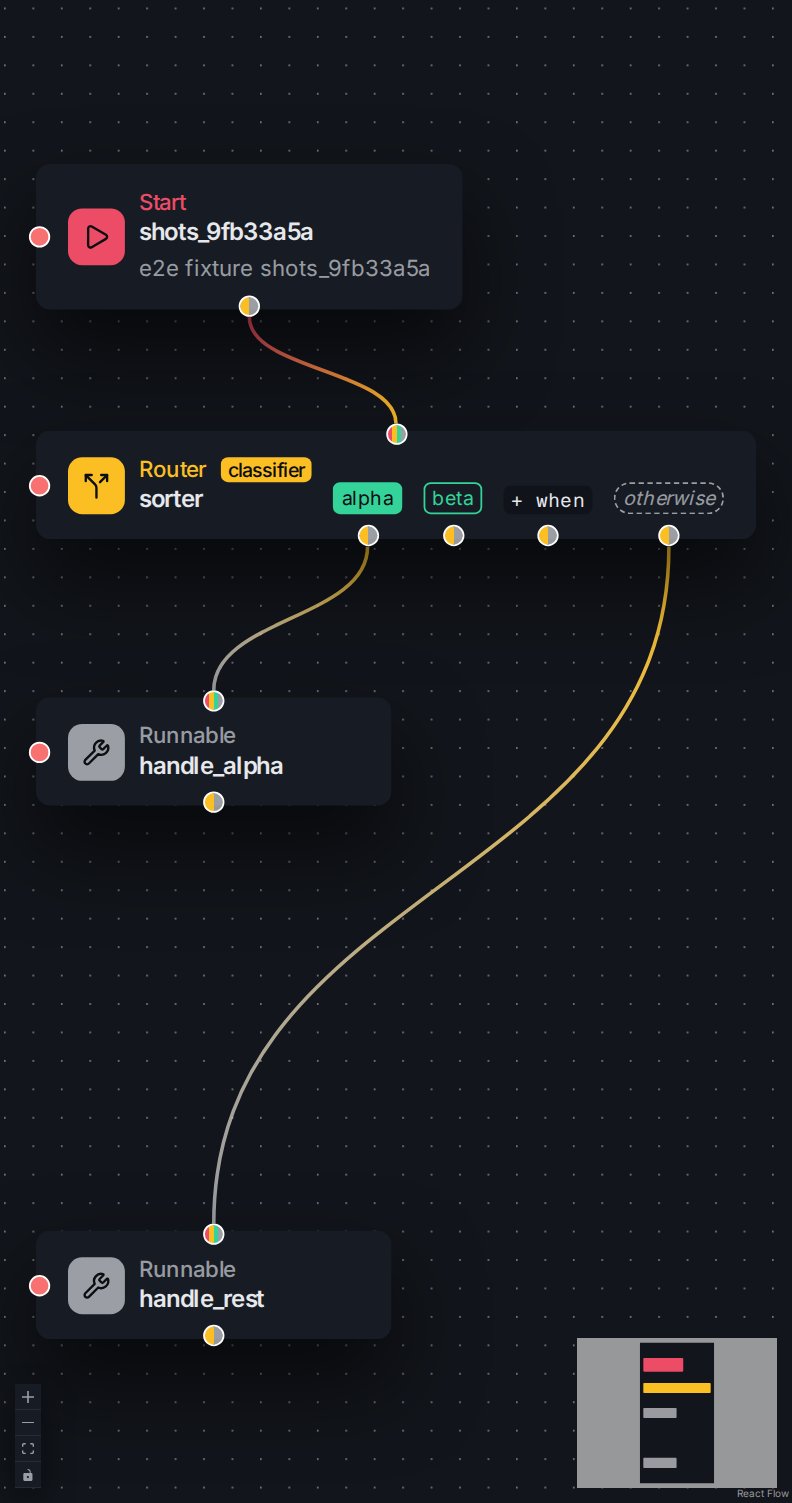
A classifier-backed Router on the canvas with its classifier face badge.
noul probability keyed by the kind name — and under the LLM agent
the extracted-item schema with any turn-level fields. As on the Classifier
card, the classifier verdict schema is not saved into the flow, so
downstream reads of its per-kind probability stay untyped.
The system prompt is written one of two ways on the card’s tabbed control:
inline (the Plain text tab) or pointed at a stored template (the Template tab). In
both modes the platform fills a router_kinds render variable with the generated kinds
block — the classify instruction and the kind descriptions.
Inline, the editor appends {{ router_kinds }} after your prompt on save; with a stored
template, the template writes {{ router_kinds }} where the block should appear and supplies
its other variables through its kwargs. A kind’s description is never parsed as template
markup — it rides as a value. A stored template must declare router_kinds in its schema —
the editor refuses one that does not — and the author’s own kwargs may not use the reserved
names router_kinds or _tai_locale. Locale variants do not apply here. A router saved by an
earlier editor version, its kinds block written into the prompt text under a heading, is
re-saved once: open it, trim the stale generated text from the prompt, and save.
The card also carries one Dispatch control, set once for the whole card — Once
(every matched chip continues the flow along its line) or Loop (each chip’s line starts
a body that runs once per classified item, sequentially or in parallel with an optional
max-concurrency cap, or repeatedly while an authored jq condition holds under a max-runs
safety cap). Under Loop the card grows a result chip through which the collected output
of every chip leaves. The chips look and connect the same in both modes; the modes are
documented on the router page.
The classifier card
The Classifier card judges its input against typed questions — the classifier model type as a flow node (see Judging with a classifier). It sits in the palette’s Agentic group between Sub-flow Start and Router, drawn with the Scale icon and a Judge badge, and glossed “Asks typed questions about its input — yes/no, pick one, rate — and returns probabilities.” The entry is enabled only when theclassify tool is registered; on
a server without it, the entry is disabled with the reason Requires the classify
tool.


The Classifier entry in the palette's Agentic group.


The Classifier palette entry disabled when the classify tool is not registered.

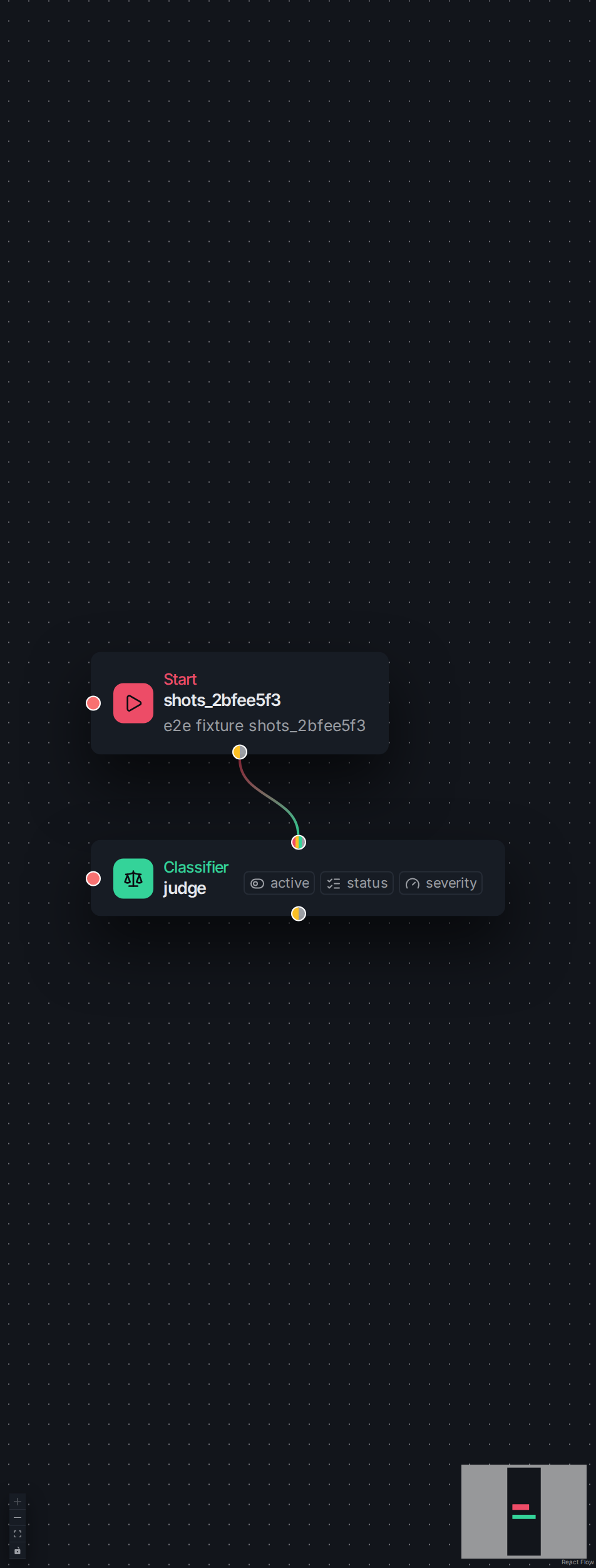
The Classifier card on the canvas with its per-question chip band.
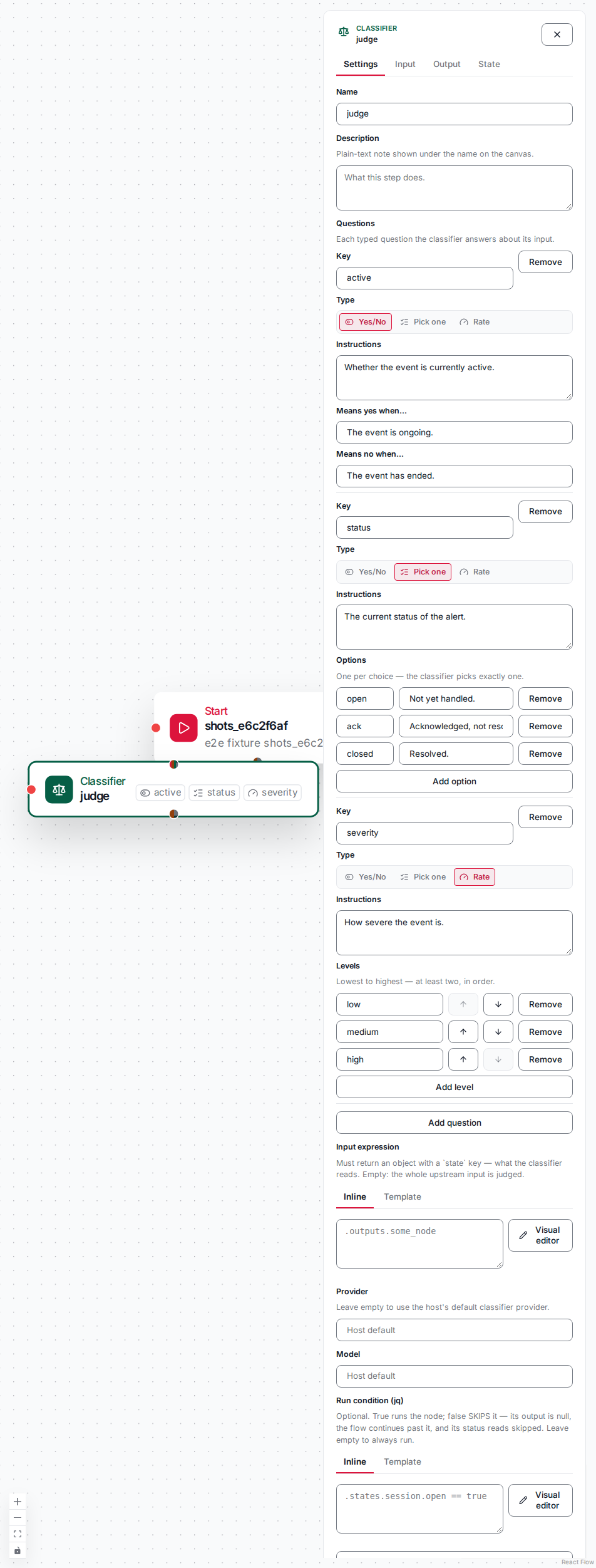
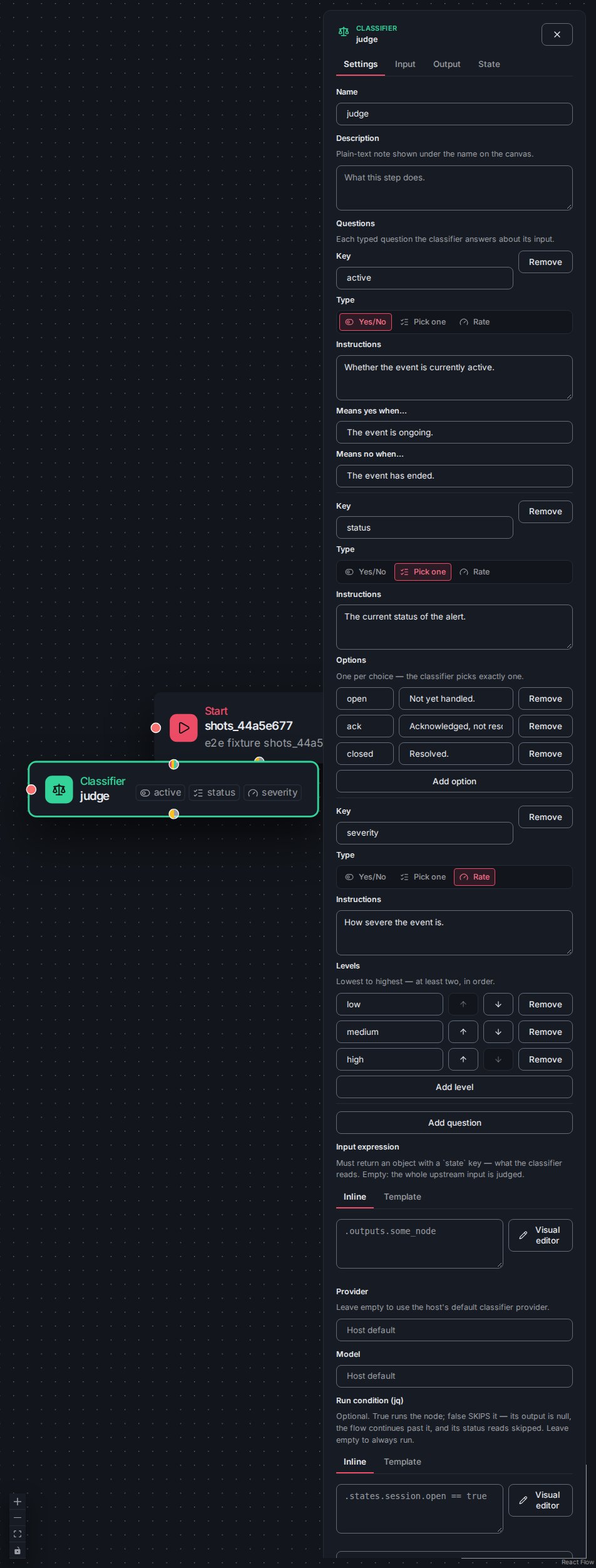
A selected Classifier card revealing every question chip.
- Yes/No — two optional one-line inputs, Means yes when… and Means no when….
- Pick one — an options list, each option a label and a description, added and removed in place.
- Rate — an ordered list of levels (two or more), added, removed, and moved to set the rubric’s order.
state key — what the classifier reads. Empty: the whole upstream input is judged.”;
the Template tab points the slot at a stored template by id, with its kwargs edited
beside it. A stored reference lowers onto the runnable verbatim and folds back into the
card on load, so a classify node authored the template-and-kwargs way is a Classifier card
like any other. The Model section is a Provider and a Model text input; the
Provider field’s helper reads “Leave empty to use the host’s default classifier provider”
— so an unset pair runs on the host’s configured classifier.


The Classifier form: the questions table with the three editors, the input expression, and the model.
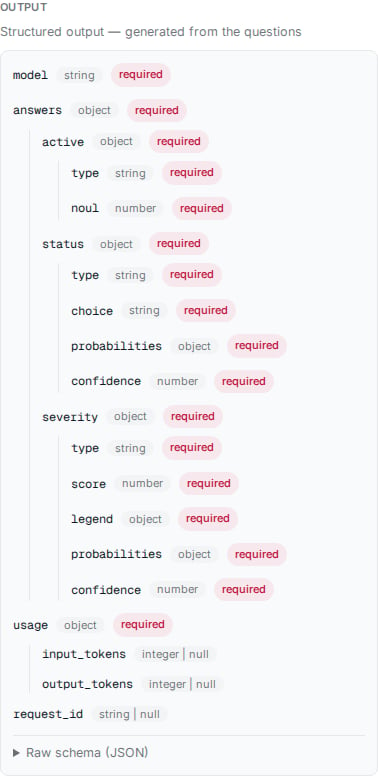
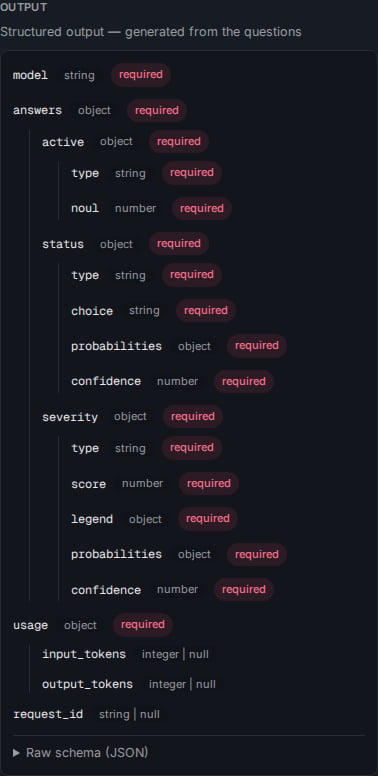
The Classifier card's Output tab showing the schema generated from its questions.
classify and folds back into the
single card on load. A saved runnable marked as a classifier but no longer calling
classify is shown as a refusal naming the mismatch rather than folded silently,
leaving the plain runnable visible.
The updates half of the binding editor
A node’s state binding applies updates to a bound state after the node runs, edited in the Updates list of the shared binding editor. Each update writes one of two ways:- a template jq the state’s attached templates declare (
purpose: "update"), picked from a select that lists each update program asname — description; the selected program’s declared write paths show beside it as awrites:badge. The run applies its returned op batch — keyed list ops and appends — under the attachment path. Because a named update jq never sees a tool’s field names, an adapter form maps the node’s output and the run input to the update jq’s declared input — one row per declared key, each picking a field, a literal, or a jq, with a write-jq escape hatch for the whole adapter. - a custom jq reading the node’s output as
., with the bound record as$recordand the run input as$input, returning the op batch itself, for a write the templates do not name.
Presets
The palette’s Custom Nodes section manages a preset as a node: an edit control opens its flow editor, a + New custom node action starts a fresh one, and a delete control raises a guarded confirm that states the blast radius — the node leaves the palette and each flow already embedding it keeps referencing it and fails until updated. The confirm also lists what still holds the name and keeps Delete custom node disabled until that list is empty (see Renaming and deleting a flow). When a node edit removes an outcome value that wired callers route on, the make-a-node dialog shows an informational warning naming the removed values and how many flows use the node (their routes would go dead) — it never blocks the save. This inform-don’t-block convention is the editor’s house style for changes whose impact lands on callers. The one thing the make-a-node dialog does block on is a genuinely invalid input-schema edit. The make-a-node dialog’s input-schema editor nulls its buffer while an edit is unparseable, and saving then would silently erase the schema — the right outcome for a deliberate clear, the wrong one for a typo. So Save is disabled precisely while the input-schema buffer is invalid (a bad shape, not an empty one), with an inline “fix the input schema before saving” note; a cleared buffer reports valid and saves a null schema as intended. This is a validity gate, distinct from the non-blocking caller-impact warnings above.Message and expression slots
A message slot on the agent form is edited as a Plain / Template tabbed control: Plain is a raw message textarea, and Template picks a stored template with a deep link to the file and a collapsed preview of its first lines, editing its kwargs through a schema-assisted form over the authoritative JSON. A jq expression slot — on the conditional, branch, runnable, On Error, and agent forms — is instead an Inline / Template control: the Inline tab is the visual jq editor’s field (below), and Template is the same picker. In both, the inline value and the template are mutually exclusive — the wire carries one, and switching between them clears the mode being left after a confirm when it holds data. An invalid node that carries both an inline message and a template opens on the Template tab with a rescue note and a one-click “clear inline text” action, so the exactly-one-of rule is fixable in place. A node with a return result may carry a return expression (jq) that shapes the value it contributes to the flow result, and a conditional’s branch may be marked pass-through to inject the conditional’s single upstream output verbatim — which excludes a post-route expression and a return. Settings the form does not model — kwargs an API-authored or newer agent carries — are surfaced read-only so nothing an agent persists is fully invisible, and are round-tripped untouched. A jq field that can reach a bound state — a binding field, a node expression — offers autocomplete from the template jq of the templates attached to that state: eachpurpose: "input" program by name, inserting its tjq_<name>({…})
call handle (tjq_<template>__<name>({…}) when a name is shared across the state’s
attachments).
The visual jq editor
The Inline tab’s field is the visual jq editor: a jq text control with a Visual editor button that opens the canvas in a dialog, where the expression is drawn as a small, editable node graph and written back as jq. The dialog wraps a Test panel (run the jq against a sample seeded to the field’s input shape, plus a server Validate where the engine exposes one), a live readout of the jq the graph currently serialises to, an error summary that jumps to each problem, and a Legend of the node kinds and wire notations. The node vocabulary and its semantic hues — Input, Value, Operator, Condition, Try/Catch, Call Function, Define Function, Comment — are documented with the feature. The editor draws a graph only when it can prove that reading it back gives exactly your expression: a WASM oracle round-trips the graph and adopts it only when the two behave identically. Otherwise the fallback is non-destructive — an expression the editor cannot draw, or one whose graph would read back differently, keeps your text verbatim and shows it as text with a neutral “not shown here” notice; nothing is altered unless you explicitly Start empty. This keeps two questions apart — is the jq valid and can the editor draw it — so only jq that genuinely fails to compile raises the loud “invalid expression” alert, and valid jq the editor cannot represent is never mislabelled as broken. On opening the dialog, a faithful expression is drawn on the canvas; an unfaithful one shows the fallback, and the editable canvas is then reached only through Start empty.State bindings
Flows bind to the platform state store rather than a store of their own, so declaring states, attaching templates, and browsing records all live on the Studio’s States screen. What the flow editor owns is the binding: how each node reads and writes those states. Every node’s edit panel carries a State tab, and its binding is the same editor the platform’s door screens use — shipped from the Studio SDK so a door and a node bind a state the same way. The editor attaches one or more states to the node. Each state card picks the state and one or more templates (a template not yet attached is attached on save), then a Subject expression (a full subject object or a bare key) and an optional Scope predicate that gates the state for the run — the same on every door and node. Below the card, the Inputs list injects a value into the node’s input before it runs — each row apurpose: "input" template jq (or a custom jq
reading the bound record as . with the run input as $input) and the input field it lands in — and the Updates list applies
a write after the node runs (the updates half
above). Every jq field autocompletes from the attached templates’ template jq.
Where the node’s tool is a registered preset that carries its own door binding, the editor
shows an advisory on any state both bind — Overrides the preset’s subject — with the
preset’s own subject shown as the read-only default beside it; the node’s binding wins.
Every control rebuilds from the stored binding: an update’s adapter form recovers each row
from the stored adapter jq, and a state or template the binding names but the server no
longer serves shows a Template not attached. error with the raw jq, never a blank
control. A refused save renders the engine’s message verbatim.
Steps that call nothing
A Runnable step with no tool and no Expression is legal: the engine runs it as a pass-through whose output is its own input. So that such a step is never a surprise, the Save flow dialog (opened once a save passes the editor’s checks and the engine’s validation, for Save and for save-and-exit) and the editor’s Duplicate flow dialog (Save as and Duplicate) list each one, in canvas order, as a line in the dialog: “‘<step>’ has no tool and no Expression, so it calls nothing: its output is its input,
passed on as it is.” The step is named by its name, or its id when it has none. The
warnings never block the write. The flow list’s own Duplicate copies the stored flow
as it is and lists none.
Upload
The flows toolbar carries an Upload action for a flow or node document with akind,
reporting the uploaded kind and name in a status line and prompting when a file carries
no kind. State and state-template documents are uploaded from the
States screen instead.


The flows toolbar Upload action with its result line.