

Babelfish is proprietary and licensed commercially — it is not part of the
Apache-2.0 platform and is not published to PyPI or listed in the
marketplace. Product details and pricing live at
tai42.ai/babelfish.
What it adds
Babelfish Flows ships as one installable plugin carrying two halves:- A flow engine. Deterministic flows registered as ordinary
tools through the public contract — run a
flow, step it, read its status, state and result, and abort it. Because they are tools, everything
the platform already does to a tool applies: access control, backends,
schedules, and tracing. Aborting a flow parked on an async ask while an answer to
it is being driven does not cut that drive short: the abort is requested of it
(
flow_abortreportsfound: truewithmode: "requested") and the drive honours it. Only such a requested abort waits for the live drive; an abort reportedfound: falselapses within 60 seconds and never aborts a later resume. - A flow editor in the Studio. A front-end bundle the runtime serves to the Studio through its integrity-pinned import map, contributing a top-level Babelfish Flows page and its sidebar entry; the states a flow binds live on the platform States screen. On the canvas, nodes can be gathered into named, collapsible groups — a collapsed group renders as one card that hides its members and reroutes their boundary edges, and expanding it reveals them again. Groups persist with the flow and carry across the editable, run, read-only history, and reading views, showing an aggregated member status in Run mode; the collapse/expand toggle itself is a transient view preference and is not saved.
requires: [versioning, tool_meta].
A deployment that loads the plugin without the platform database configured
refuses to start, naming the variable to set — see
Infrastructure by feature.
The explanation layer
A flow carries an explanation layer aimed at the person reading it, not just the engine running it. Nodes and flows take plain-language descriptions, the editor renders a generated legend that summarizes what a flow does and the pieces it uses, and a dedicated reading view presents the whole flow as an annotated walkthrough — a calm, non-editable mode for reviewing or explaining a flow without changing it.Presets
Beyond the built-in steps, you can define your own palette nodes from saved flows: promote a flow into a reusable node, give it a category and an icon, and it appears in the editor’s palette alongside the defaults for anyone to drop into a new flow. Babelfish ships two ready-made interaction nodes to start from —send_node and
ask_node — one full surface each, covering the common conversation moves out of
the box. Send delivers one-way and never waits: a text message, display
media (a list of {kind: image | link, url, caption?} items), tappable
options, a pre-approved template, or a fillable form schema delivering
a schema-rendered ask-less form — the
outcome is sent or failed, and a form’s submission, if it comes, arrives as the
person’s next message on the conversation route. A send form takes the same two
per-send extras an ask form does — data to open it already filled in and pages
to split it into ordered steps — layered over the schema for that one send. Its face opens on a kind
selector — message, media, options, template, or form — that guides the fields
while the node stays one delivery whatever the face: kind is face-only and never
delivered, every send carries a message or media, and one message carries one
interactive surface (a template stands alone). Ask pauses for a person’s reply
and always waits, re-asking until the answer is valid or the attempts run out;
its format selects how the answer is collected — text (free text, with
optional options as tap-to-send suggested replies), confirm (a yes/no —
declining is an answer), select (one pick from options), form (an answer
validated against schema), or external (an action completed on a surface
reached through link, with the callback payload as the answer) — and the same
format drives the face’s variant picker. An answered ask ends {outcome: "answered", answer, reply_to, params}: reply_to is the message the answering reply quoted
({message_id, status, text}, status one of found, not_found, sensitive or
no_text; null when the reply quoted nothing or did not come over a channel), and
params the string values the channel sent beside the answer (null when none). See
replies to an earlier
message. A form ask also takes two per-send extras
layered over the schema for ONE send — the same
data and pages
the platform’s ask surface carries: data.values prefills top-level properties (each
shown filled in and validated), data.options supplies a per-send choice list that
replaces a string property’s enum for this send, and pages splits the form into
ordered titled steps (every property appearing exactly once; absent pages is one
page). Both forward to the ask door only when set, validated against the form’s schema. Both nodes take optional display media
beside their prompt, every optional field is inert when omitted, and field
combinations richer than any single face stay expressible through each node’s
full-surface Anything face.
The two nodes compose the host’s ask tool and its notify_user operation, so the
deployment’s manifest serves the interactions builtin module
(enable interactions) and keeps the
api_tools projection enabled with
notify_user not excluded.
Addressing can be wired to the conversation. When you pick the send or ask tool in
a node’s panel, its empty Expression slot is seeded with wiring that addresses the same
channel and counterpart the flow’s conversation runs on — so one flow works across every
channel and always reaches the person of the current conversation. A node dropped from
the palette lands with its Expression empty; until it is addressed, its messages go to
the notifications inbox. The wiring is a visible, editable jq expression (shown in
the visual jq editor), never a hidden default: it reads the
participant’s own {channel, sender} off the conversation-routed flow’s inputs, and the node’s own literal addressing merges under
it. Off a conversation route those inputs are absent, and the expression is written to
drop its empty values, so it contributes nothing — the node falls back to whatever
you address it to by hand. A reply that rides the route itself needs no addressing at
all.
A conversation-routed flow also reads .flow_graph_kwargs.turn — the turn the
inbound entered as, surfaced on every conversation turn as {id, inbound: {id, kind, source}}. turn.id is the turn’s stable id (the answer record’s id); turn.inbound
describes the entry — inbound.kind is "message" or "event", inbound.id is the
channel provider message id, the event id, or the api record id, and inbound.source
is the channel name, event:<kind>, or api. An event
turn additionally carries
.flow_graph_kwargs.event ({id, kind, payload}) with .flow_graph_kwargs.message
and .sender both null. These arrive under flow_graph_kwargs when the flow
preset declares an input_schema and no input_map: the route’s default no-start_expr
kwargs {message, sender, our_identity, channel, route, turn} (plus event on an event
turn) are validated against it and routed into the flow tool’s flow_graph_kwargs; a
route with its own start_expr reads .turn and .event on the payload and forwards
what it wants. A conversation-target flow preset that declares additionalProperties: false must admit every one of those keys in its input schema, or the routing that
validates the kwargs against it refuses them.
A preset is a saved flow published to the palette, and it is managed as a
node, not as a flow. The palette’s Custom Nodes section gives each card an edit
control that opens its flow editor and a delete control that raises a guarded
confirm, and a + New custom node action starts a fresh one in place. Deletion
routes through ordinary preset deletion, so it unregisters the
tool; the confirm states the blast radius plainly — the node leaves the palette, and
it counts the flows that use it, which keep referencing tool:<name> and fail until
they are updated. Like every flow delete, the confirm also lists what still holds the
name (see Renaming and deleting a flow). A preset
lives in the palette only: the flows list shows flows, never presets — nor a
category folder emptied by them — so a palette-managed node never surfaces among your
standalone flows.
Looping over a list
The map node is a first-class “friendly foreach”: it runs one tool over a list. Its face is a listinput (a jq expression producing the items), the mapped tool,
per-item keyword arguments (jq expressions that may read the current item and its
zero-based index through $iterate.item and $iterate.iteration), and the
producer nodes whose outputs those expressions may read. It runs either
sequential or parallel, with an optional concurrency cap on the parallel mode,
and an optional collect expression that shapes the mapped results — left unset,
downstream reads the raw per-item output list directly.
A map compiles down to the engine’s ordinary loop primitive: on save it becomes one
loop node plus one body, and on load that marked cluster folds back into the single
map node, so you never touch the mechanism. A loop authored by hand carries no such
marker, is never folded into a map, and stays a visible Loop.
Because a map is a loop on the wire, its entry is a barrier: the map face carries
the same dispatch controls a hand-authored loop does — the wait mode and the
give-up pair, and the opt-in state refresh,
which fires once at loop entry so every iteration inherits the same fresh view.
Broadcast is the map-plus-send recipe for fanning one message out to N
recipients: make the mapped tool the send node, set input to the
recipients list, and read the current recipient from $iterate.item in the
per-item arguments. The per-item output list is the delivery transcript — one slot
per recipient, in order — and because send recovers a failed delivery into
a failed outcome in-body, a partial failure simply appears as failed slots in that
transcript rather than aborting the whole map. Scale a large list with the parallel
mode and a concurrency cap, and shape a sent/failed summary with collect.
How a run runs: tool calls, loops and abort
Every tool a flow’s nodes call must be registered when the flow is saved. The flow reports each node’s tool as a stored reference, so a save that names an unknown tool is refused with one line per miss, naming the node:composed tool 'ghost' at node 'fetch' is not a registered tool. A stored template the
flow names by id (the flow graph itself, a node’s expression, condition or wait expression,
or the flow’s On Error reply) is checked the same way: an id that is not stored is refused
with the node and the slot named, for example
stored id 'jq/fetch' at node 'fetch' expr is not a stored template. The same checks run on
a preset, hook or schedule over the flow.
In autopilot a node awaits a tool that does not declare tai42/pauses inside the node;
the run pauses only at a declared pausing tool or a holder. A node keeps the pause — its
tool call becomes a pause the run resumes from — when its own tool can pause (a flow call,
an async ask, any tool that can pause), when
its On Error handler tool can pause, or, inside a loop body, when any tool of the body (its
On Error handlers and nested bodies included) can pause or the body holds a holder. A
stepped run (flow_step) pauses at every tool call, since its caller runs the tools.
config.max_iterations (default 100) is the ceiling on the loop rounds a flow may run:
the items or rounds an iterate may plan, a while loop’s default cap, and the bound a
node’s own cap or a router’s maxRuns must stay under. The engine bounds the graph steps
one run segment may take from these caps; a flow within its caps never meets that bound.
There is no setting for it.
config.checkpoint_retention declares how long this flow’s run memory is kept, in minutes:
waiting_minutes while a run may still continue (a pause), finished_minutes after it
reached its terminal. Either may be left out: an unset waiting is the platform’s, an unset
finished is the platform’s capped at the waiting. Both are bounded by the platform’s two
retention values: a flow may shorten them,
never lengthen them. An empty object, a value that is not a positive whole number, or a
finished value longer than the waiting one is refused wherever the flow is parsed; a value
above the platform’s is refused by the editor’s save gate and by every run and query of the
flow, before any node runs, naming both values. Every checkpoint of the run — the top level,
every loop body, every pending write — is kept that long, and an async ask’s deadline must fit
the declared waiting less the redelivery horizon, as it fits the platform’s (see
Checkpoint retention and durability). A child flow a
node calls declares its own; the parent’s never crosses the call. The agent session threads a run owns keep the
platform’s waiting retention and take the flow’s finished retention at the run’s terminal.
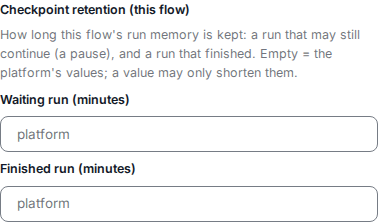
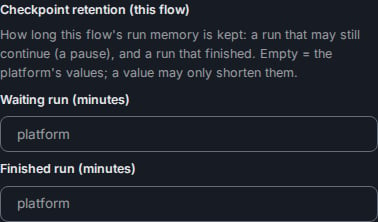
The Start form's checkpoint retention group with nothing declared.
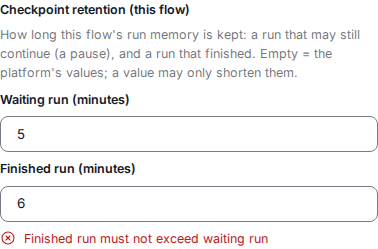
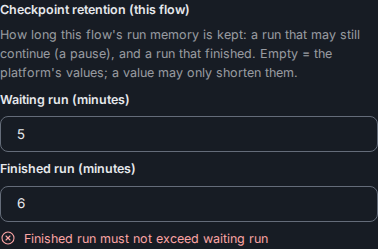
A finished run longer than the waiting run, refused by the form.
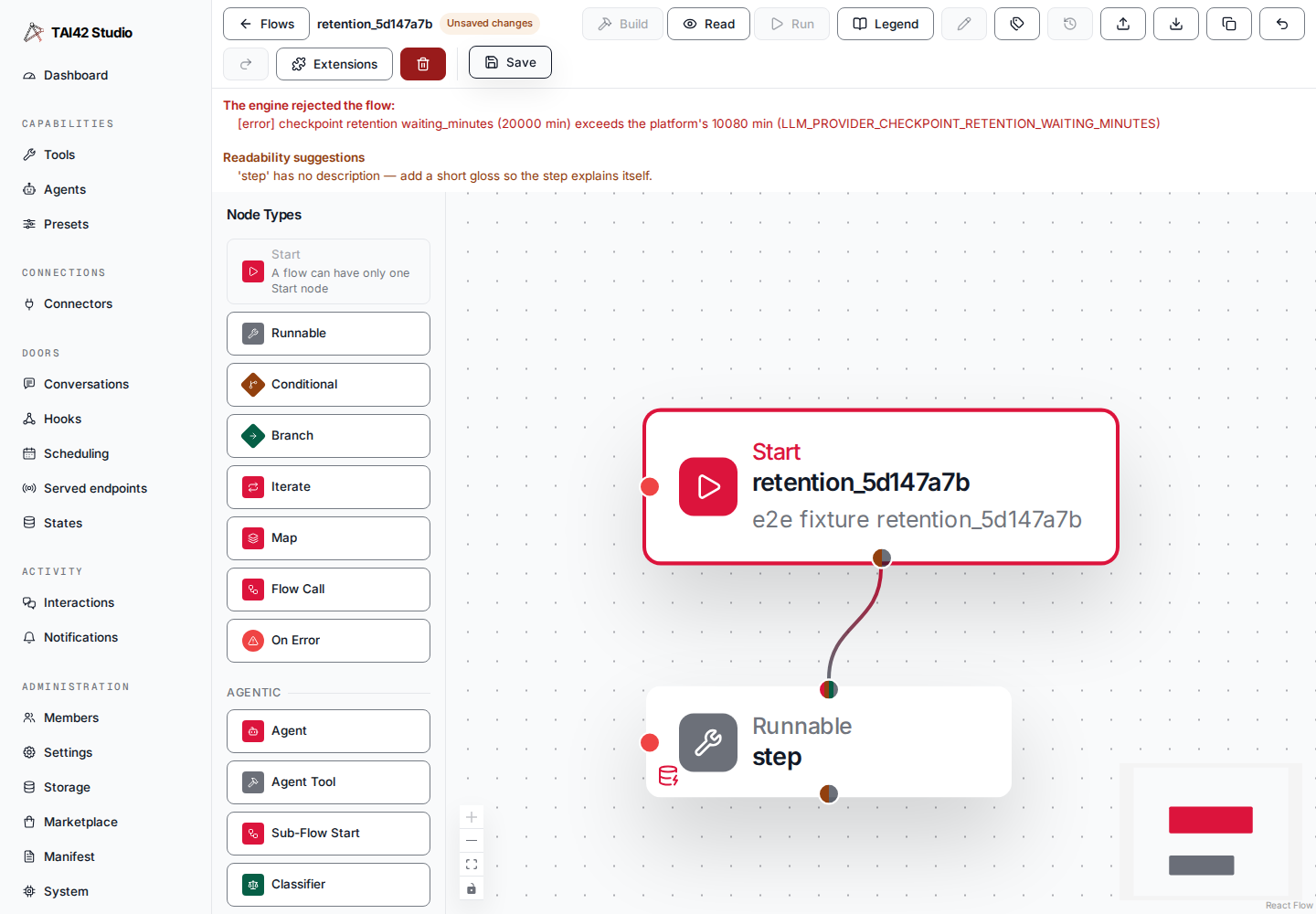
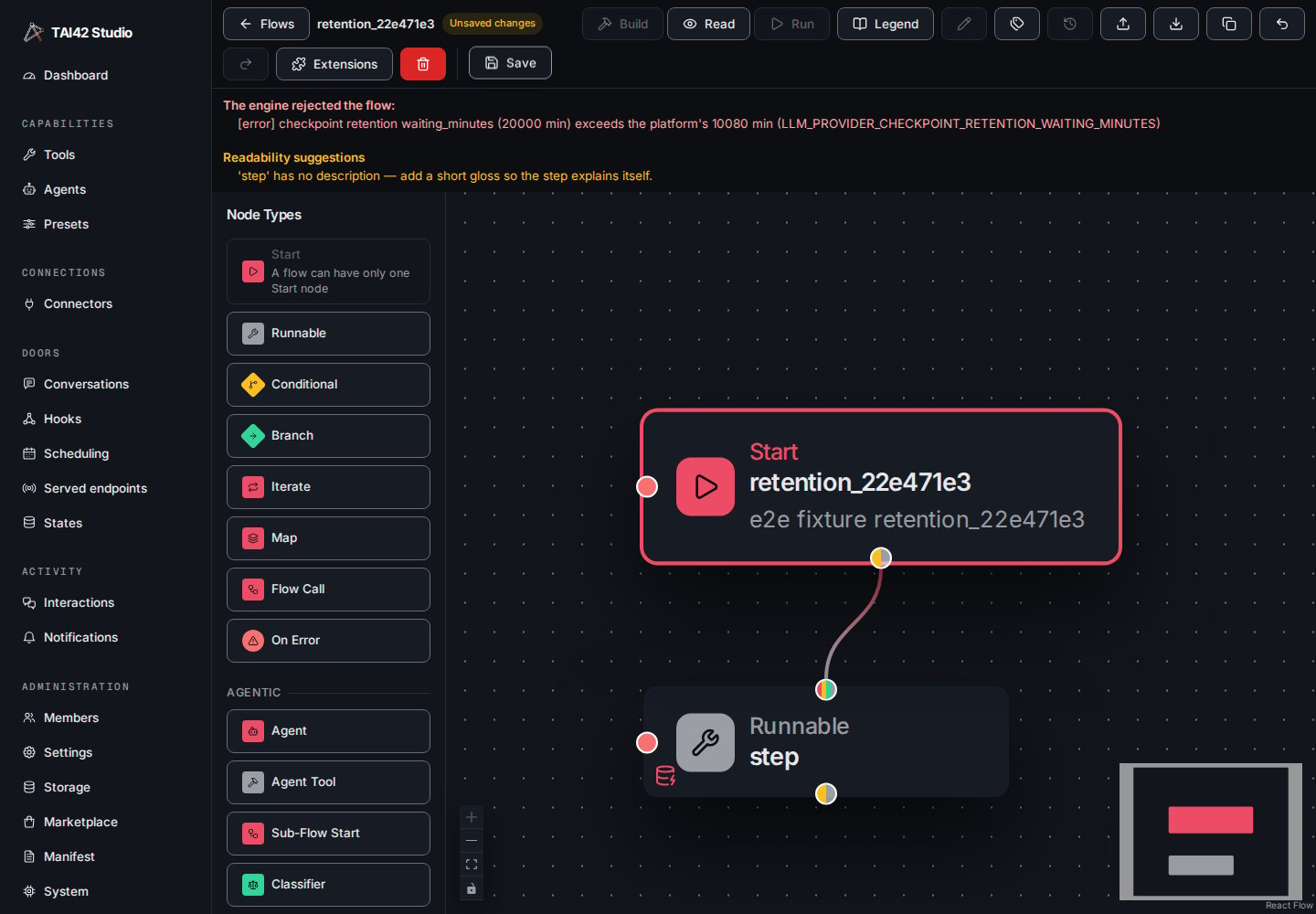
A save refused by the engine: the waiting run is above the platform's.
on_ask) or the route from a holder with an ask exit to a conditional that lists it in
inputs is refused at validation.
A cooperative flow_abort stops the run before or after a node’s tool call, or between
graph invocations; a running tool call finishes first (hard=True cancels it). The abort
reaches every worker by event, and a worker that misses the event still sees the request
within 20 seconds.
Reading a run: status, state and result
Three tools read a run by itssession_id (with the flow definition as flow_graph, and an
optional checkpoint_provider), from any worker:
flow_statusreports the run’s lifecycle state. While a run waits at an async park (waiting_for_client) it also carriespark:{interaction_ids, expiry_at}, the asks that park waits on and its latest deadline (ISO-8601, ornullwhen no ask has one). A run continued and parked again on a later ask reports that later park. A stepped run’s pause, or a park whose record cannot be read, carriespark: null.flow_statereads the run’s checkpointed values: the run state.flow_resultreads the final result of a run that has ended, from its checkpoint — the envelope the run’s last drive returned, so a run that paused for an answer and was continued later is read the same way:{status: success | stopped | aborted, result, missing_results}, or the error outcome{status: error, error, …}for an errored run. A stopped, aborted or errored run is the read’s value, never raised. A run that has not ended (running, waiting for the client, orphaned or not found) is refused as a conflict:Session '<id>' has no result yet: its run is <state>, not ended.. The read records noflow:resultstep.
tai42/pauses fails its node: a node
failure of source app the node’s On Error sees, with .upstream_outputs.error_type
UndeclaredPauseError, .upstream_outputs.error_kind unknown, and the tool named in
the message. Inside a loop body it is a failed iteration like any body node failure, and a
run it fails runs the flow-level On Error.
Inputs and results
Each flow declares its own inputs and results — the values it expects when it starts and the values it hands back when it finishes — so a flow presents a clear contract to whatever calls it and the editor can prompt for the right inputs when you run one. Because a flow is a tool, a parent flow can invoke another flow as a subflow through that same contract. A node’s declared inputs are only part of what it receives: an edge into a node adds the producing node’s output to the node’s input, so a node often receives more than it declares (a fan-in waits on every declared or edge-derived input). Theflow_resolved_inputs authoring tool makes that explicit — given a flow graph
it returns, per node, both its declared inputs and the inputs the engine
resolves it to actually receive at run time, the declared ones plus the edge-derived
ones. It reads the graph passed to it — a held flow is its own graph — and computes
without building, compiling, or running anything, so it is reachable like any other
authoring tool (validate_flow, validate_binding, read_flow) through
run-tool. The Studio’s flow editor reads it to draw a node’s
Receives from block.
A subflow also joins the dispatching run’s trace rather than minting a separate
one, and so does an agent a node drives — see one run, one
trace. The join survives parking, including a
completing child cascading into its parked parent.
Every flow jq also binds $run — the executor’s identity for the run the
expression evaluates in — as {id, epoch}. $run.id is the run’s session id (the
run registry key), so a flow-as-tool subflow reads a distinct $run.id from its
parent — the sub-run’s own id. $run.epoch is the state-mint epoch, null on a
stateless run and until the run’s stateful mint has run. Outside a run — a
validation-time compile — $run is null.
Calling another flow: cancel, resume, start
A node that starts, resumes, and cancels a parkable call — a Flow Call, a custom node (a saved flow published to the palette), or an agent — is a holder. On the wire itstype is "holder", it holds a saved flow or any registered
agent — or a preset over one — (the tool / tool_kwargs pair), and the runtime decides
which of the two the call is by resolving tool, never a second field. A holder has no plain expression input;
instead it carries jq slots evaluated over the node
envelope with the held call’s parked
interactions bound as $parked:
start_expr— shapes the held call’s start input. Absent starts the held target on the resolved node input; a jq giving null starts nothing; any other result merges over the resolved node input (a non-dict result wrapped as{input: …}), the expression’s keys winning on collision.cancel_expr— null, one parked-ask id, or a list of ids to cancel; a cancel tears the whole held chain down.resume_expr— a list of rows, one per ask of a step. Each row’sid_exprnames the parked ask to resume and an optionalpayload_exprcarries the answer; an absent payload takes the ask’s own default answer, a payload giving null resumes with null.warmstart_expr— the warm-start rows a Flow Call pre-fills its held flow’s nodes with.on_askandsend_up— where a caller ask goes (see the ask exit).
$parked, the engine does not fetch
the held call’s parked list before running them.
A parking target must be a holder. A saved flow parks, and an agent parks when its kind
declares that it can (the platform’s agent registry says so for each registered agent). A
plain runnable that calls a parking agent, or a preset over one, is refused at validation:
Node '<id>': agent '<agent>' can park, so it must be a 'holder' node, not a plain runnable.
(for a preset: Node '<id>': tool '<preset>' is a preset over agent '<agent>', which can park, so it must be a 'holder' node, not a plain runnable.). An agent that does not park may be
called by a plain runnable or held. A held agent can ask its caller when it parks and its
static tool set — the kind’s own fixed tools, a preset’s saved tool_names, and the holder’s
own tool_kwargs.tool_names — names the ask tool.
A preset’s output map, whether the preset is over
a saved flow or over any other tool, applies to the held run’s result when it resumes, so the
holder reads the same mapped value it would read from a call that never parked.
A held call that fails — an agent whose resumed run raised (a model or provider error,
say), or one whose resume the platform gave up on — reaches the holder as a failure, never
as a result: the holder fails, so its On Error runs, or the flow
fails when none is set.
The holder panel in the editor authors these
slots; a hand-authored outcome routes the held call’s result
the same way the editor’s chips do.
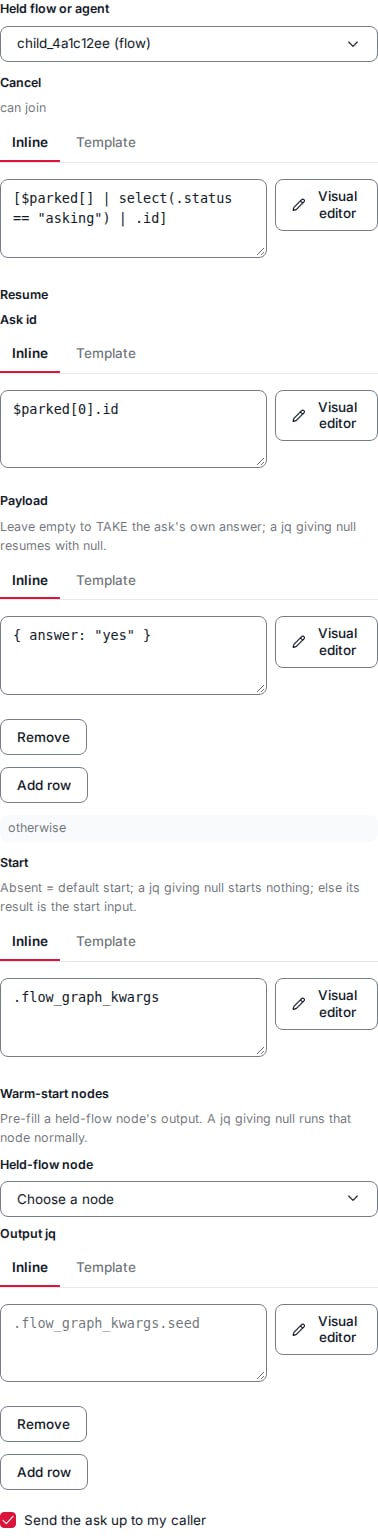
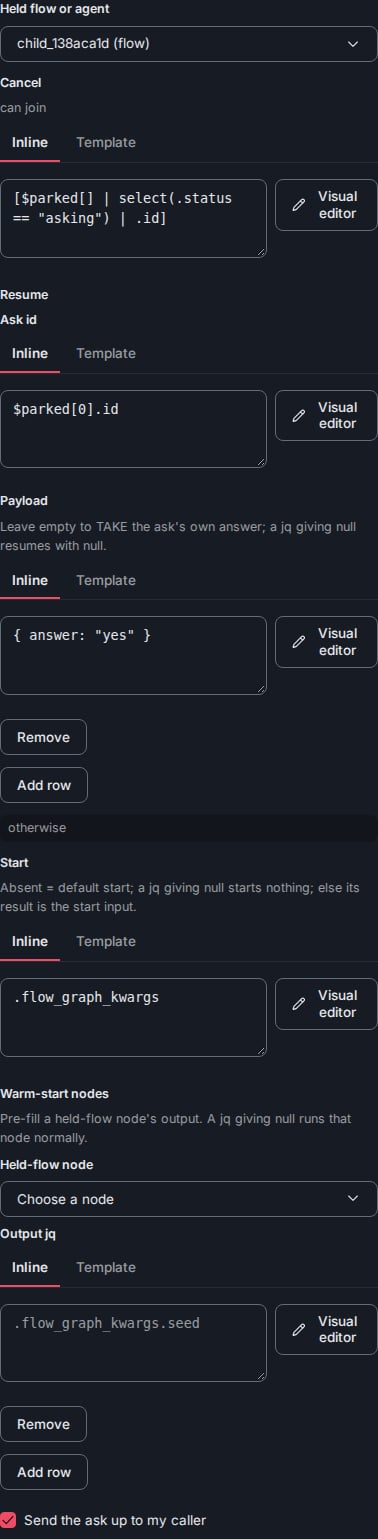
The holder node's edit panel: the Cancel, Resume and Start expressions and the send-up switch.
The ask exit and sending an ask up
When a holder’s held call can ask its caller, those asks need somewhere to go, and the holder settles that two ways:- An ask exit (
on_ask). Name a node in the flow as the ask exit and the holder routes to it when the held call settles with asks; its other outcomes take the ordinary edges. The card grows an extra ask exit handle, and wiring it is required — an unwired exit is a save error on a holder that can ask. The exit settles the held call’s caller asks itself and does not re-park on them: taking it releases the held run, which stays parked on its own ask, standalone. A holder — later in this run or in a later one — resumes it with its ownresume_exprrow and settles on the held run’s result; a released run’s result never re-enters the run that released it. The release lasts as long as the held step’s park would: the platform’s 30-day park-entry floor, or longer when the latest deadline the held step reported (its own ask’s and every caller ask’s) plus the redelivery horizon (INTERACTIONS_IDLE_TTL_SECONDS, default 1 day) ends later. Each later re-park of the released run grows it the same way past the new deadline. No deadline refuses an ask exit. A terminal of the released run that arrives after the release has lapsed is refused at delivery as a failure, never as the agent’s result (no park-index entry for interaction_id '<chain key>'; cannot resume): the resuming holder fails, so its On Error runs, or the flow fails when none is set. A held flow is not chained: its ask exit has no release. - Send up (
send_up). Turn the send-up switch on and the holder parks the ask as a nested park and hands it up to this flow’s own caller unchanged, for a run further up to answer. With send-up on, there is no ask exit to wire.
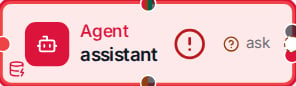
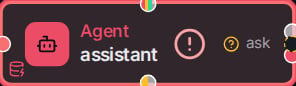
A node card with its ask exit wired.
Asking your caller
A step inside a flow can ask its caller instead of a person: anask called with to: "caller". It parks the asking
run on the calling run and is answered only when that run resumes it — a person
never sees or answers a caller ask. A caller ask always runs asynchronously, and it
carries a payload — a structured value handed to the resolving run in place of a
question. The holder above is how a parent
flow resumes, takes, or cancels the caller asks its held call raised — see asking the
caller for the model and the door contract behind it.
Expiry in a flow
An async ask carries a deadline. What a lapsed deadline does is set by wiring, not by guesswork:- A held ask — an
ask_nodeflow called through a holder — derives its behaviour from its outcome. Wire the holder’sexpiredoutcome downstream and the ask resumes on expiry, so that branch runs; leave theexpiredoutcome unwired and expiry kills the held chain instead (the default). The wiring owns it — see wiring an outcome by hand for the exact shape the derivation reads. - A raw
askrunnable sets its behaviour on the ask itself: its On expiry control is end the run (the default) or resume with the expired marker. Everyaska flow parks on resumes with{answer, reply_to, params}as its result; on expiryansweris the expired marker and the other two arenull.
Warm start
A run can be started with some of its nodes’ outputs already supplied, so those nodes skip running: a warm-start map of node id to fill value. A holder’swarmstart_expr rows author that map for a held flow — each row names a node of the
held flow and a jq whose value pre-fills that node’s output.
- A row whose jq gives null runs that node normally instead of pre-filling it.
- A filled node writes the given output and skips its own state writes — it was never called, so it records no call and applies no update.
- A node inside a loop is filled per round: its value is a list, one entry per round, and a null entry or an index past the list’s end runs that round normally.
ask node’s fill is checked against its question format when that format is
static: the ask’s own answer_format (with options for a select and schema for a
form) is set in its tool arguments, and the node has no expression and no declared inputs
that could rewrite them at run time. The check uses the platform’s own question format for
those arguments, so an off-set answer is refused (warm-start answer for node '<id>' does not fit its question format: answer must be one of […]), and arguments the ask itself
refuses are refused too (warm-start cannot check node '<id>': …). A node whose format is
built or overridable at run time is filled unchecked.
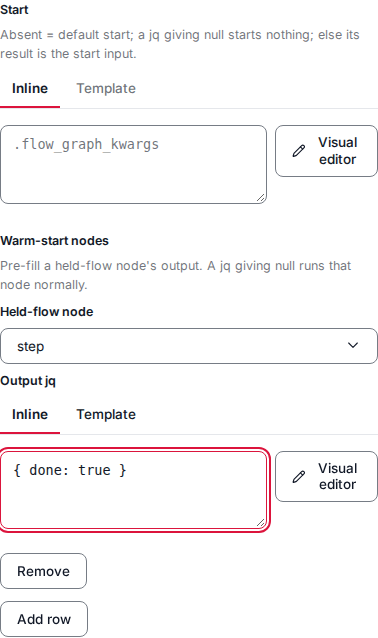
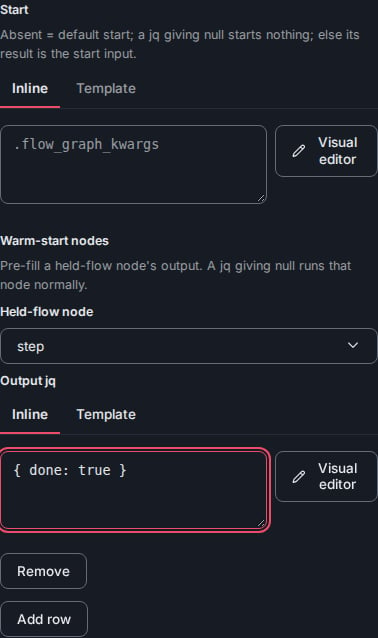
The holder panel's warm-start rows.
Portable flow files
A flow exports to a single.babelfish-flow.json file — the stored graph verbatim —
and imports back the same way. When the flow carries state bindings, the export gains
an optional state_bindings sidecar: each node’s binding travels alongside the
graph with its state names, subject expressions, input injections and updates, and a
stable schema fingerprint of the state’s declaration at export time. The graph itself is
untouched and the sidecar is never persisted onto the saved preset, so a flow with no
bindings exports byte-identically to the pre-sidecar format and an older file (no
sidecar) imports exactly as before.
On import, the editor offers to re-attach each carried binding against the target
environment’s states. A state of that name whose schema fingerprint still matches
re-attaches straight through; when the schema has changed, each bound path is
re-checked and the binding re-attaches only if every path still resolves; a state
that does not exist here, or a bound path that no longer resolves, is reported per
binding and left unattached rather than silently dropped.
Structured agent output
An agent node can be constrained to return a validated object instead of free text. Its Settings carry a Structured output schema editor — a JSON Schema whose top-leveltitle is required, since the engine uses that title to name the
structured response and refuses a run it cannot produce against the schema. With a
schema set, the node’s Output contract renders it live and reads Output
(structured); cleared, the node returns text. The constraint is the
node’s own — it shapes what the agent hands back, and downstream steps read the
validated object.
A finished run mirrors that declared shape onto the actual result: the value reads
against the schema rather than as a raw tree, and the mirror never hides data that
does not fit it. See the Flows editor for the
rendered view and the guarantees it makes.
Node waits
A fan-in node runs once its input barrier releases, and the barrier has three mutually exclusive modes set on the node:- All inputs (the default). The node waits for every declared or edge-derived input to arrive, then runs.
- Quorum. A minimum input count releases the node once any that many inputs have arrived; it is purely count-based and never looks at which inputs arrived.
- Named release. A named-producer list releases the node once every named producer is present in the fan-in — a barrier keyed on specific producers rather than a count. Every other input is still consumed if it happened to arrive by release time, but is never waited on.
missing_results names every result
surface — a node or a conditional branch flagged to return a result — whose output the
outcome does not carry, on a completed run and on a paused one alike. A paused outcome that
carries no missing_results at all means the list could not be computed and is unknown —
never that nothing was missing.
A run whose result cannot be built fails. When a node’s return expression raises, the
caller receives the run’s error (Flow run failed (app/<type>): …) whether the run
completed or was cut short by a stop or an abort. When a run that must return a result has
none, a completed or stopped run fails the same way; an aborted run was cut short on
purpose, so it returns the aborted status with the missing results listed in
missing_results. The error is an application error, since the expression and the check
are the flow’s own logic: the flow-level On Error sees it, and it is not retried as an
infrastructure fault.
Handling a node’s error
A node — a runnable, an agent, a conditional’s branch, or the flow itself (its Start) — can carry an On Error. When a node fails, the On Error runs, its result becomes the failed node’s output, and the run continues from there rather than aborting. A failing node runs its own On Error, else — when it runs a step of its own, a runnable, an agent, a flow call, or a custom node — the On Error of the route (or hand-authored branch) that led to it, else the flow’s; a conditional, an iterate, or a map takes no route or branch On Error and resolves failures at the nodes inside it. In the Studio the same error handle also rides a Router card, catching its verdict node’s failure; each route on that card, whose On Error covers a runnable, agent, flow call, or custom node the route leads to; and a Sub-Flow Start, where it is the sub-flow’s own flow-level On Error. An On Error’s jq reads the failure through.upstream_outputs, the same namespace
predecessor outputs use, alongside the ordinary run channels:
An On Error dispatches one of two ways, and they are exclusive — declaring both
is refused rather than silently preferring one:
- A wired Recovery. Name another runnable in the flow as the Recovery node; it is dispatched only through the On Error, never by ordinary routing.
- An inline tool. Attach a tool directly to the On Error, with optional baseline keyword arguments that the On Error’s expression overrides map onto. Any registered tool qualifies — including a flow-call preset, which makes the On Error an arbitrary nested flow.
FLOW_DEFAULT_ON_ERROR (an On Error as JSON): a flow with no flow-level On Error of its own
uses it on the terminal error path, and so does a branch that hits its iteration limit with
no On Error of its own and none at the flow level. It is read when a failure reaches it: a
stored id in its condition, expr or reply_expr that is not stored, or a tool that is
not registered, fails there, not when the setting is written. While it names them, a stored
template its condition, expr or reply_expr names cannot be deleted, and the tool it
names cannot be renamed or deleted: the refusal (409) names it, for example
setting 'FLOW_DEFAULT_ON_ERROR' names 'jq/notify' at default_on_error.expr. A stored
template named in the arguments its tool_kwargs gives the handler tool, such as an agent’s
system prompt, holds it the same way while that tool is registered:
setting 'FLOW_DEFAULT_ON_ERROR' names 'prompts/notify' at default_on_error.tool_kwargs > system_prompt.
Arguments given to a tool that is not registered name nothing and hold nothing. Change the
setting first.
A finished run shows what the On Error did. A node that failed and was rescued reads
as recovered, and the On Error that ran — whether the inline tool or the wired
Recovery — reads as having run on the error path rather than as an ordinary
step. A node reached both ways keeps its own status and gains the On Error mark.
The participant reply on a failed run
When a conversation route runs the flow and the run fails, the person reads the route’s failure line. The flow-level On Error’s Reply gives that person the flow’s own text instead: a jq expression (inline or a stored template) whose result is the reply. It runs once, at the end of the failed run, and the route sends its result in place of itsreply_texts.error or the built-in line
(failure replies).
- Flow-level only. A node’s, route’s, or branch’s On Error cannot carry a Reply; the build refuses it there and the editor shows the field only on the flow-level form. Only the run’s own failure reaches the person, so a nested flow’s Reply stays with that run and never becomes its parent’s reply.
- It reads the handler’s context. The Reply sees the same
.upstream_outputserror fields,.flow_graph_kwargs, and$statesas the On Error’s condition and expression, plus the handler’s outcome in.upstream_outputs.additional.handler_result(or.upstream_outputs.additional.handler_errorwhen the handler failed). It runs after the handler step, whatever the handler’s result, so a failed notification never takes the reply away. - Only a failed run gives one. A failure the run recovers from gives no reply. When a branch hits its iteration limit, the flow-level On Error runs in-graph as that branch’s fallback: with a tool, node, or expression handler the run goes on and ends as a success, so the Reply is never evaluated.
- The condition gates it. When the On Error’s condition is false for the failure, neither the handler nor the Reply applies, and the route sends its own failure line. A condition that raises is logged at ERROR and gives no reply.
- What it returns. Text of 1 to 2,000 characters that is not blank, or
nullfor no reply. Any other result — a non-string, blank text, text over 2,000 characters, a jq error, or a template that does not render — is a fault: it is logged at ERROR, recorded on the On Error’s trail entry asadditional.reply_error, and the failure goes out with no reply, so the route’s fixed line is kept. A reply fault never replaces the run’s own failure. - A Reply on its own is valid. A flow-level On Error with only a Reply runs no handler
and records neither
handler_resultnorhandler_error; the run still fails, carrying the reply. - Infrastructure failures skip it. A failure of source
infrastructureskips the On Error entirely (see Who handles a failure), so it carries no reply.
Who handles a failure
Two questions about a failure are answered apart. Who handles it —error_source. A failure is infrastructure only when a transport the
platform owns failed, as that transport’s owner declares it: a standard timeout or connection
error, a dropped or unconnectable pooled client, an HTTP transport error, a closed or broken
stream, or the MCP client’s own read timeout. No author caused such a failure and no On Error
can mend it, so it skips the node’s On Error and reaches the run’s error path. Every other
failure is app and reaches the On Error, whatever its kind — including an MCP tool’s own
error, an unanswered sync ask, a spent turn budget, a sandbox command that timed out, a
sandbox, states or other capability that is not available, a tool that paused without
declaring it, a barrier that timed out, and any error raised from a transport error (only the
error itself is read, never its cause). A failure replayed on resume keeps the source it had
when it happened.
Whether it is retried — the error kind. A tool that opts into the platform’s retries is
retried on the error kinds the platform treats as retryable. The transport errors above carry a
kind too: an HTTP timeout reads
timed_out, other HTTP transport errors and a closed or broken
stream read unavailable, and an MCP error leased through the platform’s client reads the kind
its code means — so .upstream_outputs.error_kind names them rather than unknown.
When a loop’s failure reaches the flow’s On Error
An iterate (or its map face) resolves its own iterations’ errors at the nodes inside the loop; a failure it cannot contain surfaces to the flow-level On Error, where the run still fails (a flow On Error decorates, it does not rescue). What.upstream_outputs.additional carries then depends on where the loop broke.
- The loop could not build or run its plan — its list
inputwas not a list, its count was not a number, itswhilecondition was not a boolean, or a bounded driver’s plan (a resolved list or count) was larger than the max-iterations ceiling.additionalcarries.failed_iterate_nodealone. - The body failed while running — one or more iterations failed inside the body, or a
whileloop reached the max-iterations cap without its condition turning false. Alongside.failed_iterate_node,additionalcarries the two keys below, so recovery can name which items failed and read every completed iteration’s outcome.
A terminal’s
.error carries a cause only when the failing node is one of the body’s
end nodes. When a node in the middle of the body fails — or a while loop hits the
cap — that iteration’s end nodes all read skipped and hold no cause; read the failure
from the top level instead: .upstream_outputs.error summarizes the first failed
iteration and the error that stopped it (its type and message) —
.upstream_outputs.additional.failure_indices lists every failed iteration — and
.upstream_outputs.error_kind is the failures’ shared taxonomy label, reading
"unknown" when they carry different labels or none. The per-item .terminals
are for reading the successful iterations’ outputs, not the cause.
Run condition
Any scheduled node — a runnable, an agent, a flow call, a map, and a router’s verdict node — can carry an optional run condition: a jq predicate authored as an inline expression or a stored template with kwargs (the same field triple every jq site uses), answering one question — should this node run at all? Left empty, the node is unconditional and runs exactly as it did before the feature existed. The condition is evaluated at fire time — after the node’s input barrier releases and after its state refresh, before the node does any work of its own, including its own expression — over the same namespace that node’s expression reads. It is bool-strict, like a conditional’s condition: anything buttrue or false is an authoring defect, and a condition that raises fails the node
down its normal error path. It is statically checked like every other jq slot, so an
unresolvable upstream read or a schema-impossible comparison is a build error.
- True runs the node normally.
- False skips it: the node does not execute, its output is
null, and its status reads skipped. The output key is still written, so every downstream input barrier still releases and the flow continues past the node — the gate stops the one node, not the path. To stop a whole path, use a conditional or a router instead.
null, so a return expression on a node you might skip must tolerate a null input.
The gate belongs on a scheduled node. A node that runs only as a
Recovery is dispatched directly and never scheduled, so a
condition on it would never be evaluated; the editor does not offer the field there —
unless one is already stored, in which case it renders with that fact stated, so the
dead value is visible and clearable rather than silently kept.
A node whose tool pauses and resumes re-runs its whole node function on resume, so its
run condition is evaluated again over the resume-time view — one a peer may have
moved during the pause. A condition that answered true on the first drive and false on
the resume drive reports the node skipped with a null output even though the tool
already ran. This is inherent to interrupt-resume re-execution: a condition over values
that can change while the node waits carries the edge, one over the node’s settled
fan-in does not.
Run after the reply
A runnable node can call its tool after the run has answered instead of during the run: setafter_reply: true on the node. Use it for a call the reply does not depend on — saving a
transcript, notifying a team — so the participant never waits on it.
When the node is reached and its run condition holds, the engine does not call the tool. It
queues the call, with its resolved inputs, on the run’s states unit of work, and the node settles
at once with a null output and the status deferred (shown in Run mode as Node call runs
after the reply). When the run ends cleanly the call is written with the run’s
pending state save and runs after the save’s records apply, in
order with every other save on the same subjects — so the call sees the state the run saved. It
runs under the identity, attribution, state context, and trace the run had, with the
idempotency key <save id>:<index>. A run that ends any other way (an error, an abort) drops the
call, and a resume never queues it twice.
The node has no output and no place in the rest of the flow, so the engine refuses:
- an
after_replynode with notool, withreturn_resultorreturn_expr, with its ownon_error, or with asession_thread; - an edge out of it, a node naming it in
inputs, or the node inside an iterate body; - a state binding with updates on it.
tai42/crash_resume, and otherwise the save fails. A call that parks for an answer fails the
save, since nothing waits for it after the reply. The node needs the
state store.
Routing on a verdict
A router node judges its input and routes on the result — one card instead of a model node wired into a hand-built conditional. You declare the kinds it routes on, each with a name and a description, and the card generates everything the routing reads from that one list, so the judgment and the routing can never drift apart. Who does the judging is the card’s Decided by choice — an LLM agent that reads the input and extracts the items of each kind, or a classifier model that answers one yes/no question per kind and returns a probability. The kinds, the routes, and the routing discipline are the same either way; only the judging half differs. Three kinds of edge leave the card, each drawn distinctly:- Kind — fires when the verdict finds that kind. An optional jq guard is combined with it, so “this kind, but only when…” stays one edge.
- Condition — the branch condition is an authored jq expression with full
access to the run,
$statesincluded. It is a condition route, not a disguised kind, and the canvas says so. - Otherwise — the default branch, taken when no other branch matched.
classifier key
cannot be folded: it is shown as a plain conditional, asking you to re-create the routing.
Decided by
A router’s kinds are judged one of two ways, chosen by the card’s Decided by control and offered whenever the host registers either backing tool:- LLM agent (the default). The card lowers to an agent that reads the input, extracts
the items of each kind into a generated structured-output schema, and renders the
kinds into a system prompt through the
router_kindsvariable. A kind route fires when that kind’s item array is non-empty; the agent can loop over the extracted items, a kind may carry extra per-kind fields merged into each item beside its text, and the card may declare turn-level output fields. - Classifier model. The card lowers to a
classifycall that asks one yes/no question per kind — the kind’s name is the question’s key and its description the instruction — and returns a probability per kind. A kind route fires when that probability reaches the card’s threshold (0 to 1, default 0.5), AND-combined with the route’s optional guard exactly as the non-empty check is under the agent. The classifier extracts no items, so it declares at least one kind and offers no loop, no per-kind or turn-level fields, and no system prompt; its provider and model are set on the card (an empty provider uses the host’s default classifier provider).
Route keys
Every route row — a kind route, a when route, or the otherwise row — carries a key, the name of that route’s branch. A key is an identifier — letters, digits, and underscore, never starting with a digit — and is unique across the router’s rows.otherwise is the reserved key of the otherwise row.
A kind route’s key is prefilled with the kind’s name when the row is added, so the common
one-route-per-kind card reads by kind with nothing to fill in. Add a second route for the
same kind and it starts unnamed — the prefill fills a name only when no row of the router
already holds it — and the row is flagged until you name it; a when route always starts
unnamed. Renaming a kind never rewrites keys: a key is the word you chose, and the card
offers no auto-rename.
The key names the route’s branch in the saved flow and in every trace, as
<conditional>__<key> for every row, so the branch a trace points at is the word you chose
rather than a position — there is no index in it. Reordering rows never changes that branch:
under first match the row order rides its own separate carrier,
not the branch name. Renaming a route’s target leaves it untouched too, since a target is
only the edge drawn on the canvas. Renaming the key itself does rename the branch, so
choose it before the traces you rely on are recorded.
A row left unnamed, or given an invalid or duplicate key, is refused loudly — it blocks
save, export, duplicate, and run, with a message naming the router and the route — until you
fix it. On the card, a condition chip shows its key above its target, and a kind chip
shows the kind name with its route keys on a second line beneath — shown when a key differs
from the kind name or the kind carries several routes, and omitted for a single route keyed
by the kind name. Under Loop dispatch a kind line is a loop body, so its key is the
kind’s name and is read-only.
Every match or first match
A router’s routes fire under one of two routing disciplines, set on the card:- Every match (the default). Every route whose condition holds fires, in parallel — the multi-fire fan-out. This is the default discipline and carries no wire marker: Every match emits no routing-discipline key on the wire.
- First match. The routes are evaluated in row order and only the first one that matches fires; the rest are never evaluated. This is the classic single-path routing table — at most one route ever fires.
jsonb, for one, re-keys members by key length then
bytewise). The order instead rides an explicit array of route keys that no store can
permute, written on save from the routes table below. A first-match router with routes
must carry it — one without it is refused at load. The array must list every route
exactly once — a partial or unknown listing is refused at load rather than guessed at
runtime.
First-match order carries two guard rails, refused loudly at load and scoped to first
match (every-match routing is order-free, so neither rule constrains it):
- At most one catch-all, and an unconditional one comes last. An always-true route makes every route below it unreachable, and a second catch-all can never fire — so declaring either is refused with the dead rows named. A plain otherwise route is order-free (it fires only when nothing matched, wherever it sits) and may be declared anywhere.
- Route keys are never plain numbers. A numeric branch key is an array index that a JSON-object client silently re-orders ahead of every other key; the router never mints one, and the engine refuses it whether or not an order carrier rides, so the two spellings of a first-match table cannot disagree.
The routes table
Below the card, the routes table is one view over the router’s routes: one row per wired route, in the order they lower. Each row shows its flavor — kind, when (the table’s name for a Condition route), or otherwise — its key, the kind or when-condition, an optional per-kind guard, its target, and a per-route On Error switch. Conditions, guards, and keys are edited in place; a route’s target is the edge you drew from its chip on the card, so the table shows it, never picks it — the canvas stays the one place edges are drawn. A kind row’s guard is AND-composed with the pinned non-empty check for that kind, so the route fires only when the kind matched and the guard holds. A when row’s condition is its branch condition, reading the classified output, other node outputs, and$states.
Under first match the table also orders the rows — the row number is the
evaluation priority. Reorder a row two ways: drag it by its grip, or step it with its
move buttons (the keyboard and assistive-technology path). The reorder is a plain array
move with no wire format of its own; targets, guards, and conditions ride along
untouched. Under the every-match default the order is only a position, so the reorder
controls are absent.
The table also carries advisory notes — never a block on saving — when a first-match
row is already covered by an earlier one, when a row repeats an earlier one to the same
target, or when the otherwise row sits above rows still being evaluated and so reads out
of order.
Turn-level output fields
A router can describe not just the items it extracts but facts about the whole turn. Beside the kinds, declare optional turn-level output fields — a JSON-Schemaproperties fragment merged into the generated response format and required alongside
the kinds — so a field like flagged or sentiment becomes an ordinary top-level output
read as .upstream_outputs.<router>.flagged, typed and statically checked like any other
output rather than modelled as a kind or dug out of an item. The declaration rides the
card’s marker exactly as the kinds do (the response format is regenerated on every save)
and follows the same absent-key discipline as the routing mode: declare none and the router is
byte-identical on the wire. Because a turn field and a kind are siblings in one output
namespace, a turn field named after a kind — which would shadow that kind’s array — is
refused.
Dispatch: once or loop
A router runs its chips under one of two dispatch modes, set once on the card — never per route. The chips look and connect the same way in both modes; the mode alone decides what a chip’s line means, while the routing discipline above still orders the routes:- Once (the default). Every chip is a plain routing line: the flow continues from
each matched chip, and the target reads the whole verdict as
.upstream_outputs.<router>. This is the router exactly as above — no result chip, and a card on Once emits no dispatch key on the wire. - Loop. Every chip’s line starts a body — any nodes and conditions you draw off the chip, in the same flow — and that body runs once per classified item of the chip’s kind. The runs go sequentially or in parallel (a parallel run takes an optional max concurrency cap), or the body repeats while an authored jq condition holds. A looping card grows one result chip, the loop-done exit the collected output leaves through.
$iterate.item, the run index as
$iterate.iteration, the prior runs as $iterate.prior_outputs, and the whole verdict as
.outputs.<router>. A while body runs its first round unconditionally, then evaluates
the condition before every further round — $iterate.prior_outputs[-1] is the previous
round’s result and .upstream_outputs.<router> the verdict — bounded by a max runs cap
(the flow’s own cap by default) that is a safety backstop, not a stop condition: exceeding
it stops the flow with an error on the ordinary on_error path.
A while body is always sequential — the engine refuses a parallel run under a while
condition.
There is never a branch node between a chip and its body — the line goes straight to the
body’s first node. Because a body has a single entry, a chip under Loop carries exactly one
line, and the card refuses to switch from Once to Loop while any chip still fans out to
several lines — remove the extra lines first. One looping chip beside plain ones needs no
Loop card: keep the card on Once and draw an ordinary Iterate
after that chip. Fanning one chip out to several targets at once is several Once lines from
that chip under every-match routing.
The result chip. Under Loop the card grows one result chip, and the collected
output of every chip leaves through it, keyed by kind name. A consumer of the result
line reads a kind’s aggregate as .upstream_outputs["<router>__result"].<kind> (the
bracket form, because the collector’s name carries __). The aggregate is a list in run
order — item order for a per-item body, round order for a while body; a kind the verdict
did not produce reads null, and a matched kind with no item reads []. Because the key is
the kind name the author sees on the card, renaming a kind changes that visible key, and the
editor’s upstream hints route the result line through the collector’s shape.
Loop and the routing discipline. A looping chip is not a row of the hidden conditional,
so the first-match discipline orders the card’s when and
otherwise routes only: a chip’s body runs whenever its kind matched, regardless of first
match. The single otherwise route still fires only when nothing else on the card did —
under Loop it carries an explicit condition over every kind and when route, so it never
double-fires beside a matched kind.
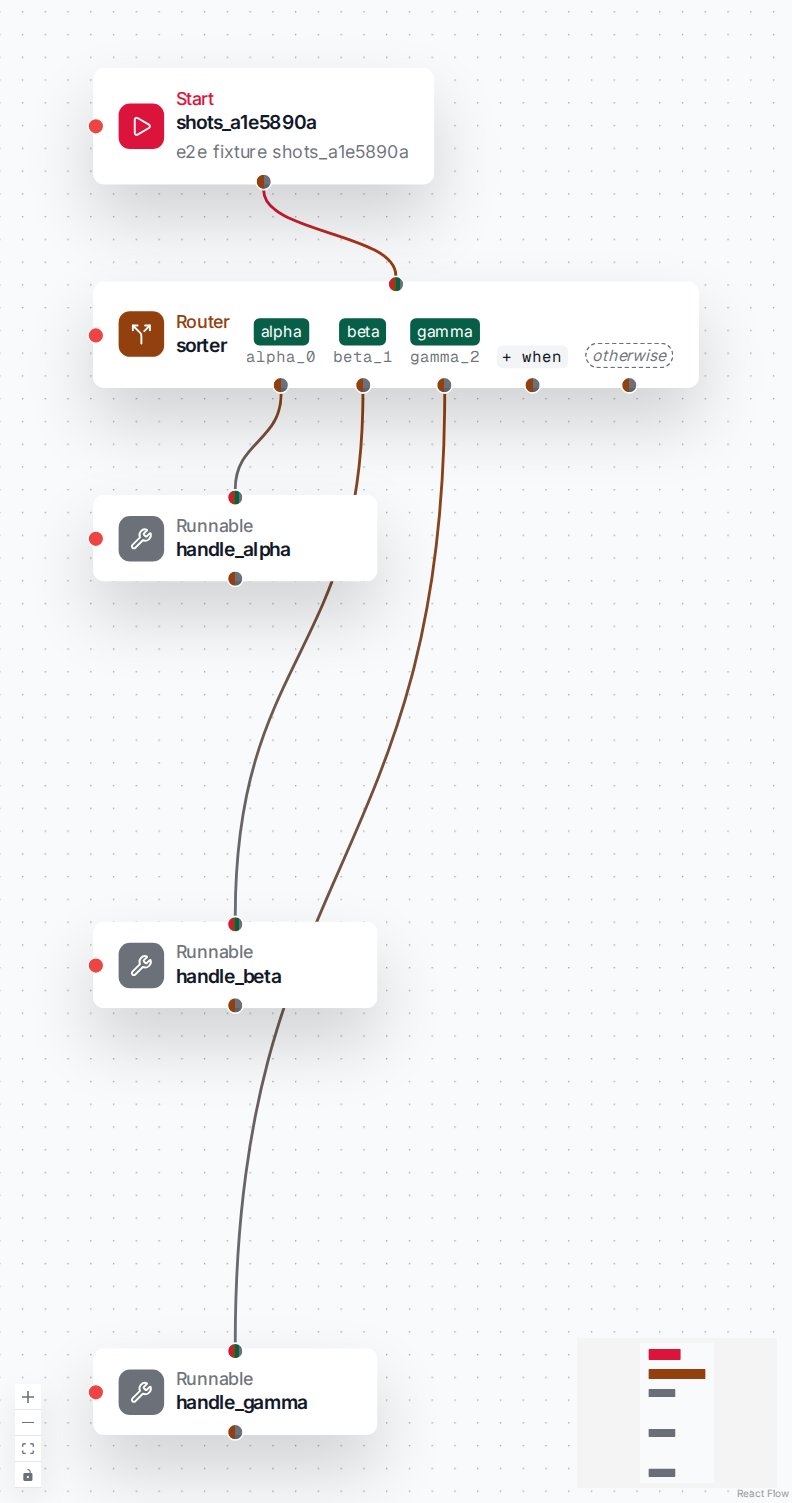
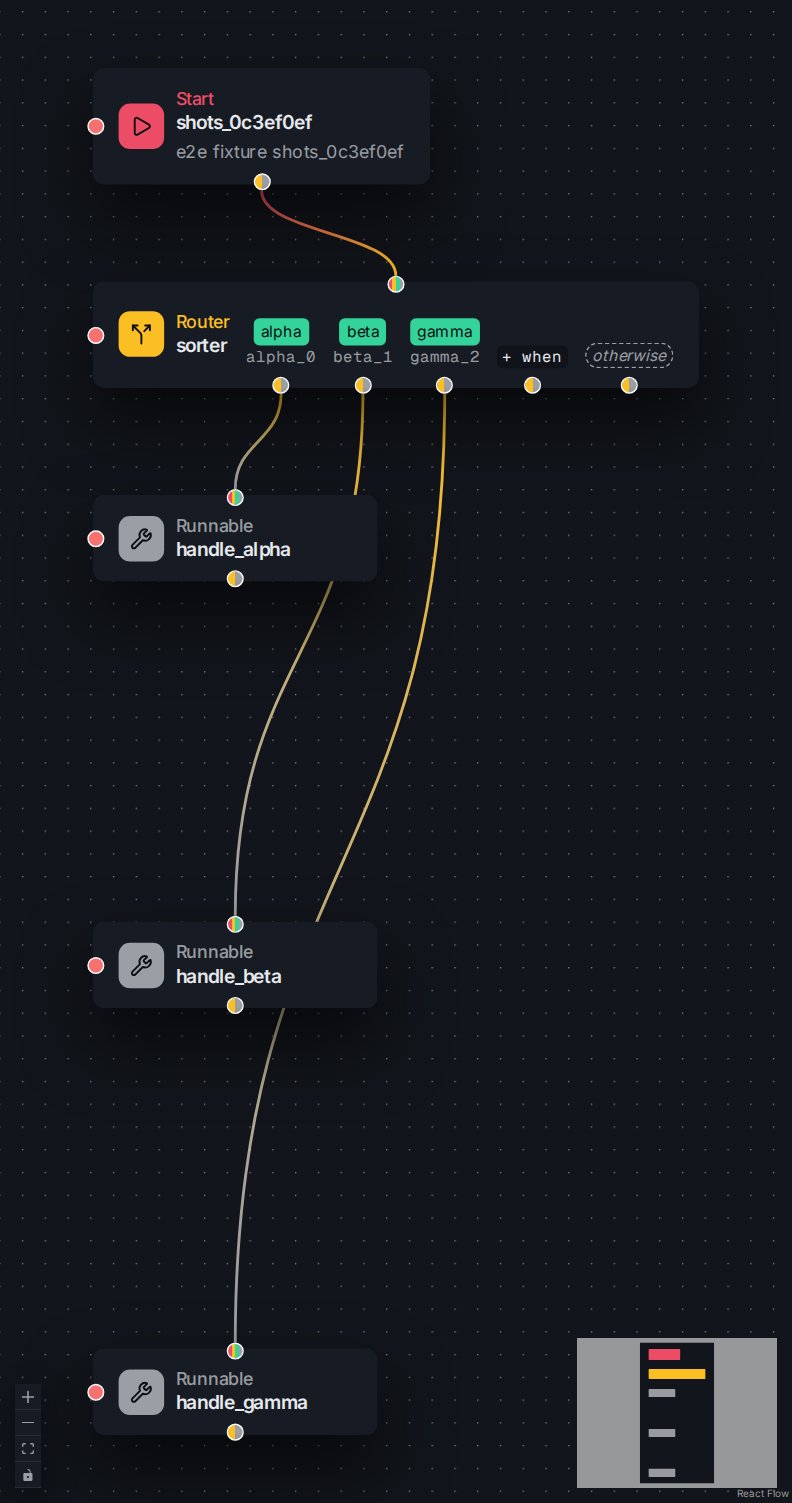
A Router on Once: every kind chip is a plain routing line.
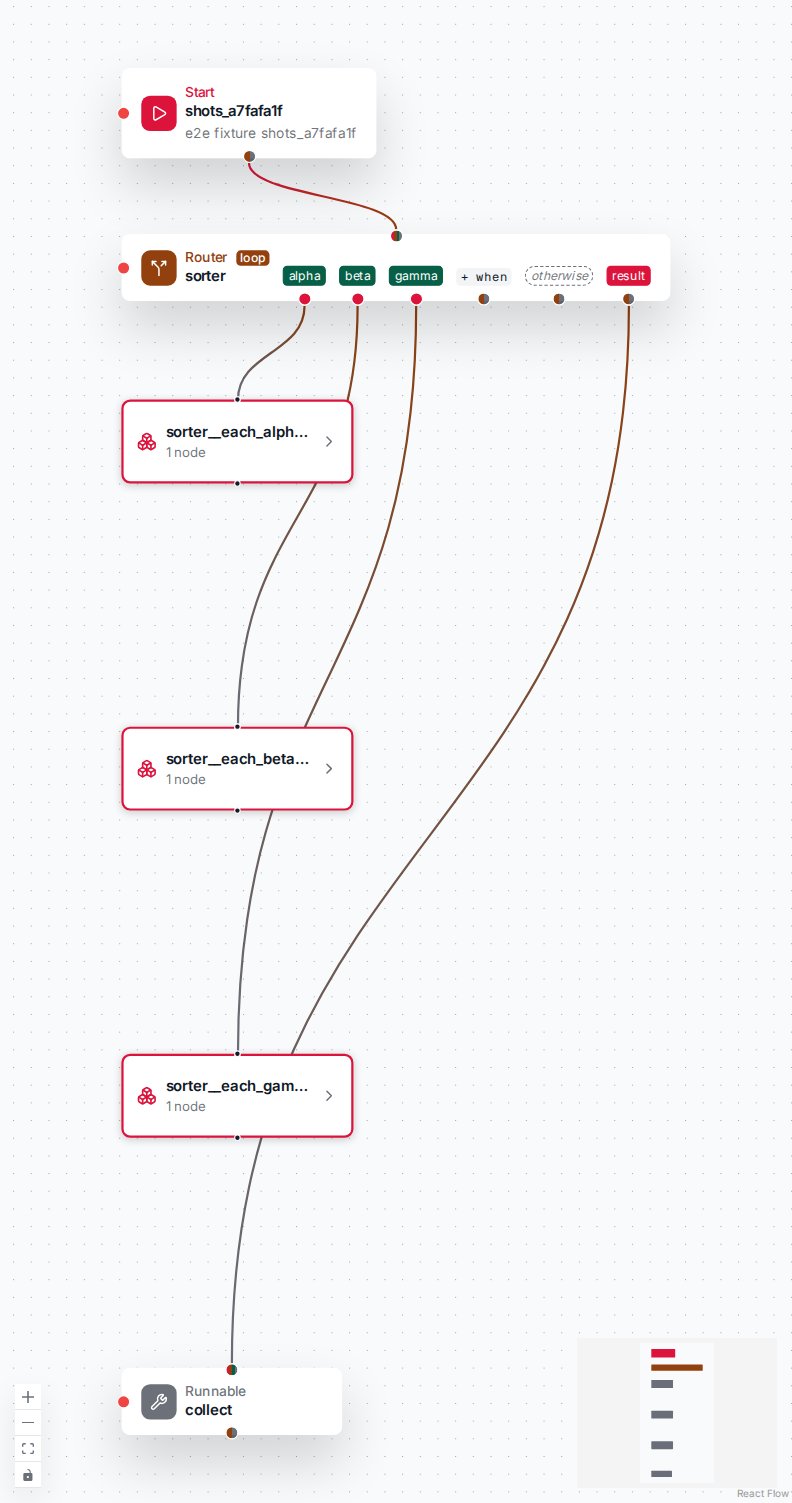
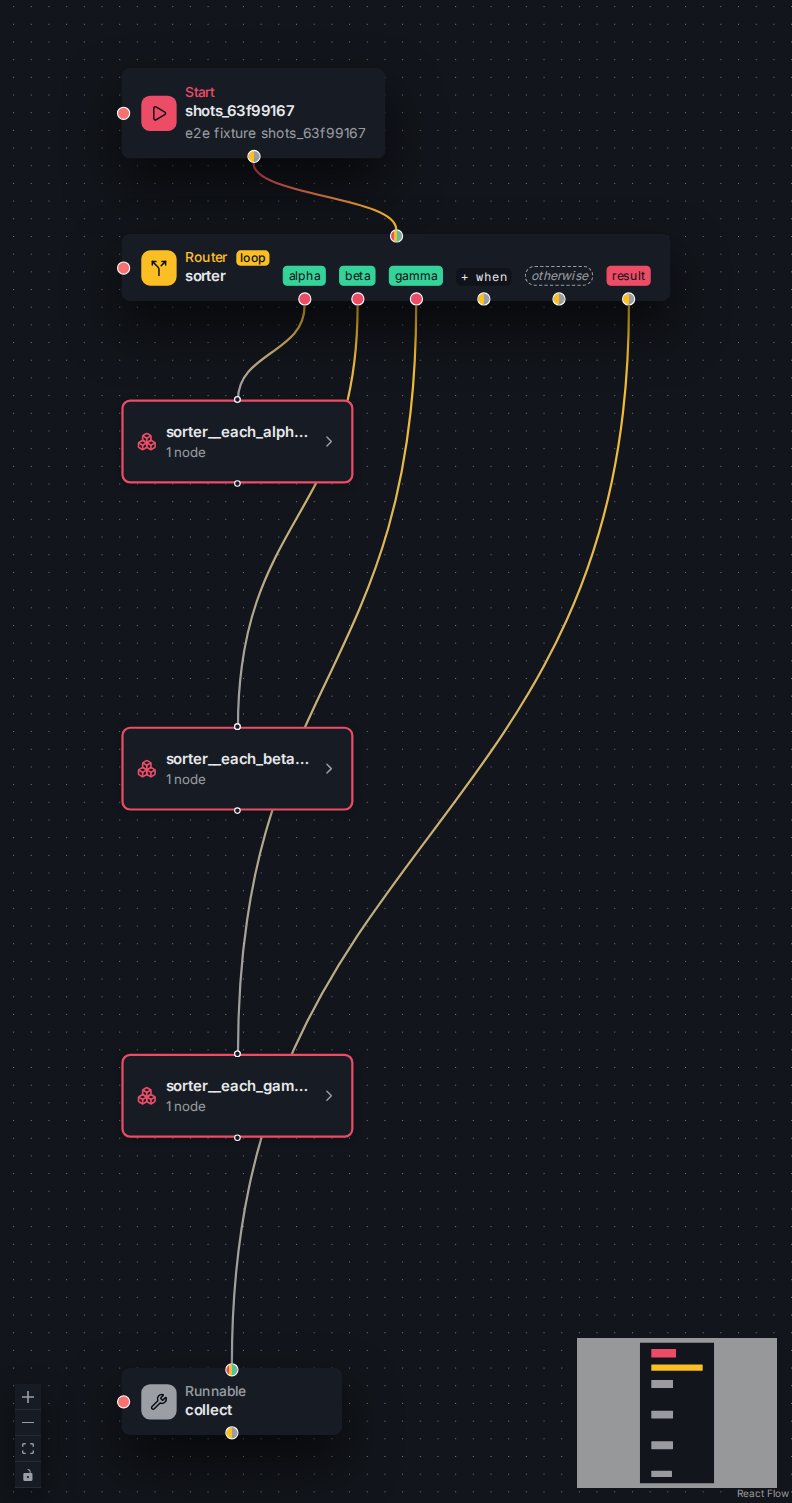
The same Router on Loop: each chip starts a body, and the result chip continues when every body is done.
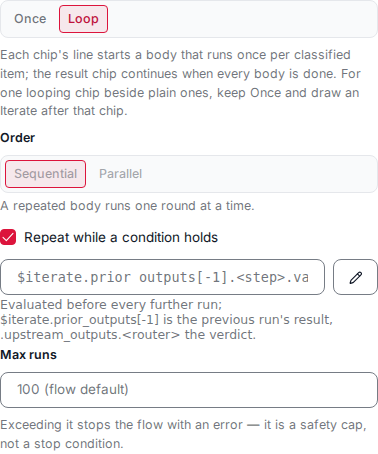
The Router's Dispatch field with Loop chosen and a repeat condition revealed.
Per-route On Error
Every route — kind, when, or otherwise — can carry its own On Error that catches the failure of the node the route leads to when that node runs a step of its own — a runnable, an agent, a flow call, or a custom node: its result becomes that node’s output and the run continues downstream from there, exactly as a node’s own On Error does. A route leading to a conditional, an iterate, or a map is not covered here — those resolve failures at the nodes inside them. It still covers a failure of the route’s own branch step — the branch’s preparation, such as a branch hitting its iteration limit. The target node’s own On Error, when it has one, runs instead, and nothing further downstream is covered — every node past the target is resolved by its own lookup. Each route’s On Error switch sits in the routes table, off by default. Switched on, the route’s On Error takes one of two exclusive forms — the same two an On Error card offers:- an inline tool on the row, with its own expression and condition; or
- a wire from the route chip’s error dot to an On Error node on the canvas — that node then holds the handling, its own inline tool or its wired Recovery, as any On Error node does.
sorter with a route keyed high_total can switch that route’s On
Error on and pick an inline notify tool — or, instead, wire the route’s error dot to an On
Error node whose Recovery is a runnable status_update. Either way, when the node the route
leads to fails, the On Error’s result becomes that node’s output and the run continues
downstream.
Judging with a classifier
A Classifier card judges its input and hands the judgment downstream — one card instead of an agent wired into a hand-built conditional. It lowers to a single runnable that calls theclassify
tool: you declare a set of typed questions — each a Yes/No, a Pick one, or
a Rate — and the card returns one answer per question, keyed by the question’s
name, carrying a probability. The card is authored on the
Classifier card in the Studio; the three
question kinds and the answer shapes are covered on the
classifiers page.
The card’s input expression is the runnable’s input jq: it must return an object
with a state key — what the classifier reads. Left empty, the whole upstream input
is judged.
A downstream condition reads an answer at .upstream_outputs.<node>.answers.<key>,
where <node> is the card’s name and <key> is the question’s name. A Yes/No answer
carries its probability under .noul, so a threshold guard reads, for a card judge
with a question keyed urgent:
choice answer carries .choice and per-label .probabilities, and a score
answer carries .score and a per-level distribution. Every answer stays inside what
the card declares: each question gets one answer of its kind, a .choice is one of the
question’s labels, and a .score lies within its levels. The platform refuses a
response outside them, so the card’s node fails, its On Error
runs, or the flow fails when none is set (see Answers stay inside what the request declares).
A condition never needs to check that an answer is present or that .choice is one of
the labels. Unlike an agent’s
structured output, a classifier node declares no output
schema the comparison guard can read, so downstream reads of its answers are untyped
operands: they are never statically type-checked and a numeric guard like the one
above always passes the studio’s static type check — the shape is the classifier’s contract, not a
declared schema.
The visual jq editor
Every jq expression a flow carries — a node’s expression, a branch or loop condition, a binding’s injection or update jq — is authored in one field two ways: by typing jq into the field’s resting text control, or in a visual editor, opened from that control, that draws the expression as a small, editable node graph and writes it back as jq. The wire always carries the jq text.This visual editor is jq-studio — the platform’s
open-source, built-in jq editor. The Studio SDK
re-exports its
JqField component and the Studio host provides the design system and
evaluation worker, so the flow editor renders it directly, with nothing to install.
The same editor serves every jq field across the Studio — a flow’s, a host
feature’s, another plugin’s — so the canvas below is identical everywhere. See
Visual jq in flows for the flow field’s tabs and per-surface
seeding.- Input (primary) — the data the expression receives,
.. - Value (muted) — a literal or a path into the input.
- Operator (muted) — combines two values (
+,==,//, …). - Condition (warning) — chooses a result with if / else.
- Try/Catch (danger) — runs logic and recovers on error.
- Call Function (primary) — applies a built-in or defined function.
- Define Function (primary) — declares a reusable function.
- Comment (muted) — a note; never runs.
Visual jq on every surface
Every jq field carries the same editor, and each names what. is at its site so the
Test panel seeds the right sample and the server validator checks the right shape. The
per-site input shapes — the node, error, binding, and return envelopes, the loop
envelopes a while/foreach/map field sees, and the bare flow-inputs and
state-record documents — are listed in
Visual jq in flows.
Flow states
A flow’s durable cross-run memory lives in the platform state store: named, schema’d JSON documents, one per subject, that every door reads and writes through one seam. The engine does not own that store — it binds to it. Declaring a state, attaching a template, browsing records, and folding subjects are platform concerns (see the States concept); what the flow engine owns is the binding: which states a node reads and writes, under which subject.- Bind a node to a state. Each node carries a binding document — one or more
states, each with the templates it uses, a jq
subject_exprthat picks the subject, an optionalscope_expr, input injections evaluated after the node’s input is assembled and before it runs, and updates applied after the node completes. Its shape and the injection and update forms are in Binding a node to a state. In a run, every bound state’s record is available to jq as$states.<name>, seeded once at run start. - Subjects. A
subject_expris required on every binding and resolves to a subject reference — a full subject object{target_kind, target_name, kind, key}, a{kind, key}object, or a bare key string — which the platform resolves at run start by the same rule as every door; see A binding’s subject and scope. Asubject_exprresolving tonullis a loud mint-door error naming the state and the expression; a reference the platform refuses fails the run with the platform’s refusal. - Write through updates. An update’s op batch may carry keyed list ops and per-op compare-and-set guards — the coordination primitives for many writers on one record; the platform applies every op atomically under the record’s row lock.
- Refresh. A node can opt into a fresher view of its bound records — see refresh.
flows-states section in
backup and restore; the record data is platform state,
backed up with the store like checkpoints. A node’s binding writes land in the platform
record’s audit trail with the writing consumer, node,
and run, and emit a state-change event into the run’s
Langfuse trace.
Reading a state a flow does not bind
The run’s$states view carries only the states bound to the running flow, so a
$states.<name> read of a state the flow does not bind resolves to null at runtime.
The engine catches this in two stages — a warning while you author, a loud error when
it runs:
- A warning while you author. Flow validation reports a
$states.<name>read of a state that is not declared (state_ref), or is declared but not bound to this flow (state_unbound), or arefresh_statesnaming an unbound state (state_refresh_unbound), as a warning — never a save gate. The fact is extra-graph and per-environment: the read is fixed by binding the state at a separate door, so a flow authored or imported before its states are bound in this environment is not blocked. The message names the read and the fix, for example: “Node ‘n’: return_expr reads $states.x, but ‘x’ is a declared state that is NOT bound to this flow, so the read resolves to null at runtime. Bind ‘x’ to this flow, or read a state it binds. States bound to this flow are […].” - A loud error when it runs. A
refresh_statesnaming a state the node does not bind is a loud drift error at node execution: “node ‘n’ refresh_states names state(s) [‘x’] that are not bound on this node; bound states are […].” A binding whosesubject_exprcannot resolve is likewise a loud mint-door error naming the state and the resolved value.
$variable, a tjq_<name> call without its one argument — is refused at
every save door. Whether the template a tjq_<name> call names is attached depends on
the environment: a preset write, which carries no environment, admits the call; flow
validation by the flow’s name (the editor’s save) and a conversation-route bind refuse it
as an error when the flow’s bound states do not attach the template — “B: expr:
failed to compile: jq: error: tjq_total/1 is not defined …” — fixed by attaching the
template or binding a state that attaches it; and a run in an environment that never
attaches it fails the node with the same compile text.
Binding is refused at the bind door for a state that is not declared (“state ‘x’
is not declared”), for a missing or blank subject_expr (it is required and must be a
non-empty jq expression), and for a subject_expr or scope_expr that is not valid jq.
Cross-flow state writers
Because overlapping writers are allowed rather than refused, where two flows race on the same field an optional compare-and-set guard opts one op into lost-update protection. A guard rides any op in an update’s batch as a{path, expected} pair:
expected is the concrete value a custom update’s jq computes into the op, and at
write time — under the record’s row lock — the platform compares the record’s
current value at the guard path (a missing path reads as null) to it by strict
JSON equality. Equal, and the op applies; unequal, and that one op is
guard-skipped while the rest of the batch still applies, observable both in the
record and in the run’s state-change trace.
The idiomatic use is a writer token: pair a field with a companion writer field,
and have each flow guard its write of the field on the writer equalling its own
token, so under a real write race exactly the token-holder writes. The guard is
deliberately narrow — it protects against lost updates only, not multi-step
invariants, and it compares equality on exactly one path (a null expected value
means “expect the field absent or null”, the first-claim case). It is a state-store
primitive, checked on every op the store applies.
Keyed state list ops
A state field that holds a list of objects — vetoes, line items, participants — can be maintained item by item without ever reading the whole list and setting it back. Five path operations do this atomically at write time on the live record, under its row lock:set_by_key— update or append the list item whose key field equals a given value. The op’svalueis the item itself: a JSON object that must carry its own key field, so the match key can never drift from the payload. The first item whose key field equals that key is replaced in list order; if none matches, the item is appended (upsert). An absent list is created. Thevaluemay also be a list of complete items, applied in payload order — one op, many upserts.merge_by_key— patch fields on items that already exist. The op’svalueis a list of partial items, each carrying the key field; each partial is shallow-merged into the first stored item with that key ({**existing, **partial}, top level only — a nested object replaces wholesale rather than deep-merging). Null-valued fields are dropped before merging, sonullnever deletes a field. A partial matching nothing is skipped: unlikeset_by_keythis never inserts.unset_by_key— the deleting dual ofmerge_by_key: remove named fields from items that already exist. The op’svalueis a list of entries, each exactly{<key_field>: <key>, "fields": [<name>, …]}— the item’s identity plus the top-level field names to delete. An already-absent field is an idempotent no-op and an entry matching nothing is skipped; the key field itself may never be listed, since an item keeps its identity. Stray keys on an entry, a duplicate field name, and a duplicate entry key are all refused loudly.set_by_key_each— the keyed fan-out of the upsert, for a classifier envelope. The op’svalueis an object mapping fan-out keys to lists of complete items; each(key, items)pair applies theset_by_keylist semantics into the list one level deeper, at the path plus that key. One op and one atomic apply replace one op per fan-out key. A fan-out key must be a non-empty string and never"-"; a key mapping to an empty list contributes nothing.remove_by_key— remove the list item(s) whose key field equals a given value. The op’svalueis the key to remove by — a single scalar, or a list of scalars (the MongoDB$pull+$inidiom) that drops every item matching any listed key across all of them, in one op. Every matching item is dropped; zero matches, or an absent list, is a quiet no-op. A remove list is capped at 200 keys; a nested container or a duplicate key is refused loudly, while an empty list is accepted as a no-op — a jq selection that legitimately matched nothing lands as a traced no-op rather than raising.
key_field — a single top-level field of the item
objects — and addresses the list itself (for set_by_key_each, the object holding
the fanned lists), never a new item, so the append token "-" is refused: the op
decides insert-versus-replace by key, not by position. A key is a string or
integer only; floats, booleans, null, and containers are refused as fragile
identities, and a payload list refuses duplicate keys loudly. A list item that is not
an object, or one missing the key field, never matches (and is never an error); a
non-list already sitting at the path is a loud refusal. As with any op, a null
value contributes no write.
set_by_key, merge_by_key, and unset_by_key touch exactly one stored item
per supplied key — the first match. remove_by_key keeps its remove-all
semantics.
This is the race-free “update the item where key equals X” that a whole-list set
could not express — a whole-list write reads, edits, and sets the entire list back,
so a concurrent writer’s change is lost. Applying by key under the row lock instead
makes three multi-writer patterns safe with no extra coordination:
- Distinct keys compose. Two flows that upsert items under different keys both land — exactly like list appends, which always compose.
- Appends compose with a keyed update. One flow appending a fresh item while another updates an existing one by key keeps both, whatever the commit order.
- The same key from two flows needs a guard. Two flows racing to write the same key each replace the whole item, last-writer-wins; where that is a genuine race, pair the op with a compare-and-set guard (the writer-token pattern).
remove_by_key(old) followed by set_by_key(new)
in the same update — one batch, one transaction. An update authors its op batch as
a template update program (with its adapter form) or a custom jq that returns the
batch, so the keyed ops ride what that jq yields rather than a per-op picker; a run’s
state-change trace renders a keyed write by its op and path — set /items where id = a
or removed /items where id = a.
Refresh: opt-in state re-read
Every run seeds its bound records into$states.<name> once, at mint — so a node
reads whatever was persisted when the run started. A node can opt into a fresher view:
set refresh state on it to re-read the persisted record(s) right after its input
barrier releases and before its jq input is built, folding the freshly committed
docs into $states.<name> for that node’s own expressions and its binding’s input
injections and updates. Refresh re-reads every state this node binds, or you narrow
it to a named subset.
The node’s own control has three states:
A flow sets
refresh_states_default once and every node that leaves its own control
unset inherits it, so a flow whose nodes should all read fresh does not repeat the
setting on each card. A node that sets its own value always wins — including the
explicit off, which is why the control is three-state: “off” and “not configured”
are different answers once a flow default exists. With no flow default and no node
setting, a node reads the mint-time snapshot.
The default is scoped to the flow that declares it. A subflow dispatched as a tool
compiles from its own graph and resolves against its own config, so a parent’s
default never crosses the flow-call boundary in either direction. A SubFlowStart
card therefore edits the sub-flow’s default, and offers that sub-flow’s bound
states as its subset options — never the parent’s.
- What it heals — and what it does not. Refresh heals causality: a document an already-finished upstream node (or another completed flow) committed after this run’s mint-time seed, or a write whose channel update was rolled back at an interrupt boundary. A subflow a parent node invokes is this case — its updates commit immediately but stay invisible to a later parent node until that node refreshes. It is not a race primitive — the re-read is a single point-in-time snapshot with no lock span, so a writer racing concurrently is still a keyed-op or compare-and-set guard concern, never this one. A record that reads absent/erased skips the landing entirely: a refresh cannot observe a deletion.
- Once at loop entry. On an iterate (and its map face) the re-read fires
once, at loop entry — re-entries through the body back-edge skip the barrier — so
every iteration’s body, and any
whilepredicate, inherits the same entry-time refreshed view. - Interrupt-resume caveat. A tool node that pauses and resumes re-runs on resume, so its refresh re-reads at resume time and its injections and updates — and the input recorded for the node — are recomputed over the resume-time view, which can diverge from the arguments the tool actually received on the first drive.
- Stateless bypass. On an unbound run — a raw-graph surface, or a flow imported to an environment where it is unbound — the re-read is a silent no-op, the same shape as the binding’s writes. But naming, in the subset, a state this node does not bind is a loud binding error naming the node’s bound states, whenever bindings do load.
Enable the state store
Flow bindings read and write the platform state store, so that store must be enabled — it defaults to thedefault database and points elsewhere
with TAI_DB_BINDING_STATES (see
enabling the store). The flow engine keeps its
own small store for the per-node bindings, on its own Postgres
component flows-states:
migrations_component: flows-states, discovered by the shared runner:
Record retention is a platform concern now — set it per state (
retention_days) or as
a deployment default on the store; see the States concept.
State templates
A state template gives a state a declared structure — a reusable schema fragment, per-path writer regimes, a declarations section, a set of template jq programs, and a trace switch — written in template-relative names that attaching translates to concrete paths once. The template is a platform document (kind: "state-template") the platform
state store owns; declaring it, attaching it on
a state, its template jq, and the effective schema an
attachment composes into are all platform operations. A template is data and the runtime is
generic: nothing in a template is a use-case feature — it is a mechanism any state can reuse.
Babelfish consumes an attached template two ways: a node’s
binding injects an input-purpose template jq’s value into the
node input and applies an update-purpose program’s op batch after the node runs; and every
jq expression on a bound state may call the input programs through the
template-jq prelude.
Binding a node to a state
A node’s binding attaches one or more states, each with the templates it uses, asubject_expr that resolves the record key, and an optional scope_expr. It carries two
lists:
- input injections — each evaluates a
purpose: "input"template jq (or a custom jq reading the bound record as.with the run input as$input) and merges the value into the node input under a named field before the node runs; - updates — each applies a write after the node completes: a
purpose: "update"template jq (its returned op batch rebased under the attachment path), shaped by an adapter that reads the node’s output as.with the run input as$inputto build the program’s declared input, or a custom jq reading the node’s output as.with the bound record as$recordand the run input as$input, returning the op batch itself. An optionalop_id— a jq reading the node’s output as.with$input— makes the write idempotent.
PUT /api/babelfish/bindings/{flow}/{node}
with zero states ({"states": []}) is refused (422). “No binding” is spelled by the
absence of the document, never an empty one — DELETE on the same route removes a node’s
binding, and export carries no empty binding document (a node with no binding contributes
nothing to the state_bindings sidecar).
The engine validates the binding at save: every named template jq resolves through the
platform’s template jq resolution — so a name the platform
would refuse at run time (unknown, declared by two templates attached on the state, or used
with the wrong purpose: input for an injection, update for an update) is refused at save
with the platform’s message — and must name a program of a template the binding attaches; an
adapter — required
on a named update — and a custom update’s jq must compile. It does NOT re-check the ops a
custom update produces: those are constrained at RUN time by the platform’s write-regime
chokepoint (there are no binding-declared paths for a custom update). An adapter’s output is
validated against the update jq’s declared input at APPLY time — a missing or undeclared key is
refused.
The single-writer check runs at save over the REAL write paths. A single-regime path
of any template attached on the state (one the save itself attaches on use included) admits at
most one writer, and a second is refused naming both. A template update is one writer
identified by (template, attachment, program) on its declared writes rebased under the
attachment path — so the same template update applied from any node or door on one state is ONE
writer — while a custom update is the node’s own writer, (flow, node), counted as a writer of
the whole attached subtree (its attachment’s path). A composing path admits only
keyed ops or an append set (a path ending '-'); a whole-path write
is refused, and the platform store additionally refuses a composing-shape violation at write
time, so the rule holds even for a write that never passed the bind door.
The save resolves every named template jq it checks — its own and those of the stored bindings
on the same states — in one call to the platform’s batch resolver, under the same per-state lock
the single-writer check reads the stored bindings with. A stored binding whose reference no longer
resolves (its template was detached) contributes no writer and never fails the save.
The template-jq prelude
Every jq expression a flow carries on a bound state — a node expression, a router verdict, a binding field — reaches the state’s attached templates’input programs through a generated
prelude. For each purpose: "input" template jq the engine emits one def:
tjq_<name>({…}) — always exactly one object argument ({} when
the program declares no params), for example tjq_due_set({run: .turn.run}) or tjq_x({}).
Inside the body . is the attached record subtree, and $declarations/$parameters are the
attachment’s declarations and parameters. The engine reads each template already
rendered by the platform — every body as jq text, the
input programs in the platform’s dependency order — so one program may call a sibling by its
tjq_<name>({…}) handle; the engine parses no template document of its own.
The prelude also emits a generic attachment($state; $template) locator: it yields the
attachment envelope, and attachment($state; $template).data the record subtree an input
program reads — so attachment($state; $template).data | tjq_<name>({…}) is the explicit form
of a call whose . is that subtree.
When a program name is unique across the attachments in scope the engine emits the qualified
tjq_<template>__<name> — the template name slug-encoded -→_, so my-tally gives
tjq_my_tally__<name> — and the short tjq_<name> as an alias of it; when the name is shared
it emits only the qualified form (never a silent pick). An unknown name raises loudly. There is
no update/write callable in an expression — updates happen only through a binding’s updates
(above).
Two different programs never share a handle: a short handle can spell another template’s
qualified one (template t’s program a__x and template a’s program x both give
tjq_a__x), and every such pair is refused loudly, naming both programs, wherever the prelude is
built — at a binding save (over every state the flow binds), at flow validation and route
binding, in validate_jq, at a run’s start, and at an attach, declarations edit, or template
replace on a state a flow binds. Rename one program or template to resolve it.
A run builds its prelude once per distinct set of rendered attachment versions and every later
run on the same versions reuses it; an attachment change or a re-rendered template builds it
anew. A run also reads its flow’s bindings once.
Trace, declarations, and the effective schema
Three parts of a template are platform-owned and documented with the platform state store: under a traced attachment the platform stamps a_trace object (meta, run, turn, inbound, at) on
every object a write touches — the engine supplies meta: {node: <node id>}; a template’s
declarations carry static values a program reads as
$declarations, validated by their own schema and an optional check predicate; and the
platform composes each attachment’s fragment into the state’s effective schema, which
every write validates against.
Binding scope
A binding’s optionalscope_expr is a boolean jq predicate evaluated first,
before the subject is resolved: false skips that state for the run — no injections and no
updates — and records a binding_skipped state-change event; a non-boolean raises; unset
means engaged. It means the same on every door and every node, and a door’s scope_expr
wins over the preset’s — see
A binding’s subject and scope. This is how
one node, bound to several states, engages only the state its caller names.
Shipped defaults
Babelfish ships no state templates of its own; a state template is a platform document, and a resource that ships one (its schema, regimes, declarations, and template jq) registers it as a platform state-template seed on the state store, reconciled by content hash like any other seed.Upload — one door, two kinds
POST /api/babelfish/upload is one door for the flow engine’s two self-describing document
kinds — the JSON’s kind routes it. Both become presets. State and state-template documents
are uploaded from the platform States screen instead, through the
platform’s own /api/states doors:
flow→ a preset over theflowbase tool, through the same in-process authoring path the preset HTTP doors use (create for a new name, a new active version for an existing one — earlier versions kept).node→ the same, plus a palette entry: the preset carries apalette-nodetag so it lists in the canvas palette, with an optionalfolderplacing its card.
kind is 422; the response is {kind, name} (plus version for a
preset). The per-node bindings have direct routes too, keyed (flow_name, node_id):
GET /api/babelfish/bindings (by ?flow= or ?state=),
PUT/DELETE /api/babelfish/bindings/{flow_name}/{node_id},
DELETE /api/babelfish/bindings/{flow_name} (removes every per-node binding of a flow — the
Studio calls it when a flow is deleted — returning {removed}), and
POST /api/babelfish/bindings/move. Every one answers the same gated refusal (503,
reason: states_unavailable) when the flow states feature is off.
Shipped defaults are files
The shipped defaults live as files beside the code: one JSON document per default (each with itskind), a retired.json withdrawal manifest, and a <name>.md prose note beside each
document. A loader reads the folder at import and turns node/flow files into preset seeds, applied
in-process through the same seed appliers the upload door’s writes reach — never by the
server calling its own HTTP. The document is the source of truth, and a default is told from an
operator edit by a content hash. A state-template document a resource ships is registered as a
platform state-template seed on the state store.
Run state
A run’s state keeps of each node’s inputs and outputs only what a later step reads, worked out once per flow version over every scope — the top-level graph and every loop body:- Every value, in order of
.outputs.<node>/.inputs.<node>when an expression of the flow reads that node by name — a node’s expression, run condition or result shaping, a holder’s expressions, a conditional’s and its branches’, a loop’s drivers, any On Error. - The newest value when only the engine reads it: a node’s inputs, a flagged result, a loop’s output, branch routing.
- Nothing otherwise. A monitoring plugin still records every step’s input and output.
.outputs or .inputs as a whole
(.outputs | keys, getpath(...), .., a function over the channel) or uses a construct the
analysis does not cover (an inline def, an assignment, label, destructuring) — makes the
flow keep every node’s full history. Validating or saving such a flow reports a
state_read_unbounded warning naming the expression; the flow still saves and runs.
The state also holds node_visits: per node visit, the step a monitoring plugin recorded it
as, for a holder what the visit did, and where in that step’s record the node’s result and
its evaluated inputs sit. A value one step writes for another node — a branch handing its
target an input, a loop publishing its output — is listed under that node too, naming the
step that wrote it. An On Error entry keeps the error and its context, not copies of the
run’s channels; a loop’s per-iteration results leave the state once its output is published.
A run records the stored format it was written in and what it keeps. A resume is refused —
the waiting caller receives FAILED with the reason — when the state was written in another
format, or when the flow was edited since to read something that run did not keep (the
message names it, for example outputs.x (history)). An edit that only removes reads, or
reads what the run already kept, resumes. Drain in-flight runs before upgrading to an engine
release that changes the stored format.
Large node values ride the checkpoint like any other value; on a store that copies channel values
into every checkpoint by default, and on any store when the deployment turns it on, the platform
stores each value above LLM_PROVIDER_CHECKPOINT_SHARED_VALUE_BYTES once per thread and
compresses values above LLM_PROVIDER_CHECKPOINT_INLINE_COMPRESS_BYTES (see
Checkpoints and retention). FLOW_REDIS_URL serves the engine’s run
markers and park index.
Monitoring a flow
With a monitoring plugin, a flow run records each value once, in the record of the step that produced it, and every other record holds a reference to it — the Resolved view assembles the full value:
A run’s node popup reads a node’s result and inputs through these records. Without a
monitoring plugin nothing is recorded, and the run state keeps only what a later
step reads.
Checkpoint retention and durability
A run’s pause/resume memory lives in its checkpointer, and the platform owns how long it lives — see Checkpoints and retention. A flow run marks its own session thread finished at its terminal (success, error, stop or abort — never at a pause), together with every agent session thread it owns (asession_thread template that contains {flow_run_id}), and takes them out of the finished
set when a run, a restart, a resume or a step starts on the session. A flow run checkpoints
on the deployment’s configured store (LLM_PROVIDER_CHECKPOINT and its connection string):
the flow and flow_step tools name no other provider (the checkpoint_provider of
flow_status, flow_state, flow_result and flow_abort only chooses the store those tools read and
flow_abort tombstones on). The owned agent session threads are marked in the
deployment’s ledger, because the engine cannot know which provider each agent run on such
a thread used; a mark there for a thread an agent kept on its own per-run
checkpoint_provider deletes nothing, and that thread leaves on its own store’s waiting
horizon. The platform’s
sweep_checkpoints removes a finished thread after
LLM_PROVIDER_CHECKPOINT_RETENTION_FINISHED_MINUTES and any other one after
LLM_PROVIDER_CHECKPOINT_RETENTION_WAITING_MINUTES, and spares a session whose latest
checkpoint still holds a pending interrupt — a parked run, whatever its age. A flow may
declare shorter values for its own runs (config.checkpoint_retention, see
How a run runs). The platform may still
deliver an ask’s answer or expiry up to its redelivery horizon (INTERACTIONS_IDLE_TTL_SECONDS,
default 1 day) after the ask’s deadline, so an async ask must carry a deadline at least that
long before the waiting retention runs out (with the defaults, within 6 days); one without a
deadline, or past that point, is refused loudly at suspend
(AsyncParkExpiryBeyondRetentionError). An answer that still finds the run’s checkpoint gone
is answered failed with ResumeCheckpointGoneError. A holder that parks on its held call (a
send-up caller ask, or a held flow’s own park) parks under the latest deadline among the held
call’s open asks, so the same bound applies to it.
FLOW_CHECKPOINT_RETENTION_DAYS and POST /api/babelfish/checkpoints/prune are gone: the
platform’s two retention values and its sweep_checkpoints operation replace them. The engine
owns the FLOW_ prefix, so a deployment that still sets FLOW_CHECKPOINT_RETENTION_DAYS, or
any other name under FLOW_ the engine does not read, is refused at boot and on every settings
write, naming it.sync writes a step’s checkpoint before the next step runs; async writes it while the
next step runs. exit writes only when the graph stops — at a pause (a tool call, a tool
that parks, a holder hand-over) or at the run’s end. Under exit every step since the last
pause is persisted only at the next pause or the end, so a crash in between re-runs all of
those steps on recovery.
Agent session continuity
By default every agent a runnable invokes gets a fresh agent thread per call. A runnable may instead opt into per-node session continuity, keying that node’s agent runs to one retained session so memory carries across successive runs of the node. The key is a plain-string template — placeholders for the flow-run id and the node’s raw id are substituted at run time, and the engine always forces the reservedflow: prefix. Clearing the key in Studio resets it to the default template
flow:{flow_run_id}:{node_id}; a bare flow: would be one thread shared by every such
node in every run, so clear Keep agent session across loops instead to turn continuity off. Because the key is keyed on the raw node id it is stable
across iterations, so inside a sequential loop each iteration resumes the previous
iteration’s agent thread; a parallel loop, which would drive the same key
concurrently, is rejected at build time. Real carry-over needs a
checkpointer-backed agent — a memoryless agent still runs but remembers nothing.
How it plugs in
It installs like any other plugin: it registers its Flows page and the API behind it under its own route mount, and integrates with the Studio the same way every plugin does. The bundle is committed inside the distribution, so installing it needs no JavaScript toolchain on the server. The plugin ships its own HTTP API under its own route mount and claims no backend — see Studio plugins for how the Studio loads a plugin bundle and pins it.Organizing flows
Because a flow is an ordinary tool, it organizes through the platform’s tool-organization overlay — the same folders, display names, tags, and visibility that apply to any tool. The Flows page renders that overlay directly:- Folders and breadcrumbs. The page is a current-directory explorer: a breadcrumb, the folder’s subfolders, then the flows filed there, with unfiled flows at the root.
- Display names and tags. Each flow shows its display name (its real tool name
stays visible) and is filtered by its merged tags — a flow’s plugin-native
babelfishtag unioned with your editable user tags. A tag filter and a search box narrow the list. A tool’s display name from that same overlay also surfaces inside the flow editor: a tool node’s canvas label shows it, the node-editing tool pickers show it with the raw name kept visible, and the run popup and history inspector show it with the raw name in parentheses. - List or card view. A toggle switches between a compact list and a card grid; the choice persists per browser.
- Per-flow editing. A flow row edits its display name, tags, and folder in place. Hiding a tool is centralized on the Studio Tools screen, not here — the Flows page manages everything except visibility.
Renaming and deleting a flow
A flow is a preset, so its name is its live tool name, and the server refuses a rename or a delete (409) while anything still uses that name. The Flows page reads what holds
the name each time one of these dialogs opens and lists it under a lead line, each
holder a link to where it is set: a holder in a flow (a node’s state binding, or a
stored template a node reads) opens that flow with the node selected, and a holder on
another screen opens that screen. Holders the caller’s role cannot read show as one plain-text line per kind, such as “schedule: 1 not readable with your role”. The action stays disabled while the list has
entries. Without access to read presets, the dialog shows “Checking what still uses
this is outside your access — it needs read access to presets.” in place of the list,
and the server decides at submit.
Rename. Rename on a flow row, or the editor’s Rename flow control, opens
the Rename flow dialog (“Moves the flow’s tool identity to a new name.”), with a
New flow name field. Holders that block the rename are listed under “Still used
by — update these first:”. The flow’s own state bindings are not listed: they move to
the new name with the rename, and a status line counts them (“This flow has 1 state
binding; it moves to the new name with the rename.”). The dialog moves those bindings
first and then renames the flow, as one action; when the rename fails, it moves them
back. If moving them back fails too, the dialog shows the rename’s error and names
the name the bindings are left under: renaming the flow to that name, once nothing
blocks it, reattaches them. A refusal at submit that names only the flow’s own
bindings is answered by moving them and renaming once more, unless an earlier attempt
left bindings under another name, in which case the dialog shows the refusal; a refusal
that names any other holder shows that list and the refusal’s first line. While a
rename cancelled earlier is still running, the dialog holds Rename for that flow
and says so. Bindings cannot move onto a flow that already holds any binding: the rename is
refused with “flow ‘taken’ already has state bindings — delete them before re-keying
‘greet’ onto it”.
Delete. The flow list’s Delete, the editor’s Delete flow control, and a
custom node’s delete in the palette each open a confirm that lists the holders under
“Still used by — remove these first:”, labelled “Holders of <name>”, with its
Delete flow or Delete custom node button disabled while any holder remains. A
refusal at confirm that names holders shows them in that same list as links, beside the
refusal’s first line.
A stored preset the server cannot read. When the presets read fails on one stored
preset row the server cannot walk, the Flows page and the editor show the error with
the link “Delete preset ‘<name>’ in Presets to clear this.” and no Retry, since a
retry would fail the same way; the Presets screen
deletes the row.
See also
- Babelfish on tai42.ai — the product, its pricing, and its terms.
- Visual jq in flows — the flow field’s Inline/Template tabs and what each jq field seeds the editor with.
- The jq editor — jq-studio, the platform’s open-source, built-in visual jq editor.
- Studio plugins — how a plugin contributes a Studio page.
- Presets — the versioned wrap a saved flow becomes.
- Tool organization — the folders, display names, tags, and visibility a flow rides.