

ask suspends the caller and
blocks for an answer, notify_user delivers a message and returns immediately,
waiting on nothing.
notify_user is a projected operation tool, so an agent or tool with it in
scope can send one — and it is the same capability behind POST /api/notifications
and the tai notifications notify CLI command.
Two destinations
A notification lands in either or both of two places:- The in-app inbox — a per-deployment feed the Studio and the API read back. Every notification is recorded here.
- An external channel — when
channelnames a registered channel plugin (Telegram, Slack, WhatsApp, Twilio, web), the message is also pushed to a person on that medium.
channel records the notification to the inbox only. Naming a channel
that is not registered is a loud error, never a silent drop.
What a notification carries
A send on a channel with a bridge route for the sending
identity is also recorded in the recipient’s conversation thread, as a send
record — whether it came from the
tool or the API, and whether or not a turn was running. A send made during a turn to that
turn’s participant is placed in the turn’s thread. With no route, or no conversations
store, the send goes out unrecorded.
With a named channel, the richer forms deliver only where the channel advertises the
matching capability; with no channel,
media, location, template, options, and
sections are stored on the inbox record as given — schema alone requires a
named channel (400 without one): the internal sink has no delivery vehicle to render
a form and no submission door for its answers, so a stored form nobody could submit is
refused up front, never recorded. The composition rules are:
- One choice surface.
optionsXORsections— a flat button list or a sectioned list, never both. - One interactive surface.
schema(a form) excludes bothoptionsandsections— a message carries a form or a choice list, never both. header/footercompose a choice surface. Each requiresoptionsorsectionspresent.templatestands alone. The out-of-window send is mutually exclusive with every other content and interactive field —media,location,options,sections,schema, and (transitively)header/footer.mediaandlocationcombine freely with a choice surface or a form: a card with a tappable list beneath it, a form with display media above it, a pin beside a choice.
schema, options, and sections each require
a non-blank message (only a content-only media/location send may leave the
message blank). A channel that does not advertise the matching capability rejects the
send with 501 not supported rather than silently downgrading it to text.
The sending identity a channel message leaves from is set only by the
conversation bridge, never by a caller — a
caller-supplied sender is refused with a
400.Media kinds and typed options
Media is a list ofMediaItems, each a kind + url + optional caption. The
file kinds — image, document, video, audio — carry a fetchable body (an
absolute https URL, a same-origin /api/interactions/media/<id> served reference,
or, for image only, an inline data:image/* URI); a link is a labelled http(s)
anchor the person clicks through. A document item may also carry a filename —
the suggested display name the medium shows for the download; it is meaningful only on
a document and is refused on any other kind.
Options are a typed, discriminated list — the clean break from the old
text-only list[str]. Each entry is one of two shapes, tagged by kind:
- A
replyis a quick-reply / list-row: tapping it submitstextas the person’s next inbound message, exactly as if they had typed it.descriptionis an OPTIONAL secondary line a sectioned-list row renders under itstext(a channel that renders flat buttons ignores it — see the matrix).idis an OPTIONAL author-set stable identifier: when set, the channel sends it verbatim on the wire and the person’s tap echoes it back to the inbound turn asparams.reply_id(opaque enrichment a conversation tool target reads beside the message); when omitted the channel mints its own id. - A
linkis a call-to-action button: tapping it opensurlin the browser and submits no message — distinct from a reply.
Sectioned lists, headers, and footers
sections is the sectioned alternative to a flat options list: titled
OptionSection groups, each holding reply rows only (a link is a button, never a list
row). Use it to group a longer choice under headings; the rows summed across every
section still obey the 10-option cap. A message carries options or sections,
never both.
An interactive message may also carry a header — a single display-media item
(image/document/video/audio, never a link) shown above it — and a footer, a
short trailing line beneath it. Each composes a choice surface, so both require
options or sections to be present.
Location
location shares a geographic point — latitude/longitude in WGS84 decimal
degrees, with an optional place name and street address. A channel that renders
maps drops a native pin; one that cannot renders the coordinates (and any
name/address) as text. It combines with a choice surface or a form, and a
location-only send may leave message blank.
Out-of-window templates
template is a pre-approved ChannelTemplate for delivery outside a medium’s
freeform window (e.g. WhatsApp’s 24-hour customer-service window). It is addressed by
name + language and parameterised by its named components, never a flat
positional list:
header_media— the media argument for a media header component (a display item, never a link);body_parameters— the positional body-text values substituted into the body’s placeholders in order (typed values ride as their pre-formatted strings);buttons— the positional per-button arguments (a quick-replypayloador a URL suffix), the i-th entry parameterising the i-th button.
The named-component shape is a clean break: the old flat
parameters list is
removed. A template’s runtime arguments are header_media, body_parameters, and
buttons — nothing else.Channel capability matrix
Every shipped channel renders the shared vocabulary as far as its medium allows and declines — never silently downgrades — a shape it cannot render: a send of an unadvertised capability is refused loudly (501 not supported) so content is never
dropped. Where a medium lacks a native construct but can approximate one, the channel
degrades honestly rather than declining. The support each channel advertises:
¹ Slack has no
files.upload seam here, so a document/video/audio item degrades
to a labelled link line rather than an uploaded file.
² Telegram carries a bridged tap’s author-set id back as params.reply_id and a
sectioned row’s description as params.reply_description.
³ Telegram has no native sectioned list, so sections degrade to grouped buttons with
each section title rendered as a text header.
⁴ ⁵ ⁶ A template is a vendor construct (a pre-approved WhatsApp template
referenced by name/language). Web chat, Slack, and Twilio have no such registry to
render one into, so they decline the capability outright.
⁷ On WhatsApp a form notification is a native Flow, and — like every freeform send —
only inside the provider’s 24-hour customer-service window; an out-of-window form
notification fails loudly, never downgraded.
⁸ Telegram and Slack deliver a form question (ask with
answer_format="form") but not an ask-less form notification: an ask-less form is
ticketless and their form vehicle (a callback page / a Block Kit modal) needs an ask’s
ticket machinery to open. SMS has no form vehicle at all.
⁹ A form’s pages
render per medium: WhatsApp gives each page its own Flow screen; the web widget and
Telegram’s callback-page webview show them as steps with a progress line; Slack, having
no native multi-step modal, lays the pages out as titled sections within the one Block
Kit modal. A form’s per-send values and options ride the same vehicles — prefilled,
and offered in place of the schema’s enum — and a channel that cannot honor them
refuses the send, naming the field.
¹⁰ A string form property may carry a format of date, time, or date-time; each
medium renders its native control where one exists and a plain text input where none does,
and the ask door validates the submitted shape either way (date YYYY-MM-DD, time
HH:MM or HH:MM:SS, date-time an RFC 3339 timestamp with a Z or ±HH:MM offset).
The full per-surface mapping is the rendering table.
reply.description support is channel-dependent: WhatsApp list rows render it and Slack folds it into a muted context line; Telegram never displays it and instead echoes it back as params.reply_description on a bridged tap, and a channel that renders only flat buttons ignores it.
A form’s richer field capabilities — multiple choice and radio, date constraints, conditional fields, and display blocks and a review page — render on an ask-less form exactly as on a form question, each by the surface that can draw it and by the documented degrade where it cannot: the form capabilities per channel table holds the full matrix and the degrade rules. Reacting while open is the one form capability an ask-less form never has — a reaction rides the interaction’s ticket machinery, which a ticketless notification does not mint.
audience versus recipient
These are two orthogonal axes, and both may be set at once:
audienceis the identity whose scoped in-app inbox surfaces the record.recipientis the delivery address on an external channel.
audience is honored even when a channel recipient also delivers the
message — you get both the external push and the in-app entry. audience is the
same field, with the same isolation rules, that ask uses: a restricted
owned key
addresses only its own slice and cannot broadcast, and addressing another identity
is refused with a 403. See
owned keys
for the full read/write isolation model.
Ask-less forms
Passingschema — a JSON-schema form
in the same channel-deliverable subset a channel-delivered form question uses — turns
the notification into an ask-less form: the channel renders message as the
form’s prompt and schema as the fillable form, and the send returns immediately,
exactly as every notification does.
Correlating a send with its submission
A run may have several ask-less forms of the same kind open at once. Set an optionalform_tag on the send to tell their submissions apart: it is a short opaque string
you choose (non-blank, ^[A-Za-z0-9_.~-]{1,64}$). The channel carries it with that one
form and hands it back unchanged beside the submission’s form and
params, so the route
reading the submission knows which send it answers.
The tag is per send and opaque — the platform never interprets it, only bounds
it as transport, and refuses it on a send that carries no schema. It is never shown to
the person, carries no personal data, and never enters the published Flow. It rides the
tool and the API only, like audience.
A sent message is also findable by its provider message ids. On a channel with a
delivery-status webhook, the receipt for a recorded send settles its send record and is also
posted to the run’s trace as the delivery_receipt event; a receipt for a send outside any
conversation still reaches the trace.
When to use which: a form ask (ask with answer_format="form") suspends
the caller until a validated answer or an expiry — reach for it when the run cannot
proceed without the answer. An ask-less form sends the form and moves on — reach for
it when the submission is welcome whenever (and however often) it arrives, as each
submission is simply the person’s next message.
On the web chat the form renders as a card in the transcript. Like the option
chips it has no deadline and no answered state: submitting shows a local “Sent”
badge, the card stays fillable (each submission is its own participant message), and an
expired form shows an inline “no longer available” line:
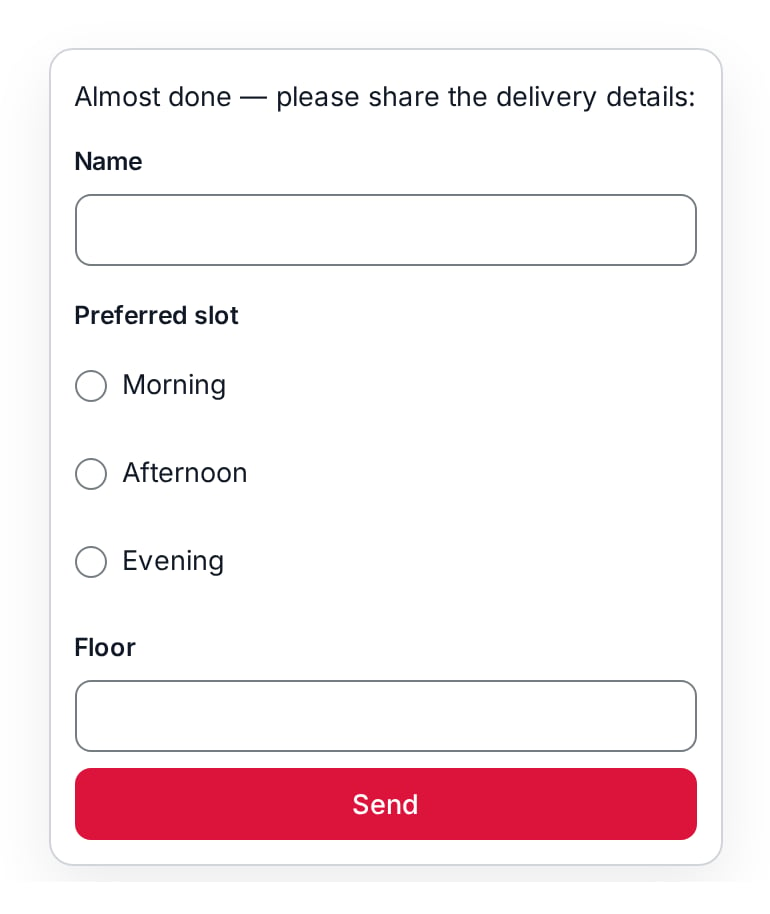
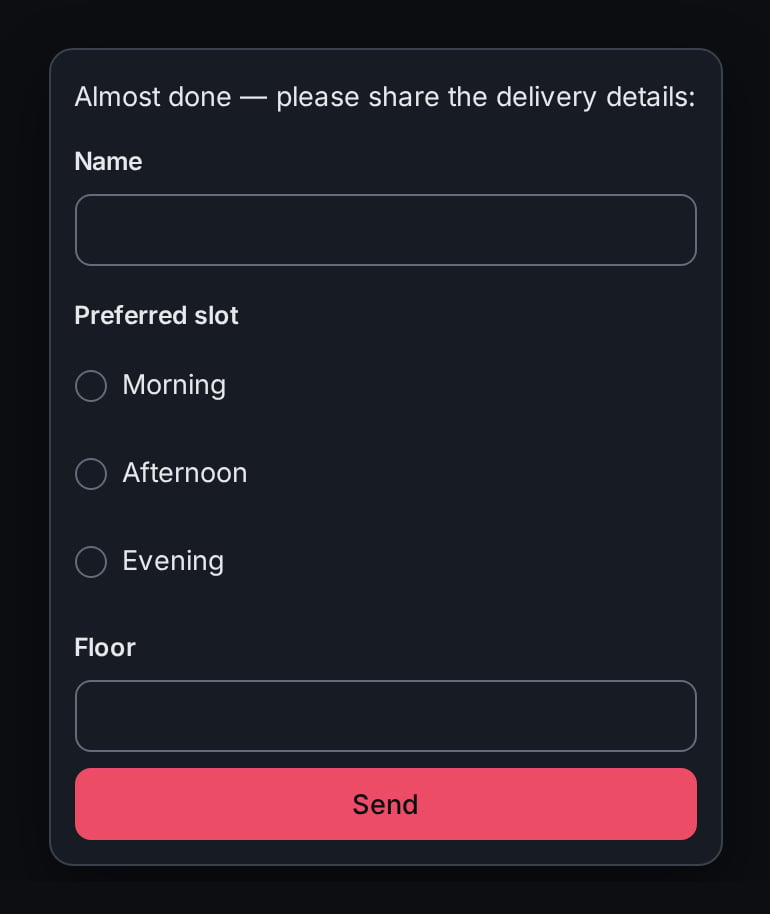
The web chat's ask-less form card — the prompt, the schema-rendered fields, and the send control.
failed delivery status),
never silently downgraded to a template or to text.
With an audience, the in-app record stores the schema alongside the message,
so the feed shows what was asked for — but the inbox record itself is never
submittable, which is why a form notification with no channel is refused.
Reading the inbox
The inbox is read on demand — there is no streaming surface. List the recorded notifications newest-first:GET /api/notifications. A restricted caller reads only its own audience
slice; an unrestricted operator reads the shared feed. The feed is a bounded,
newest-first ring: it retains a fixed maximum number of entries and trims the
oldest past it. It rides on the interactions Redis store,
so a deployment with that store unconfigured cannot record and lists an empty
inbox.
Entries the platform writes
Besides the notifications tools and doors send, the platform writes entries of its own to the shared feed (noaudience, so every unrestricted operator reads them) when an operator must act:
A pending state save failed; its subjects are held until it is retried or discarded. Save {id}, run {run}, phase {phase}: {error}— see pending saves.Pending state save {id} was discarded; its writes and calls will never be applied.— an operator discarded a failed save.
tai42_state_outbox_notify_failures_total.
The CLI
tai notifications notify exposes --channel, --recipient, --media,
--template, --options, --sections, --location, --header, --footer, and
--schema (each rich form a JSON string validated into its contract model), but no
--audience — addressing a specific identity is available on the tool and the API
only.See also
- Interactions — the blocking counterpart,
ask, and the form ask an ask-less form contrasts with. - Owned keys — the
audienceisolation model in full. - Client conversations — the channels a notification pushes to, and the structured participant message a form submission arrives as.
- CLI reference — the full
tai notificationssurface.