

An event that belongs to an existing conversation goes through the event
door, not a hook: it enters that thread
as a turn on the conversation’s own FIFO, rather than firing a detached tool run
with no thread. Use a hook when the event is standalone; use the event door when it must
be ordered and answered inside a live conversation.
Register a hook
A hook names the topic to listen on and the tool to fire. Register it from aHookParams JSON body. Add a condition (a jq expression over the delivery) to fire the tool only on matching deliveries.
name and topic must each be a single URL-safe path segment —
^[a-z0-9][a-z0-9_-]*$ (lowercase letters, digits, underscores, and hyphens, opening
on a letter or digit). The topic becomes a segment of the public
/universal_webhook/{topic} URL, so a dot, slash, uppercase letter, or space is
rejected at registration with a 400.
List the registered hooks:
Bind a verifier to the topic
An inbound webhook door is public — bind a verifier so every delivery on the topic is signature-verified before the tool fires. Name a registered verifier and pass its per-binding config. Verification fails closed: a signature failure rejects the delivery and the tool never runs.shared_secret also requires an id_header naming a header the sender fills with a unique per-delivery id; the ingress dedupes on it to refuse replays, so a binding without it fails closed.
1
Load the verifier
A verifier registers when the manifest imports its module. Load the built-in shared-secret verifier — or a provider verifier package — under
lifecycle_modules.manifest.yml
2
Register the hook
Bind the topic to the tool with
tai hooks register.3
Bind the verifier
Lock the topic’s door with
tai hooks set-verifier. Remove a binding with tai hooks delete-verifier.Trigger links (QR)
A trigger link is a minted, public URL —GET /trigger/<token> — that resolves to a hook topic and fires its registered hooks, exactly as the ingress door does. The token in the path is the capability: whoever holds the URL fires the topic. Print the URL as a QR code — a picture of the URL — on a wall, a sticker, or a slide, and every scan fires the topic. A link is timed (you pick the lifetime in seconds; the store expires it) or permanent, and revocable by name at any moment.
Trigger links belong to the hooks surface: any role granted hooks write mints and revokes them; hooks read lists them.
A fire runs the topic’s hooks as the link’s execution key. If that key is revoked, a
fire is still answered 200, and its hook run is held as failed with unauthorized
(see When a hook run fails).
Mint a link and fire it
Mint a timed link for a topic. Exactly one of--ttl SECONDS or --permanent is required — expiry is an explicit choice, with no default:
GET, so a scan fires the topic:
404 — an unknown, expired, or revoked token, or a topic that has since gained a verifier, are all indistinguishable, so the public door gives no oracle to probe. A successful response never names the topic either: the URL holder fires a topic without learning which one.
Mint a link that never expires with --permanent, and name it so you can revoke it later:
--params (a JSON object). They are merged into every hook the link fires, so one hook can back many QRs, each with different inputs:
What reaches the tool
Each fired hook runs its tool with a shallow, top-level merge of three sources, strongest last:- the hook’s
start_exproutput over the scan payload (weakest — the scan influences it), - the link’s
--params, - the hook’s static
tool_kwargs(strongest — a pin the link cannot override).
start_expr that maps it. Register a hook whose start_expr lifts ?name= into the tool input:
GET /trigger/<token>?name=Ada fires notify with {"who":"Ada"} — unless the link’s --params or the hook’s static tool_kwargs also set who, which win over the scanned value.
The token is shown once, in the create response. It is never stored and cannot be listed or re-read — a listed link’s QR is unrecoverable by design. To rotate a code, revoke the link and create a new one.
Rate limits and merge behavior
The public/trigger/<token> door is rate-limited from the start — a public door must not ship without flood control. It is the trigger family, held at 60 requests a minute and 10 in any 10 seconds; over the limit answers 429. Flood control on public doors covers the budgets and how to tune them.
The bucket is per client address. Two facts follow for a shared wall QR:
- A crowd behind one NAT shares a single budget — the 11th scan in 10 seconds from behind that NAT gets a
429. - Behind a reverse proxy with no proxy trust declared (the default), every scanner collapses into the proxy’s single peer-address bucket. For crowd-scale deployments declare the proxy —
TAI_RATE_LIMIT_TRUSTED_PROXIES(addresses or CIDR blocks) orTAI_RATE_LIMIT_TRUSTED_HOPS(a hop count) — and raise thetriggerfamily’s budget.
- Params merge as a shallow, whole-value replace. A link’s
flow_graph_kwargsreplaces the hook’s entireflow_graph_kwargsvalue — there is no deep merge of nested keys. - Revocation survives a backup restore. A revoked link stays dead even after its record is restored from a backup, so restoring an old backup cannot re-arm a link you already revoked.
Manage links in the Studio
The Studio’s hooks page carries a trigger-links section: a table of live links (name, topic, expiry, a params indicator, and the token’s hash prefix) each with a revoke-confirm, plus a Create trigger link button. The create flow takes a topic, an optional name, an expiry (permanent, 1 hour, 1 day, 7 days, or custom seconds), and an optional params JSON. On success a dialog renders the QR code with a copy field for the URL and a shown-once caption — revoke and re-create to get a new code.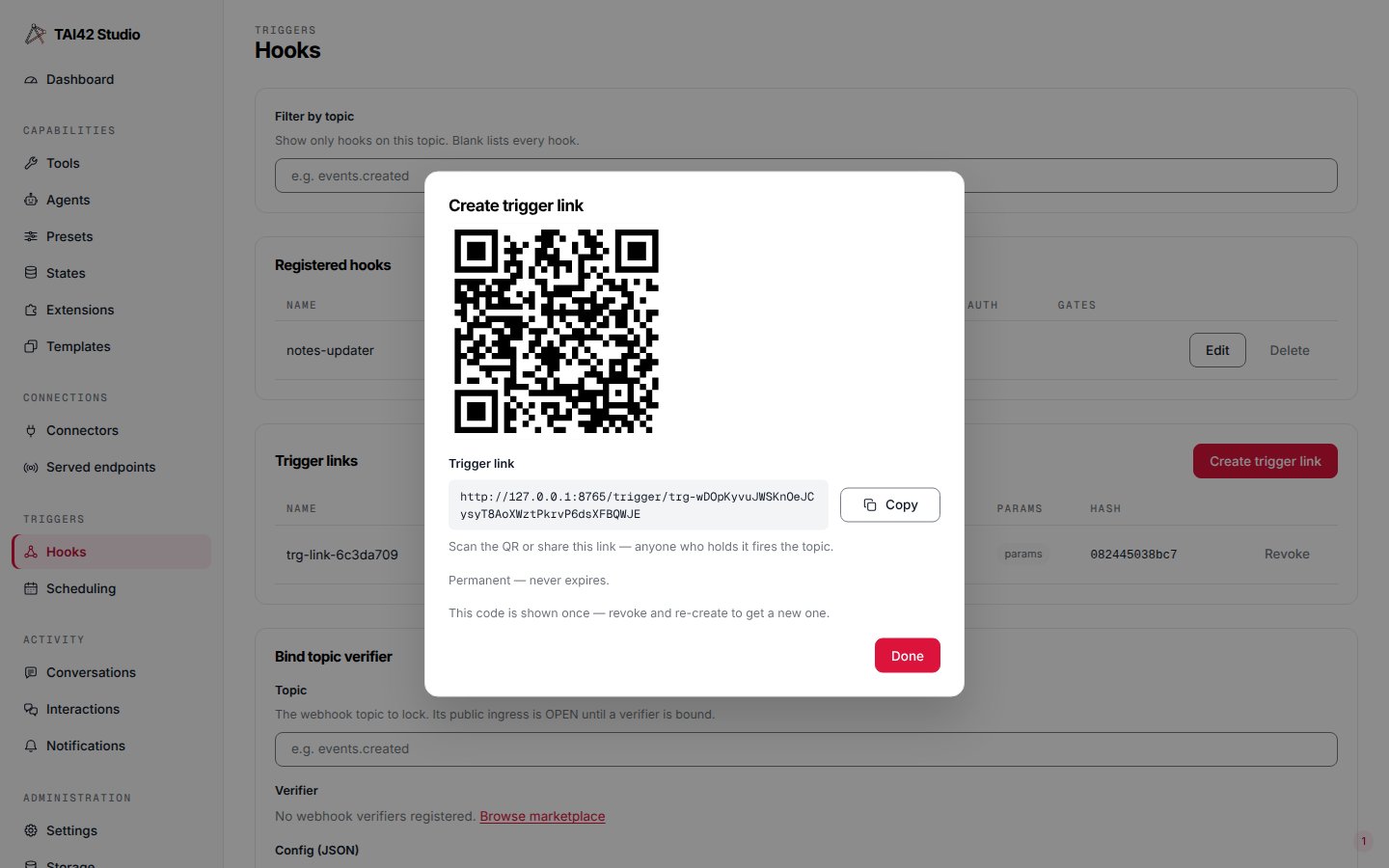
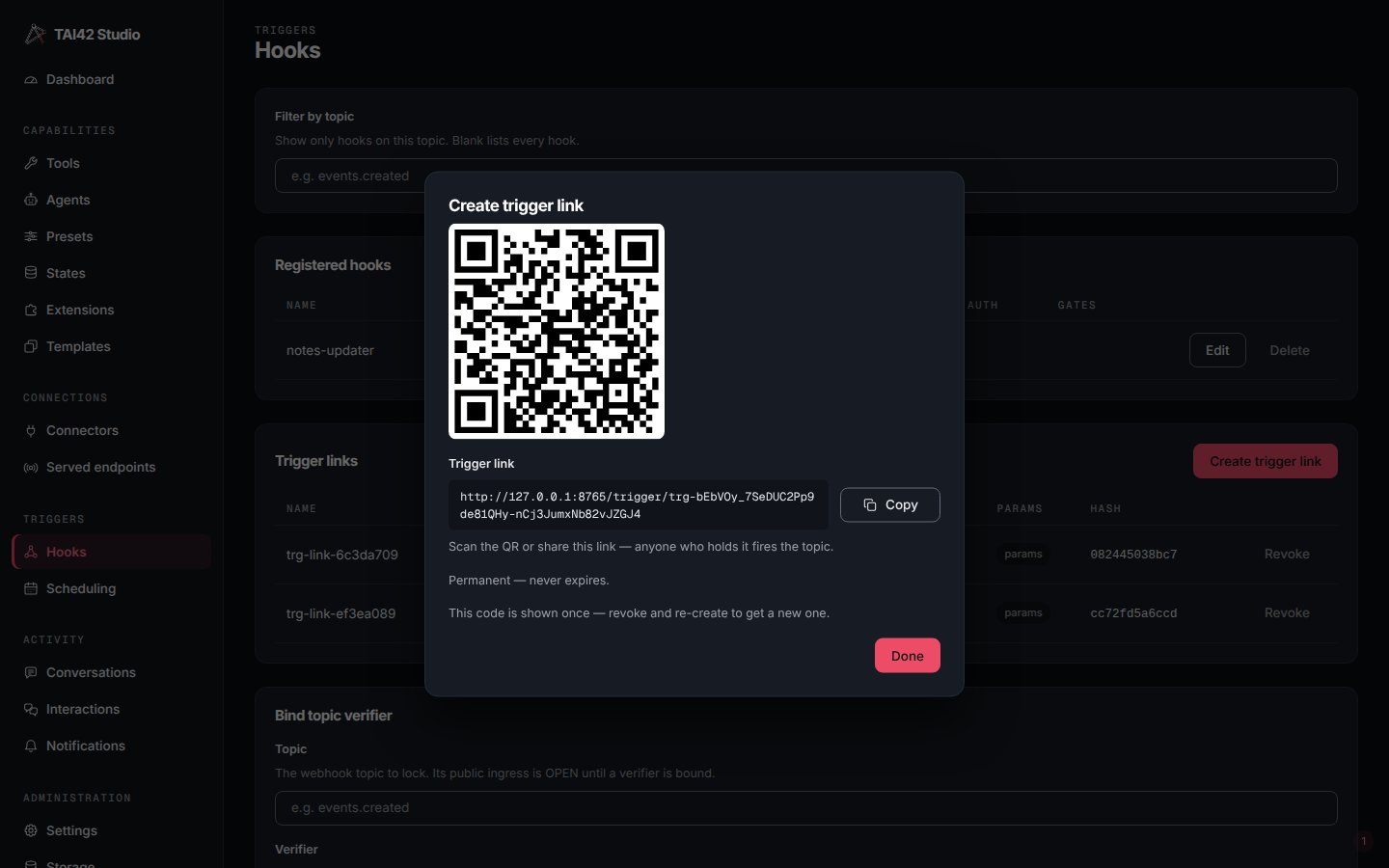
Creating a trigger link on the Studio hooks page — the QR is shown once.
When a hook run fails
A run that cannot finish is held as failed, and you get an operator notification. List the failed runs:acted column says whether and how the hook had already acted:
A failed run that still shows a
claim_intent was stopped in the middle of a claim on
an entry that was resolved by then. Its last_error says the platform cannot tell who
resolved it; a retry runs it as a fresh run. See Kept and
retried for what is retried on its own and what is
held.
See also
- Triggers and webhooks — the hook and verifier model.
- Interactions — external human-in-the-loop answers arrive through the same callback machinery.
tai hooksreference — the full command surface, including the trigger-link commands.- Share an owned key by QR claim link — the other QR in the platform, and the opposite job: a claim link logs a device in, a trigger link fires a topic.
- CLI reference — the full
taisurface.