

Configure a backend
A schedule runs on the worker backend, not in the request path. Register a backend plugin underbackend_module in the manifest and start its worker runtime:
manifest.yml
TAI_BUS_REDIS_URL and HOOKS_REDIS_URL (or TAI_DEFAULT_REDIS_URL for both), or tai serve and tai backend refuse to start. See Backends for where tools run.
Attach the schedule extension
A schedule on a cadence fires the tool’s<tool>_schedule_task vehicle — the backend’s schedule_task extension. You always name the base tool; the server resolves the vehicle. Naming the backend under backend_module registers that extension, but it is never attached to a tool on its own: name it in the tool’s per-tool extensions map so the vehicle exists.
manifest.yml
tai schedules add report --cron ... answers a 404 — the cadence has nothing to run on. GET /api/tools/tags marks each tool schedulable when its vehicle is registered, which is how Studio’s schedule dialog picks the tools it offers.
Add a schedule
Name the base tool and its cadence. Pass tool arguments with--tool-kw key=value (or --tool-kwargs as JSON), and give the cadence with at most one of:
--cron EXPR— a crontab expression: 5 fields (minute hour day-of-month month day-of-week), or 6 with a leading seconds field, which is dropped.--every SECONDS— an interval, in seconds (greater than 0).--cadence JSON— the cadence object itself (below).
--schedule-name names a recurring schedule (its handle for tai schedules delete); it needs a cadence. Without it the server derives a name from the tool, its arguments and the cadence, so re-adding the same schedule updates it in place — pass --schedule-name when you want an explicit, stable handle.
The cadence
Every door speaks one cadence shape, discriminated bykind:
relative aligns an interval to its own clock. The Celery backend honours it; the arq and RQ backends cannot, and refuse a schedule with relative: true rather than ignoring it.
Over HTTP, POST /api/schedules takes the same fields:
400, and so is naming the <tool>_schedule_task vehicle as tool_name or giving schedule_name without a cadence.
Every door checks what the schedule names. An unknown tool is a 400
(scheduled tool 'ghost' is not a registered tool), and the tool_kwargs are checked the
way a preset body is, for
every kind of target: an agent’s tool_names entry, a stored template id at a templated
field, or a name a base tool’s tool_refs extractor reports. Each miss is one line of the
400, for example tool_kwargs.tool_names entry 'ghost' is not a registered tool.
Driving parked interactions
A schedule can also be a parkable-driving door: on each fire it can cancel, resume, take, or start runs against the parked interactions on its subject. Pass the four door-contract jqs — each evaluated over the schedule’s fired tool arguments with the run’s parked interactions bound as$parked:
--start-exprbuilds the fired tool’s kwargs (nullstarts nothing).--cancel-exprnames parked interaction ids to cancel.--resume-exprnames an ask to resume with an answer ({id, payload}) or a waiting outcome to take (a bare id).--extras-exprbuilds theextrasmapping handed to the started target.
--execution-key — the identity the fired run runs as. A
schedule fire has no receiver, so a resumed run’s terminal
waits on the subject for its next owner
to take.
A schedule created with a
state_binding has the binding checked and its templates attached
at create, before the backend stores anything: a binding naming an undeclared state is a 404,
an occupied attach path a 409, and a states-store failure a 500. See saving a
binding.Inspect and remove
1
List schedules
2
Check the server clock
Cron cadences resolve against the server’s clock — read it to reason about when a job fires.
3
Delete a schedule
error (its message and when it happened) in the listing rather than being retried silently forever, so tai schedules list tells you which schedule needs attention.
A scheduled run, like every dispatched job, is bounded by the backend’s job budget, <PREFIX>_TASK_TIMEOUT (see Backends).
A schedule and a webhook binding are the two ways a tool fires without a client call. To fire a tool on an inbound event instead, see Fire a tool from a webhook.
Manage schedules in the Studio
The Studio’s Scheduling page lists the deployment’s schedules: each row names the schedule, its cadence (Every 3600s, or Cron: and its five fields), whether it is enabled, and the tool it fires. A schedule carrying an error shows an Error badge beside its status; the badge’s tooltip carries the message, and the time it happened when the backend recorded one. The page also shows the server clock that cron cadences resolve against.
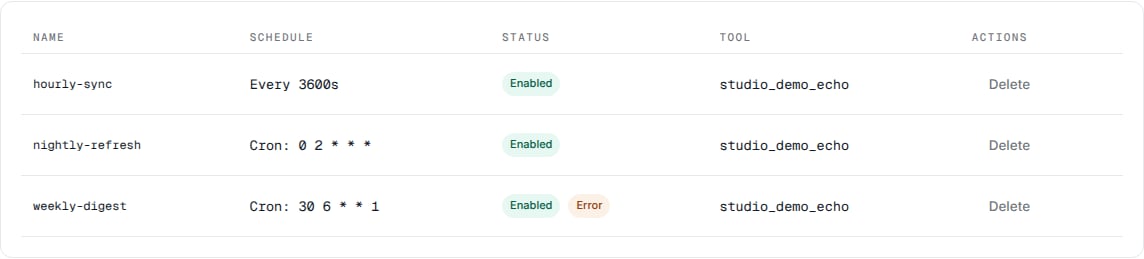
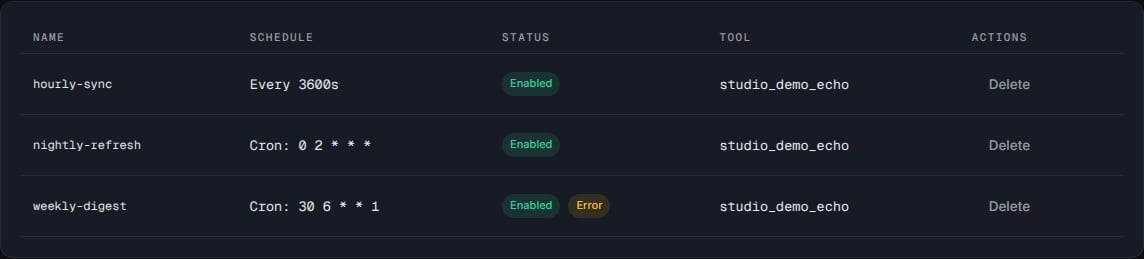
The Scheduling page: an interval row, two cron rows, and a schedule with an Error badge.
schedulable are offered), its kwargs as JSON, and an Interval or Crontab cadence. Below the cadence sit the schedule’s subject, the execution key the fire runs as (shown only with access control on; with it off the schedule runs as the gate-off identity, and the field is absent; a key session is offered its own identity when the list does not hold it, an account session must mint a key first, and a session that may not list api keys is told which read it needs), and the Start, Cancel, Resume and Extras jqs of driving parked interactions, and the schedule’s state binding.
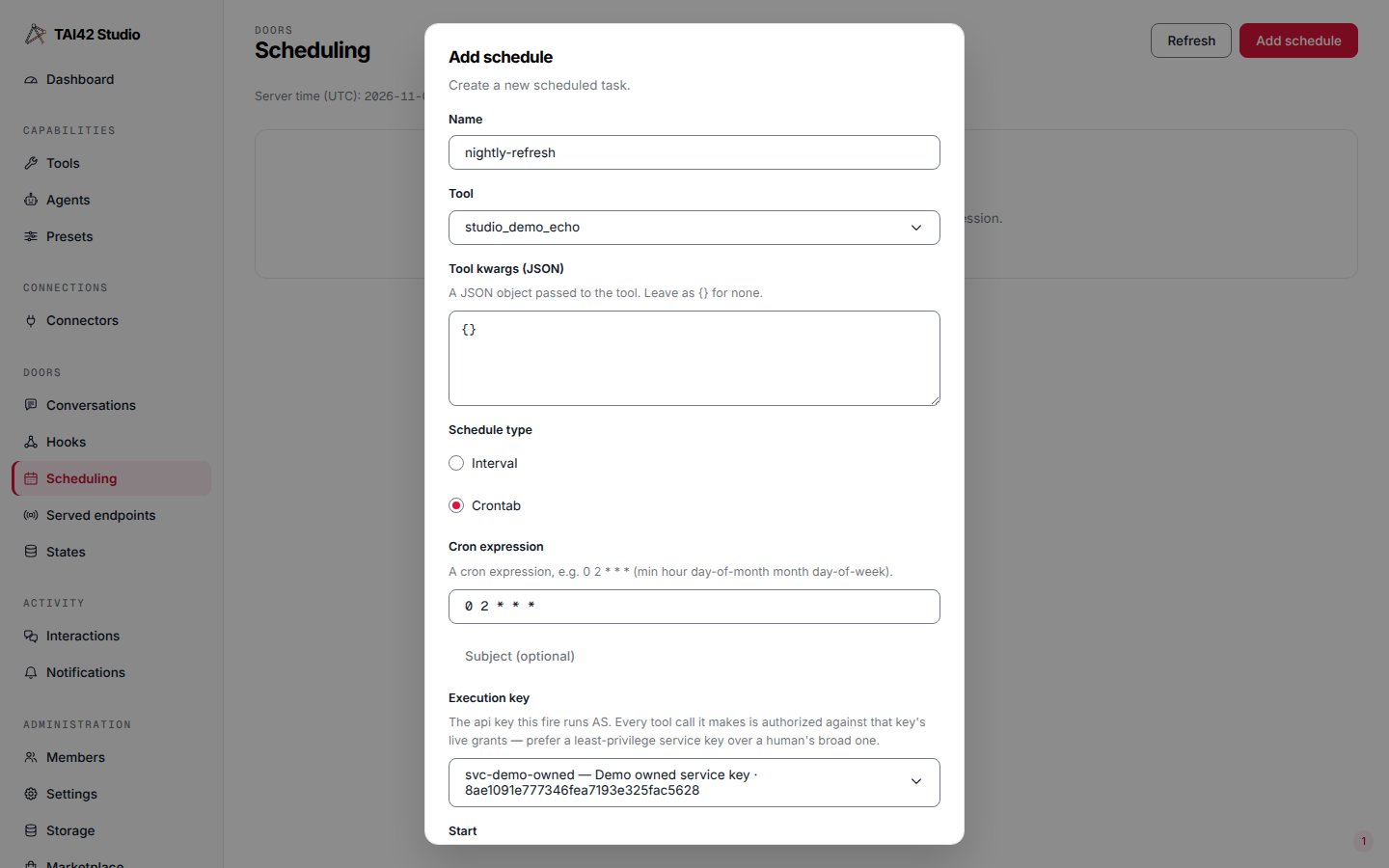
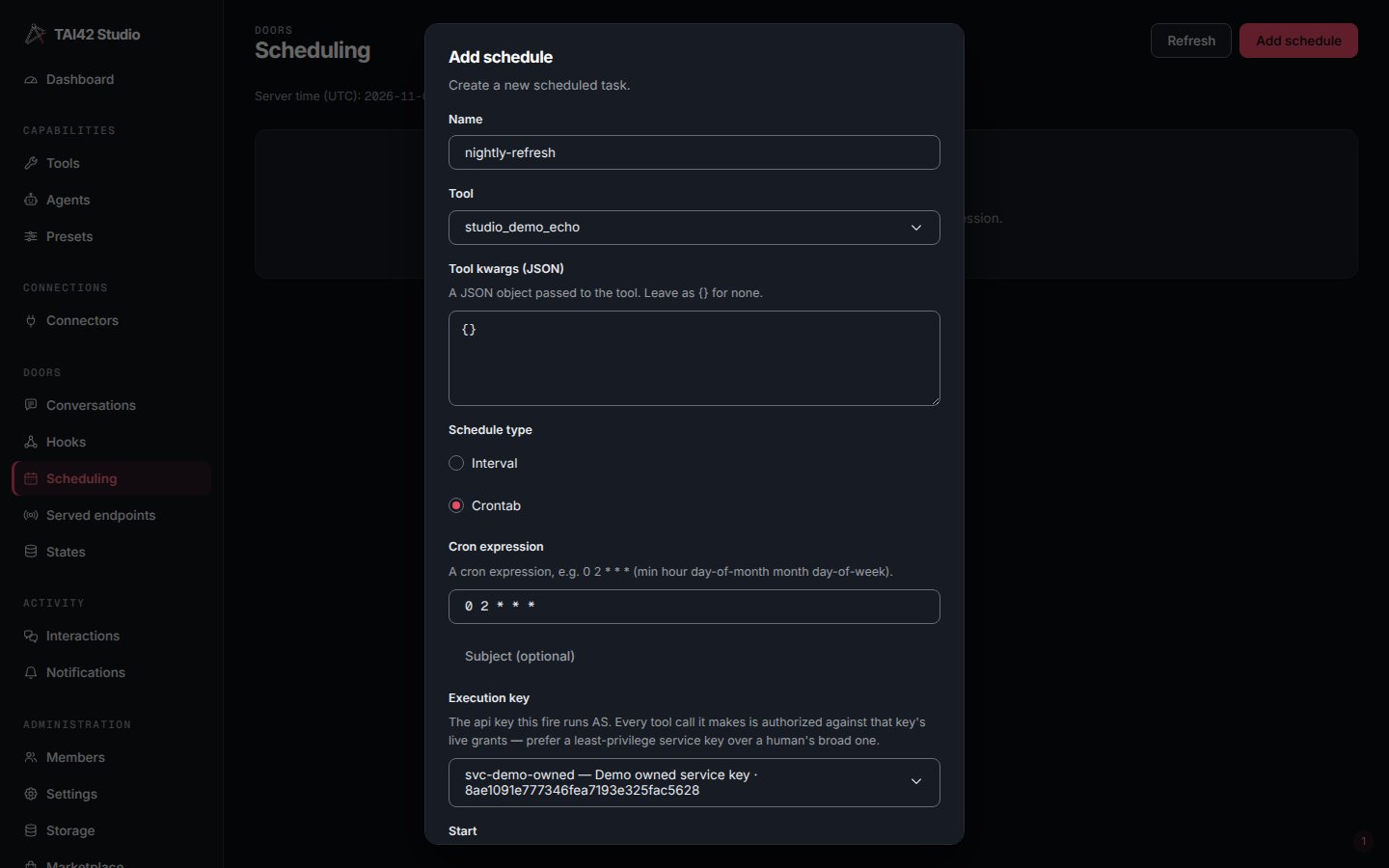
The Add schedule dialog on a crontab cadence, with the execution key the fire runs as.
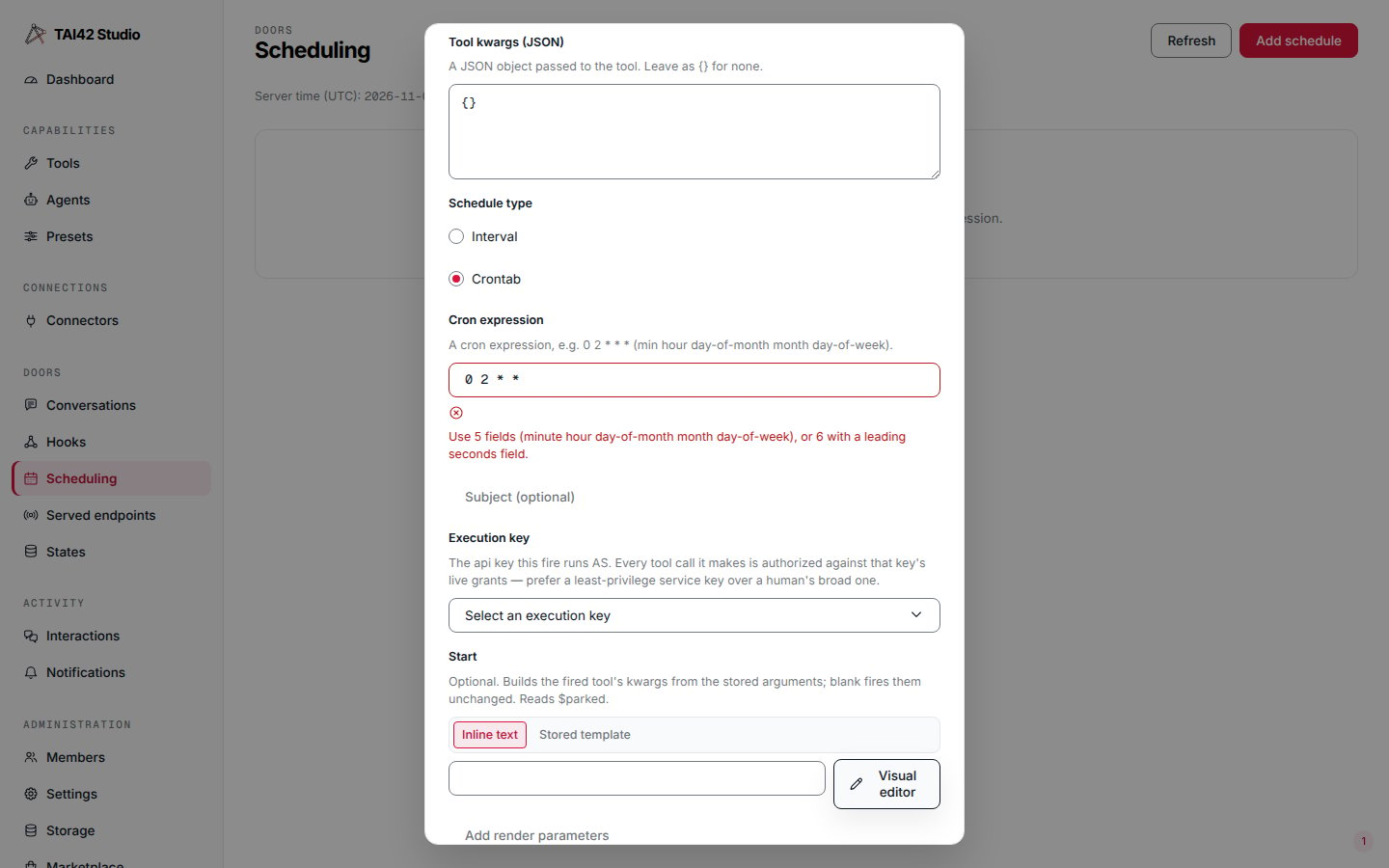
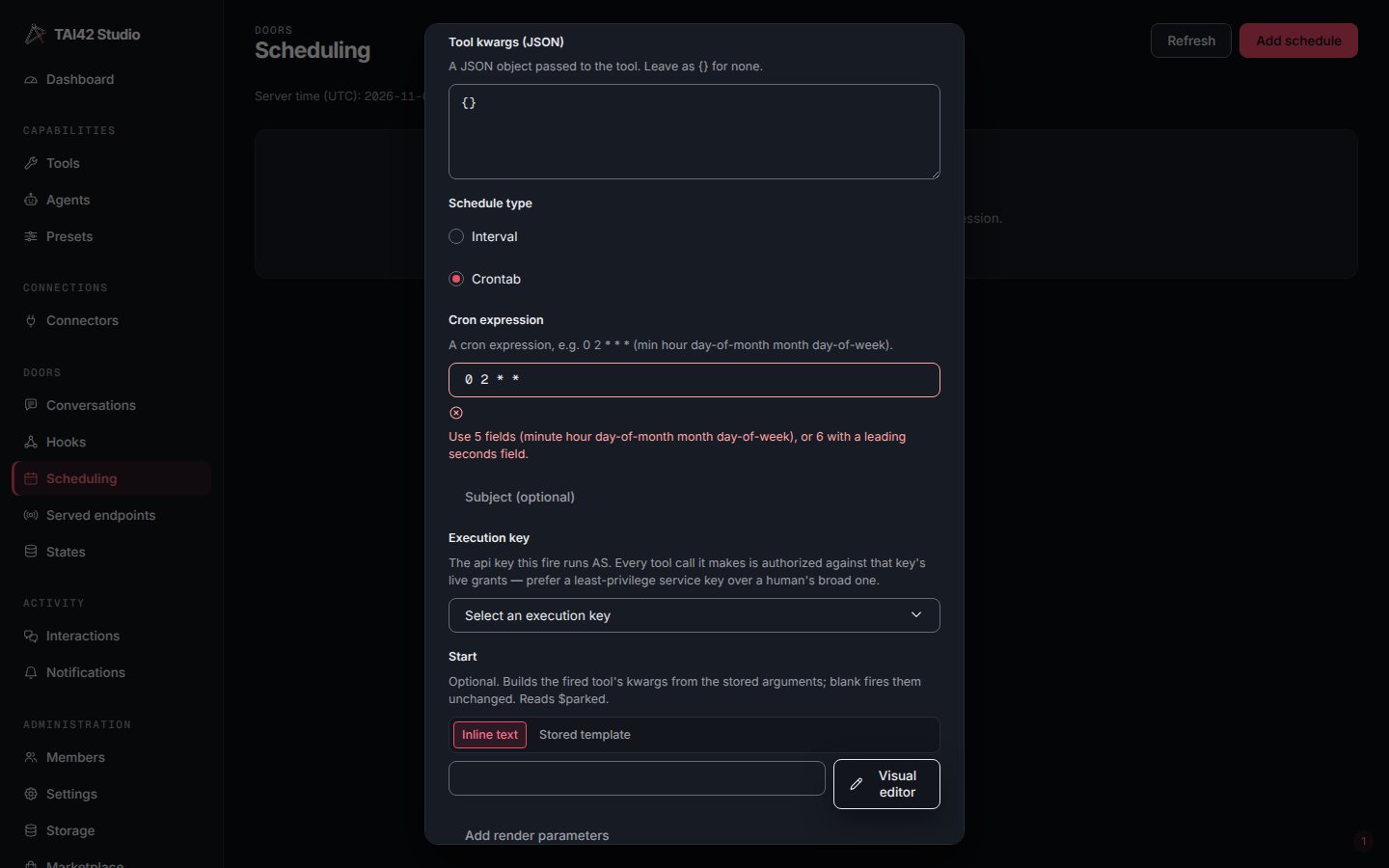
A four-field cron expression refused in the dialog.
See also
- Backends — background, scheduled, and distributed execution.
- Triggers and webhooks — the other way a tool fires on its own.
- CLI reference — the full
tai schedulessurface.