

/api/hooks surface: it registers the
hooks that fire a tool when an event arrives, binds a
verifier to a topic’s public ingress door, and
mints trigger links — public
QR URLs that fire a topic on a scan.
Every hook and every trigger link fires under a bound execution key: the api-key
identity the dispatch runs as. The picker is the same on both forms, and wherever
access control is enabled a fire never runs as “nobody”.
Register a hook
The Register hook form names the topic to listen on and the tool to fire, then binds the execution key that fire runs as. Name, topic and tool are required, and so is the execution key wherever access control is enabled; tool kwargs, a condition, and the door-contract jqs (start_expr, cancel_expr,
resume_expr, extras_expr) are optional.
The Tool field is a searchable picker of the tools the deployment serves; a stored
tool the deployment no longer lists stays selected and is marked “(not registered)”.
A session that may not list tools types the tool’s exact name instead, and saving
checks that the deployment serves it. The condition and the door-contract jqs open the
jq editor.
The optional Subject group (“Key this fire’s state writes to a subject; leave blank
for none.”) is the same subject group the Scheduling and Tools screens show: a
conversation target, a subject kind, and a Key expression — “A jq over the event
payload; it must yield a non-empty string key.” The key is a templated text like the
other jq fields: inline jq in the jq editor, or a stored template with its kwargs, and
editing a hook keeps a stored template and its kwargs as saved. Target, kind and key
are all filled or all left blank; a partly filled subject is refused on submit with
its error shown in the group. See Targeting a state
subject.
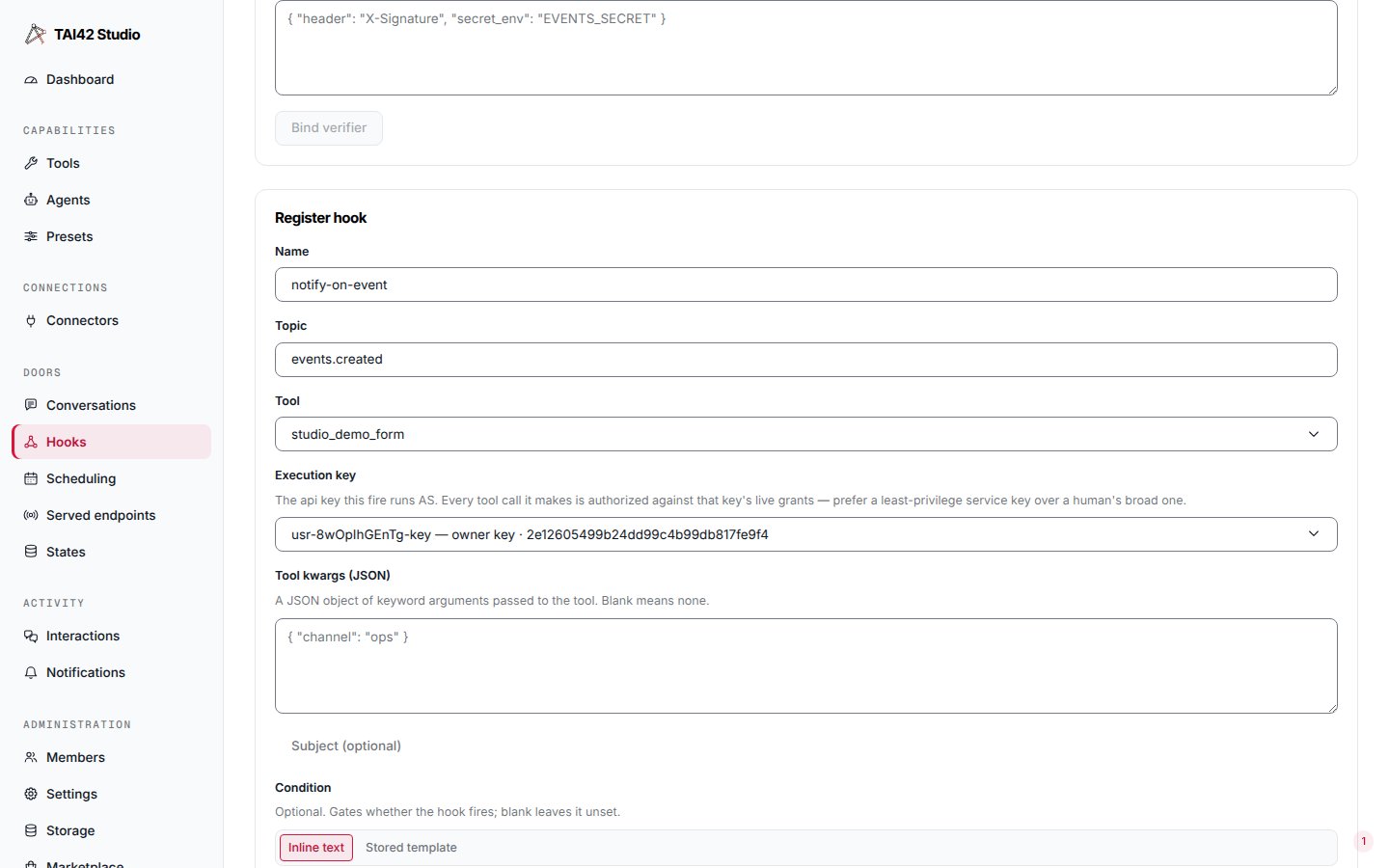
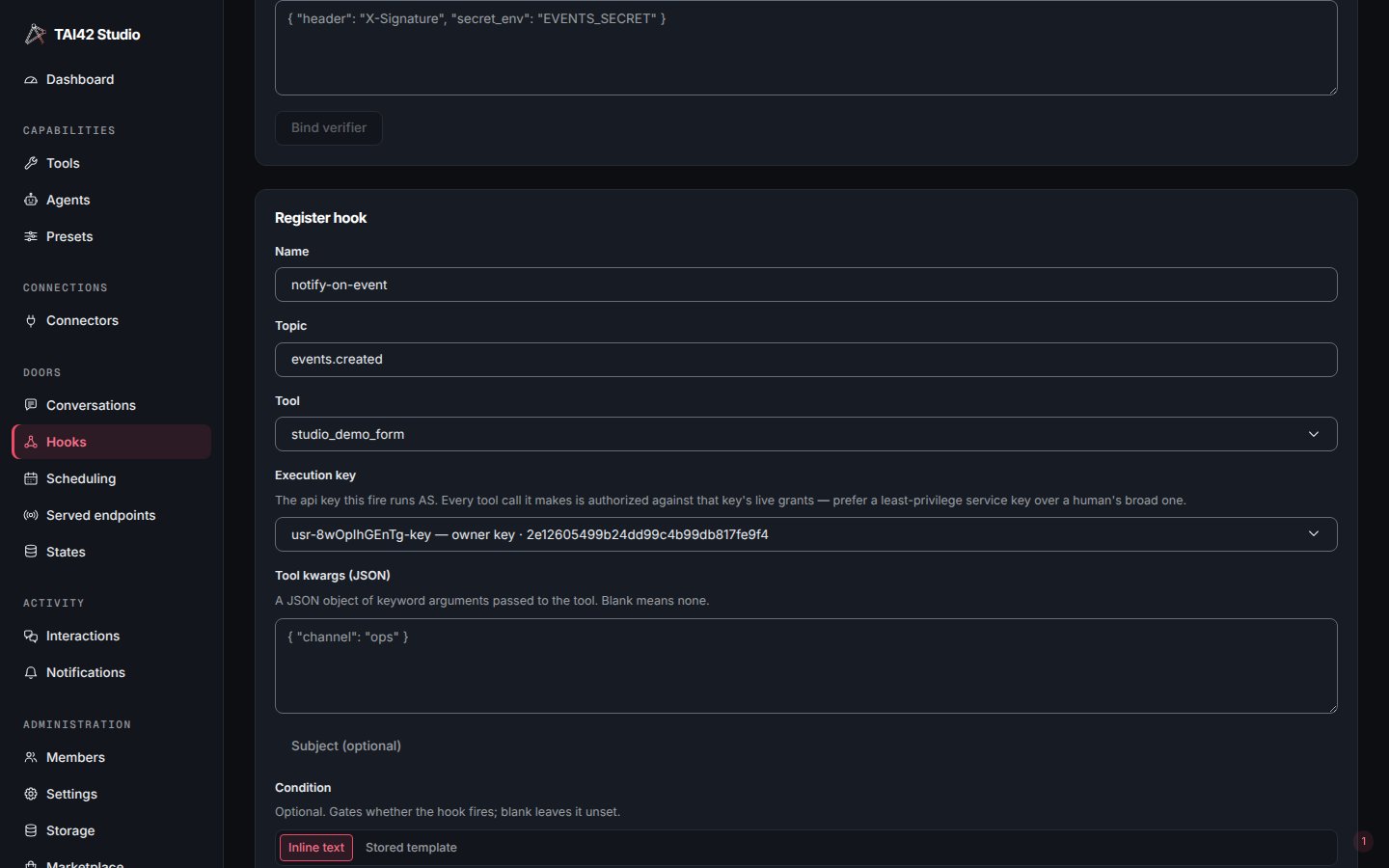
The Register hook form: the required execution-key picker binds the api-key identity each fire runs as.
- Signed in with an api key. When the list does not hold your own identity, the
picker offers it as “
<id>— this session’s identity”, and choosing it reads “This runs as this session’s own identity,<id>, with its live grants.” - Signed in as an account. An account is not an api key, so your own identity cannot be picked. With no key of yours listed, the picker says to mint one on the API-keys tab first, and Register and the trigger-link mint stay disabled until there is a key to bind.
- No access to list keys. The picker says which read it needs (
GET /api/auth/tokens-payload) and to ask an administrator to grant it.
The binding is to the key’s fingerprint, not just its id. Revoking the key kills
every hook and link bound to it, and re-minting the same id does not revive the
binding — the fingerprint changes, and a fire against the stale binding is denied, not
run as the new key. See owned keys for the delegation model.
When the tool-run store is configured, every hook and
trigger-link fire is recorded like a background run — it lists in that tool’s
Recent background runs on the Tools screen, gettable by run id.
Edit or remove a hook
Every registered hook lists in a table, and each row carries an Edit and a Delete control. Edit opens the same form prefilled from that hook, titled Edit hook; saving it is a true update over the register door — the button reads Save changes — not a delete-and-recreate. A hook edited through an inline field keeps any id-bound condition or door-contract jq it carried, so touching the topic or tool never silently drops a gate you set by id. A hook whose stored key is not in the picker’s list opens with that key flagged not a listed key, and a line says what the server will do with it on save: an admin may bind another identity, which the server checks; for anyone else the server refuses an unlisted key, unless an api-key session’s key is its own identity. A second line compares the key with your session before Save changes: a key that is not your session’s identity is flagged not your identity (for anyone but an admin, with “so the server will refuse it on save”), and your own account is flagged not an api key. Delete opens a confirm dialog and unregisters the hook by name; it is immediate and cannot be undone. Binding a verifier to the topic is the adjacent Bind verifier form. It is admin-only: ahooks-write role registers hooks and mints links but is fenced out of
setting or removing a topic’s verifier. See
fire a tool from a webhook for the verifier flow.
Mint a trigger link
A trigger link is a minted, public URL —GET /trigger/<token> — that fires a topic’s
hooks on a bare request, printable as a QR code. The Create trigger link button
opens a dialog that takes the topic, an optional name, the execution key, an
Also require an api key toggle, an expiry (there is no default — choose one), and
optional tool params. On success the dialog renders the link’s QR, shown once.
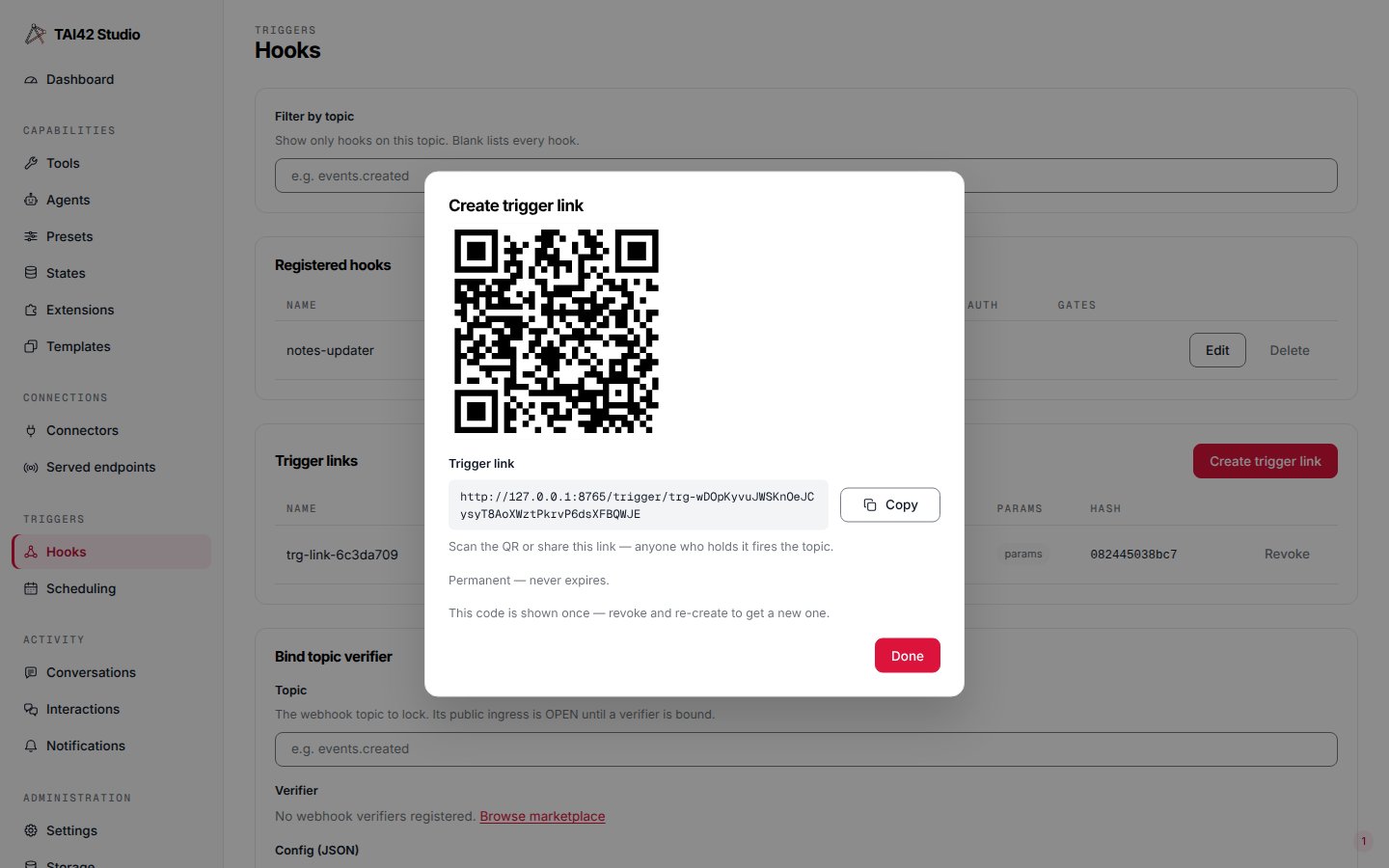
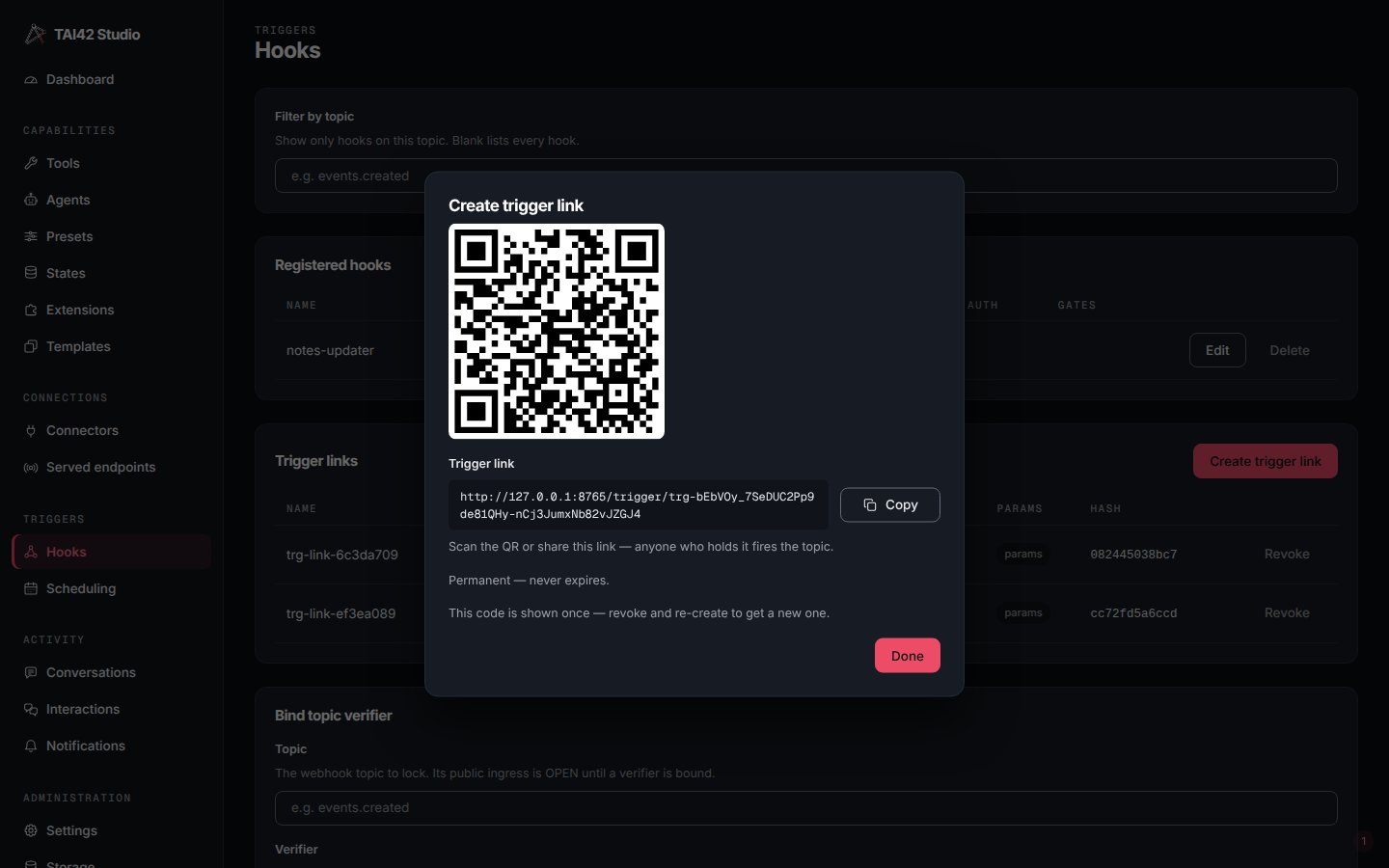
The Create trigger link dialog mints a public QR bound to an execution key; the QR is shown once.
/universal_webhook/{topic} door.
The trigger-auth type
The trigger-links table lists each live link with its name, topic, bound execution key, expiry, a params indicator, the token’s hash prefix, and a trigger-auth cell naming how that door reads. The value is server-derived from the live bindings, never a stored flag:
Revoke a link from its row’s revoke-confirm — immediate and durable, and a restored
backup cannot re-arm it. The token is shown once at creation and never stored, so a
listed link’s QR is unrecoverable; to rotate a code, revoke and mint a new one.
See hooks for the dispatch model,
fire a tool from a webhook for the full
binding-and-condition workflow from the CLI, and the
tai hooks reference for the command surface.